
 |
Automations & Sequences > Follow up with non-responders |
I sent a campaign, and now I want to send a one-off follow-up asking non-responders to reply
You sent an email campaign asking for replies. And while you got some replies, it’s radio silence from the rest of your recipients.
Fortunately, in GMass, it’s easy to send a quick follow-up to all those non-responders to nudge them to reply.
In this guide, I’ll show you how to do it.
Step-by-step guide
1. Click on the envelope icon in GMass to begin a behavior-based follow-up campaign
In GMass, there are behavior-based follow-up campaigns. Which means: You can send a follow-up campaign to recipients who took (or didn’t take) a specific action in a prior campaign.
You could send a new campaign to everyone who opened your prior campaign — or who didn’t open it. Or everyone who opened but didn’t click, or opened but didn’t reply.
And one of the options here is to send a new campaign to those who didn’t reply. That’s what we’re going to use in this scenario.
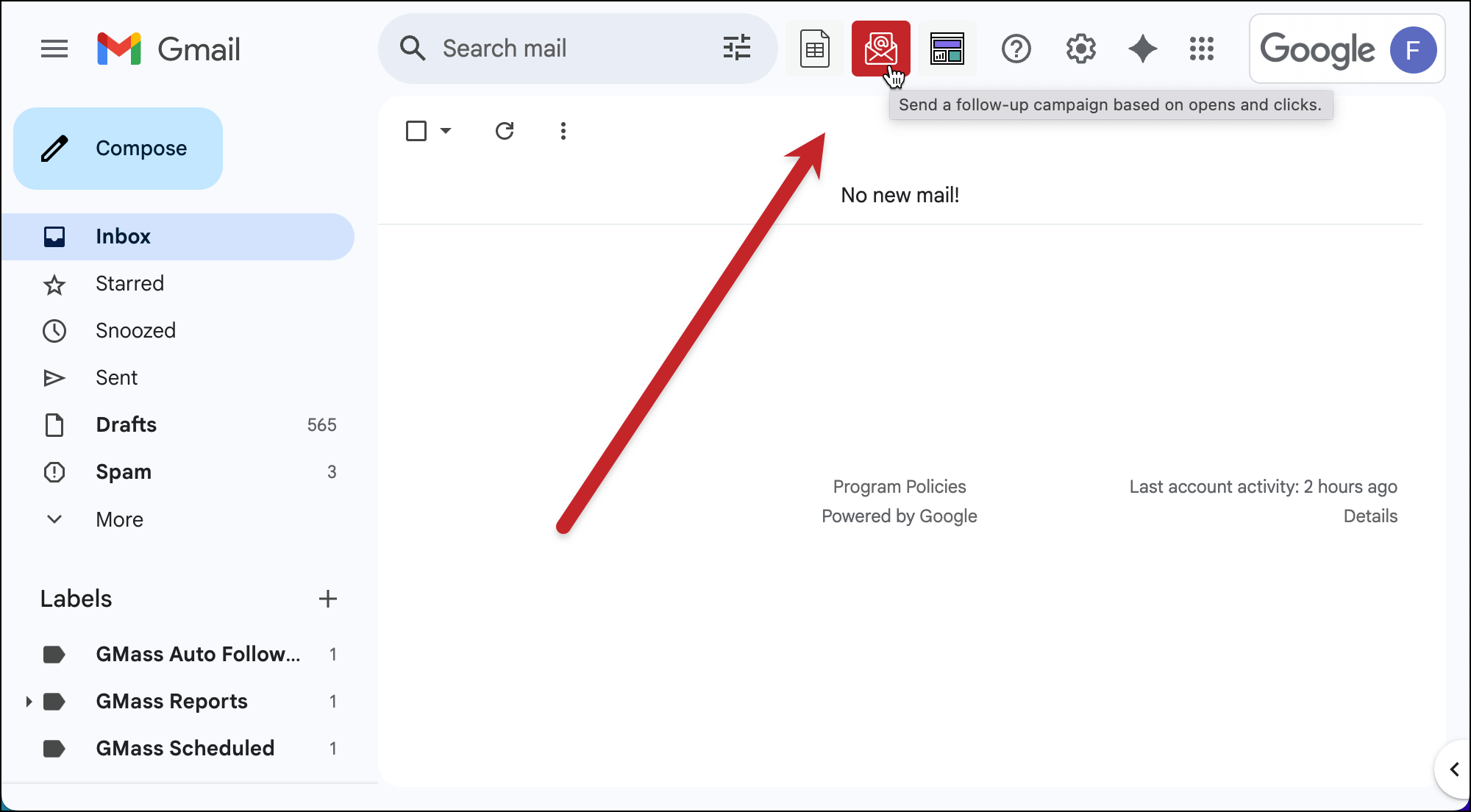
To initiate this behavior-based follow-up campaign, click the envelope icon that GMass adds next to the Gmail search bar.
2. Choose your past campaign and behavior from the dropdown menu
A popup will appear with a dropdown of all your prior campaigns. Pick the campaign where you want to contact the non-responders.
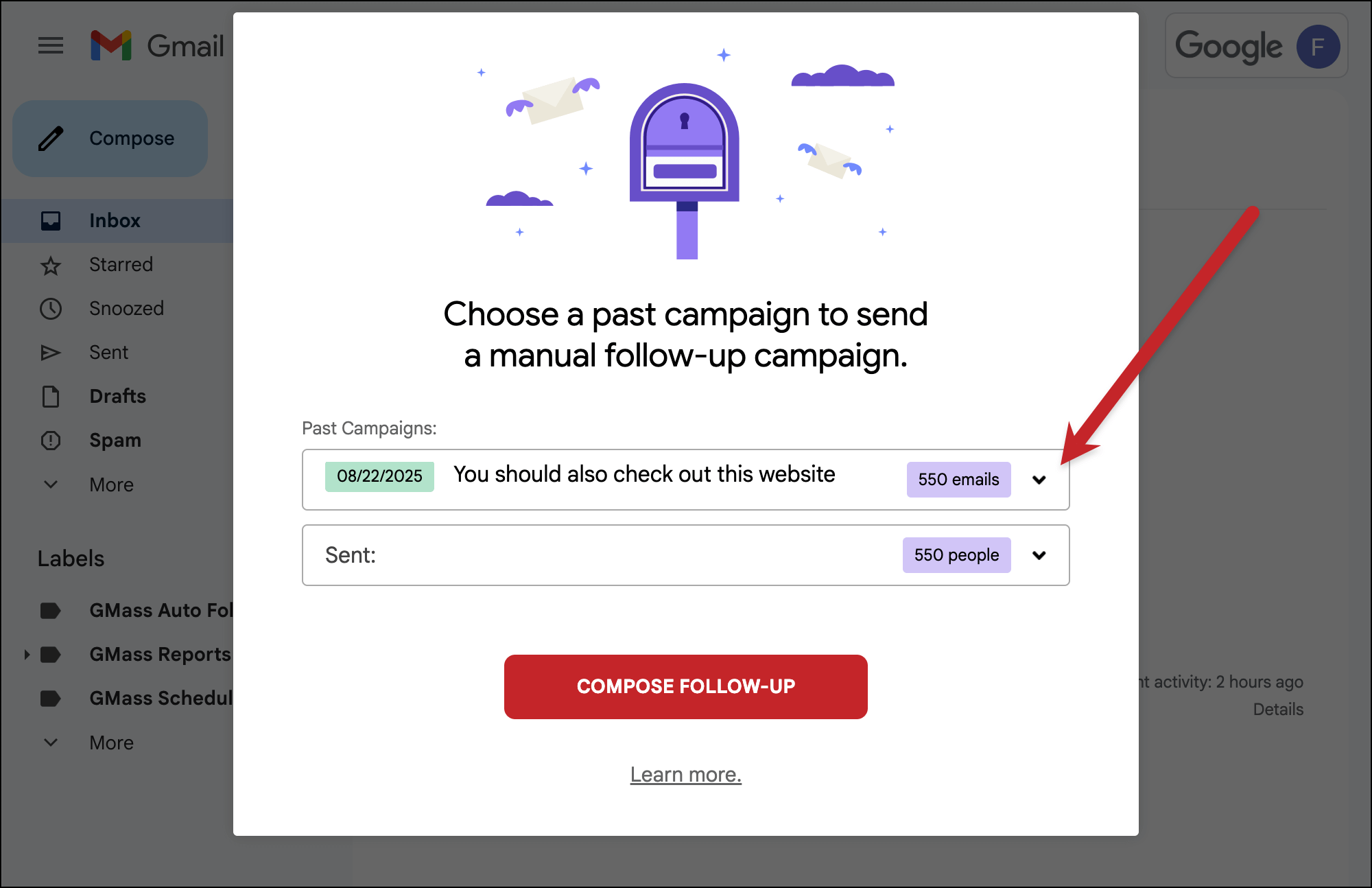
Then a second menu will appear where you can pick the behavior you’re targeting. I’m going with Didn’t reply.
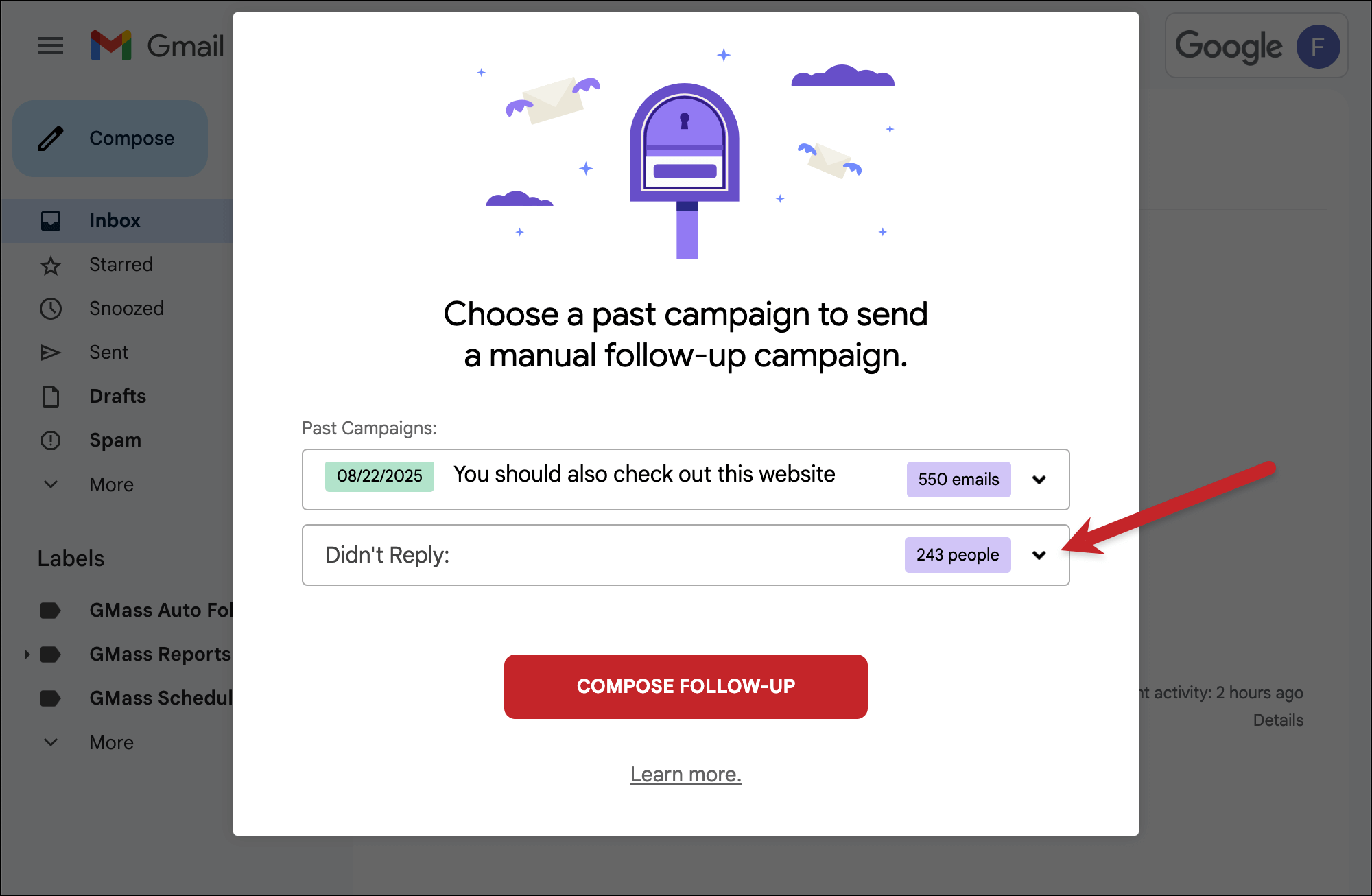
Then click the Compose Follow-Up button.
3. Write your email to non-responders and send with the GMass button
That will bring up a new Gmail compose window.
There’s a new email alias in there, which includes everyone you’re targeting in this follow-up campaign.
Type up your new campaign. Use any GMass settings you want. And you can use the mail merge tags from your original Google Sheet and your original campaign; your behavior-based follow-up campaign inherits all that.
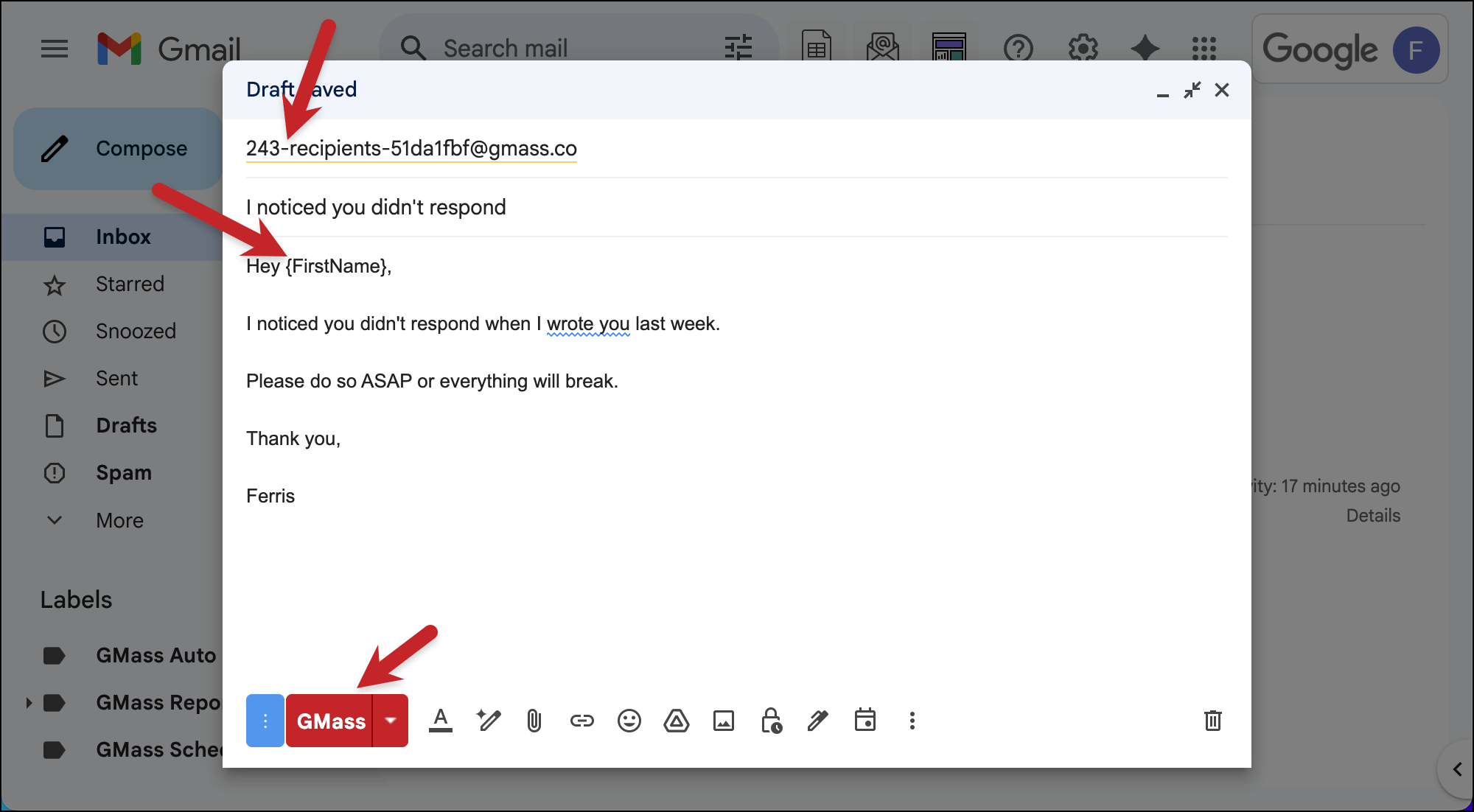
Once you’re done creating your campaign, click the GMass button to send it.
✅ You’re all set.
More resources
- Here’s more on behavior-based follow-up campaigns (which we also refer to as segmented follow-ups).
- You can use these behavior-based campaigns to create subsequences, aka conditional follow-ups.
- You can send to a behavior-based list as well as other lists using GMass Multi Merge.