
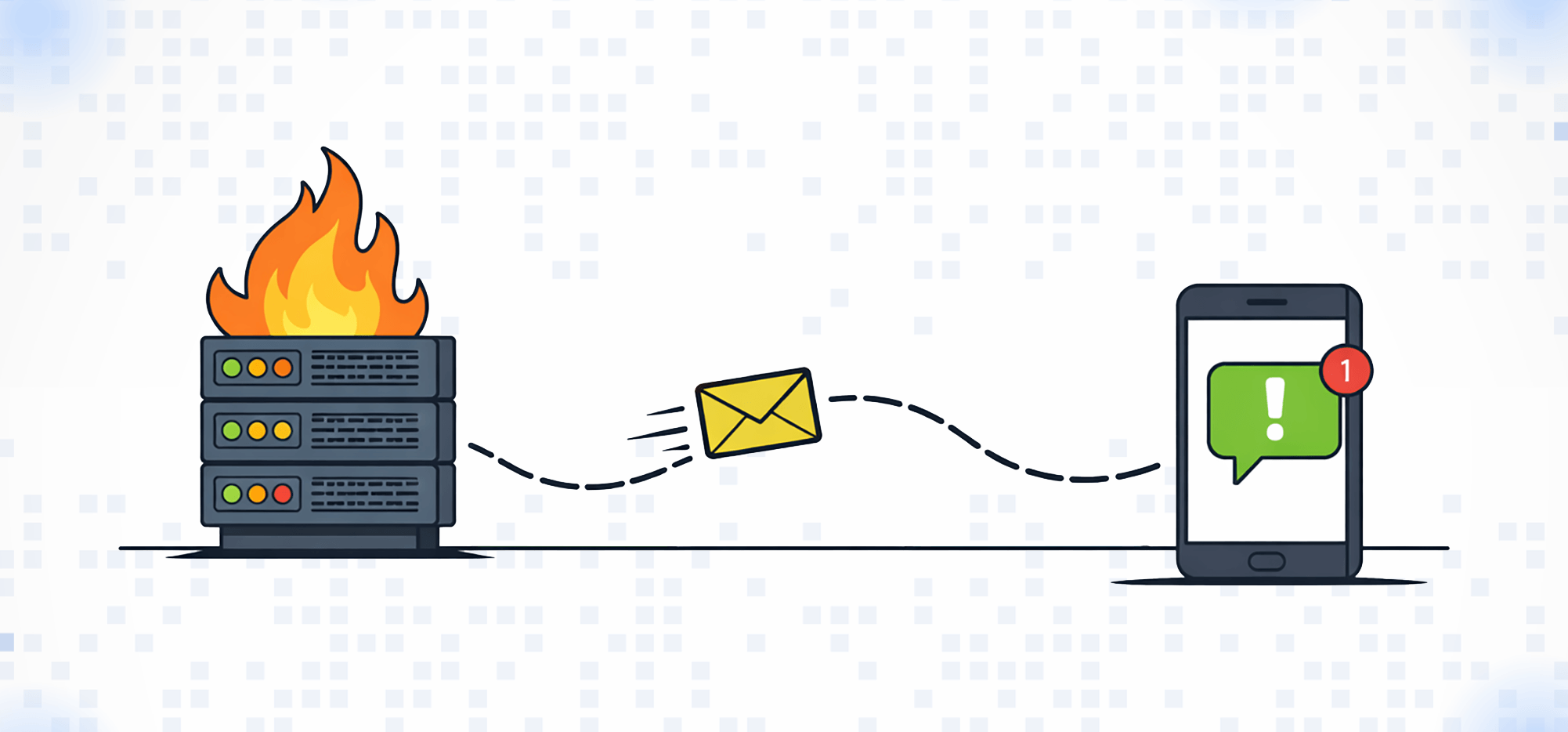
I’ve been using email to SMS for decades. You may’ve used it at some point in the past few decades too, and maybe you even relied on it as much as I did.
But it’s changed a LOT over the past few years.
In fact, the email to text landscape changed so much I actually had to build an entire new company to fix it.
In this article, I’ll cover…
- How email to text changed…
- What happened to the email to text service that your cell phone carrier used to offer…
- The email to SMS options that are out there in 2026 (including text.email, the one I had to build to fill a GIGANTIC hole in the market)…
- And the best ways you can use email to text for your alerts and beyond.
Here’s everything you need to know about email to SMS.
Email to SMS: Table of Contents
- What Is Email to SMS?
- Your Email to SMS Options in 2026
- Want to Get Your Email to SMS Working in the Next Five Minutes?
- The Different Ways You Can Use Email to Text
- Email to SMS FAQ
- Picking the Right Email to SMS Setup
What Is Email to SMS?
Email to SMS means you send an email, it’s delivered to a phone (yours or someone else’s) as a text message.
You’ll get a special email address to use from a service (or if you hack together your own tool). When you send an email to that address, the service converts the message into a text and delivers it.
Email to SMS is trickier to pull off than it sounds, mostly because of a whole bunch of regulations around sending text messages. I’ll get into those more later in this article. It’s why email-to-SMS is one of the few industries that doesn’t seem to have infinite companies.
The good news: It’s not tricky for you as a sender.
You sign up for an email-to-SMS service, send emails to the address they give you using whatever email platform or tool you want, and those messages are delivered as texts.
Wait, I have a memory of my cell phone company offering this service
That’s correct. For the first quarter of the 21st century, cell phone carriers offered email-to-texting as part of your paid plan.
You could send an email to yournumber@vtext.com (for Verizon) or yournumber@txt.att.net (for AT&T) and so on. And it would get delivered to your phone as a text.
Well… starting around 2024, the carriers started killing off these services. So if you depended on them for alerts — and I definitely did — those alerts quietly stopped getting delivered.
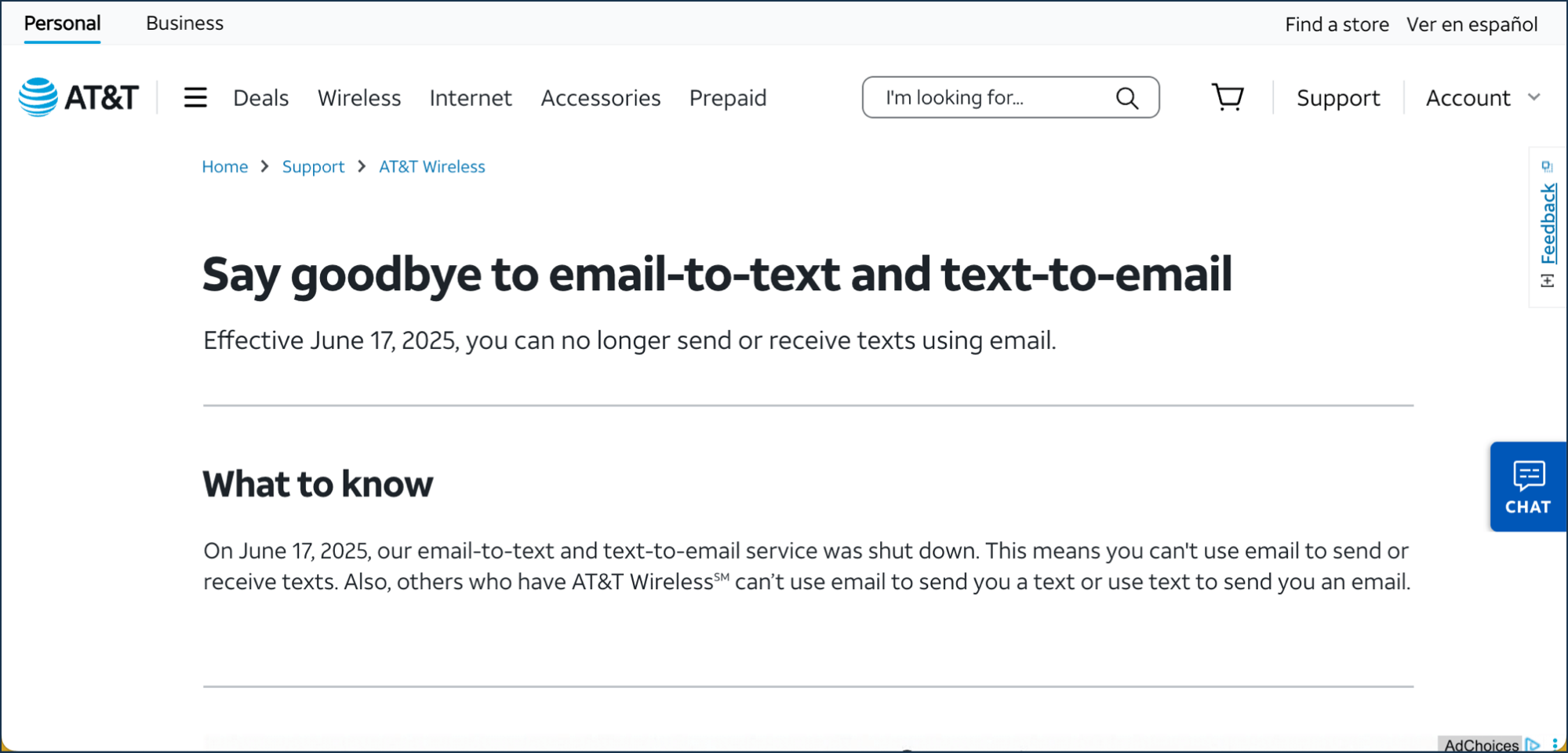
There were two main reasons these shut down:
- Spam. Endless, out-of-control, mountain of spam. It was way too easy to anonymously send texts with this method.
- New regulations. Because of all the text spam, new regulations, including something called A2P 10DLC, went into effect. Basically, they prevent texts from getting delivered from unverified senders.
Anyway, these services are not coming back. It’s not practical nor profitable for the cell phone carriers to reopen these gateways.
So you need a replacement…
Your Email to SMS Options in 2026
There are three broad ways to get email to SMS working today. They each have their own pros and cons depending on your needs.
Email-to-SMS services
This is the most direct solution: Services that give you an email address, and convert messages sent to that email address into texts.
These are drop-in solutions on your tools, and drop-in replacements for the old email-to-text service offered by the cell phone carriers.
For instance, if you need urgent SMS alerts when your server goes down, you can use this. (Servers, controllers, and other monitoring tools pretty much always offer email alerting but very rarely offer SMS alerting because of the complexity involved.)
There’s no API required, no platform to learn, no coding involved, and (likely) no requisition forms or 15 levels of bureaucratic approval required.
Sounds great, right?
I thought so too. I needed one of these once Verizon stopped delivering my email-to-text alerts. I use them for all sorts of things with GMass and I rely on them heavily.
So I went hunting and I couldn’t find a true drop-in solution.
I found solutions that were full alerting and crisis management platforms.
I found solutions that offered email-to-text, but didn’t address all the modern regulations around texting (meaning their texts wouldn’t reliably be delivered).
But I didn’t find any true drop-in replacement where I could just sign up, get an email address, and have it sending email-to-SMS alerts in a matter of minutes.
So that’s why I built text.email.
I found a few companies doing something sort of similar, but they required regulatory work. Or they didn’t offer two-way communications (you can reply to text.email texts and those responses go to email). Or they had a bunch of complaints about delivery issues.
text.email needed to exist to fix all those issues.
So if you just want to drop in an email address into your platform to get some alerts texted to you ASAP, this is the way to go.
Building your own with SMS APIs
An SMS API like Twilio gives you direct, programmatic control over sending texts.
You write code that calls the API, and you can build anything around it: two-way messaging, delivery tracking, conditional logic, texts as one piece of a larger application.
For a developer, or for anyone whose use of SMS reaches past alerting, this is the most versatile option. It’s the foundation a lot of serious messaging systems are built on, and it scales as far as you need.
The reason not to do this? Even in the vibe coding era, this is a lot of work.
It’s another system to build and then maintain (after all, you need reliability or what’s the point?) You also have to handle all the regulations around text messaging yourself, which means a lot of paperwork and compliance regulations you’ve never heard of.
For someone who only needs some key alerts reliably texted to them, that’s a whole lot of real upfront and ongoing work.
Full SMS messaging platforms/alerting platforms
Platforms like ClickSend, Textmagic, and SMSGlobal are full business-messaging tools, and email to SMS is one feature inside them.
You also get contact management, bulk sending, scheduling, and reporting.
There are also options like PagerDuty, which are full crisis management/alerting platforms for teams.
In both cases, these fill a real need for large teams and enterprise organizations. And in both cases, they offer email to SMS… but it’s about the 37th most important feature.
If you’re looking for quick email-to-text alerts, these are overkill. If you’re looking for a whole lot more than that, then these are far more in your wheelhouse.
Want to Get Your Email to SMS Working in the Next Five Minutes?
Ok. Those are the email-to-SMS options.
If you’re building a whole application, you probably need to use Twilio or an SMS API. If you’re running marketing communications or sending text blasts, you need a platform for that. If you’re part of a team managing all sorts of different crisis protocols and critical systems, you need a system for that.
But if you want to drop in an email address and start getting key SMS alerts in the next five minutes, we can take care of that now.
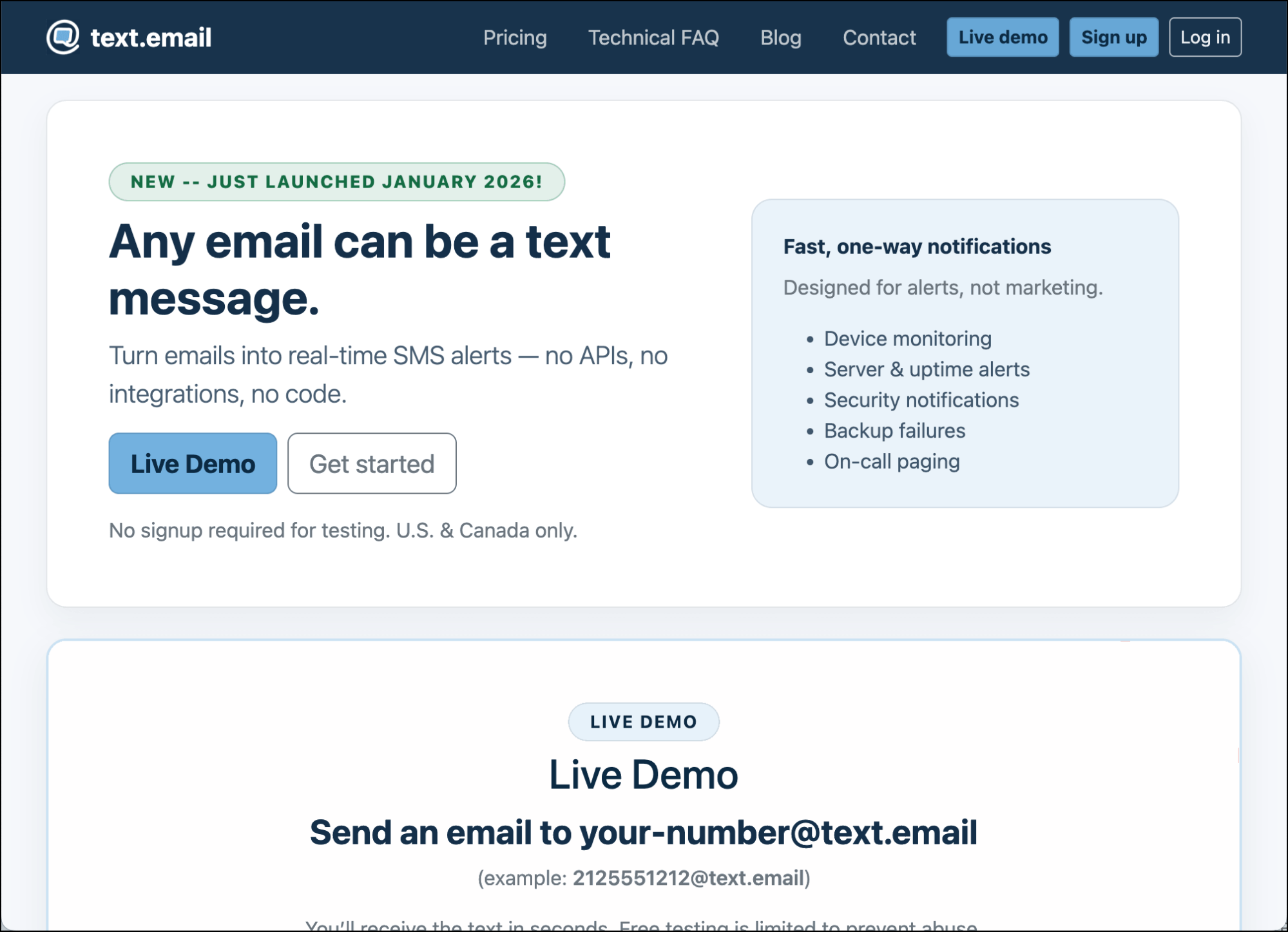
Head over to text.email, sign up, get your special email to SMS address, and drop it into whatever system you want.
You can even just try it out free. Try sending a sample “alert” right now from your email to yournumber@text.email. It will come right to your phone.
It’s why I built text.email — and what I use it for. So if you’re like me, it will work for you too.
The Different Ways You Can Use Email to Text
There are plenty of reasons why you might want email to SMS, but most of them boil down to the same core: You receive alerts that are too important to miss.
Because we regularly miss emails. It’s not an “immediate attention” medium. We regularly miss push notifications. They get grouped together and don’t always show up on time.
But text messages still cut through the noise.
I’ve always used email-to-text for my critical system and server alerts. And I’ve found that a lot of other people in IT and infrastructure use it too. For things like…
- Server and uptime monitoring
- Cron and scheduled job failures
- Backup failures
- Critical security and access events
- Application errors
But since I started text.email, I’ve also seen people using it in a ton of other ways — many of which I never would’ve guessed.
- Operational and industrial alerting. We’ve seen people using this for refrigeration and cold storage, water treatment plants, elevator monitoring, and beyond.
- Stock and trading alerts
- Flight change announcements
- School updates
- Time-sensitive replies to sales email campaigns
- And many, many more
In other words: If there’s something urgent coming from a system that can’t send you texts but can send you email, you can now get it as a text.
Email to SMS FAQ
How do you send a text message from email?
You need a service that converts emails to texts. It gives you a special email address, you send a message there, and it’s delivered to your phone (or someone else’s phone) as a text.
Does email to text still work?
Yes, it still works, though not like it did in 2008.
Back then, the cell phone carriers all offered email-to-text as part of your plan. They’ve all killed that service off, mainly because of spam.
Email to SMS today runs through dedicated services instead of cell phone carrier addresses.
What email address do you use to send a text message?
When you sign up for an email to text service, you’ll get an address you can use to send a text message.
Is email to SMS free?
Email to SMS isn’t free. That’s because the regulations around texting (and text spam) require attribution. Free services offer anonymity. So it’s a mismatch.
Back in the day, the cell phone carriers didn’t specifically charge for email-to-text (but they were charging, in a way, because the cost was baked into your plan). Since the cell phone carriers dropped email-to-text from your plan, now there are some services that offer it.
If they aren’t paid, that means they aren’t abiding by the modern texting regulations — which means any email-to-texts you send likely won’t get delivered.
What’s the difference between email to SMS and SMS to email?
Email to SMS sends a message out to a phone as a text. SMS to email is the reverse: an incoming text gets forwarded into an email inbox. They’re separate features, and not every service offers both.
Picking the Right Email to SMS Setup
Yes, email to SMS still works, even though it’s no longer included in your cell phone plan. That option died because of spam and regulations and isn’t coming back.
But there are other email-to-text options out there depending on your needs:
- For quick, drop-in email to SMS solutions, use a focused provider like text.email.
- To build email-to-text into an app, you’ll likely want to use an API like Twilio’s.
- For full SMS marketing or large-scale crisis alerting, lean on a platform designed for large teams and multiple SMS uses.
I started text.email because I needed that drop-in solution.
If you do too, give it a try. You can try it for free (you don’t even have to go to the website to sign up) — just send an email to yournumber@text.email and watch it come through on your phone.
And if this is something that works for you, you can sign up and have your alerts configured in about five minutes flat.
Great breakdown of email-to-SMS solutions! As we also review different SaaS tools at TheSoftReview, we found simplicity and reliability are key for alert systems.