
 |
GMass & Infrastructure > Suspicious open rate |
My campaign got a 100% open rate but I don’t believe it

It would be great if every campaign you sent got 100% opens and 100% clicks and/or replies.
But none of that is realistic.
Someone’s not going to open your campaign; it’s inevitable. Which is why you’re right to be suspicious about a 100% open rate.
GMass aims to make open rates as accurate as possible; unlike some other platforms, we don’t count things like out-of-office replies, repeat opens, or bounces. But even with all that, there are some fake opens that are impossible to filter so they still slip into your analytics.
Here’s how to investigate what’s really going on.
Step-by-step guide
Let’s dig in to your open rate.
1. Compare opens with and without Apple bots
The main cause of inflated open rates are email client bots. For various reasons (from security to AI summarization), many email clients “open” your emails as soon as they arrive.
Apple put this practice on the map with their Apple Mail Privacy Protection in 2021, but many others do the same thing.
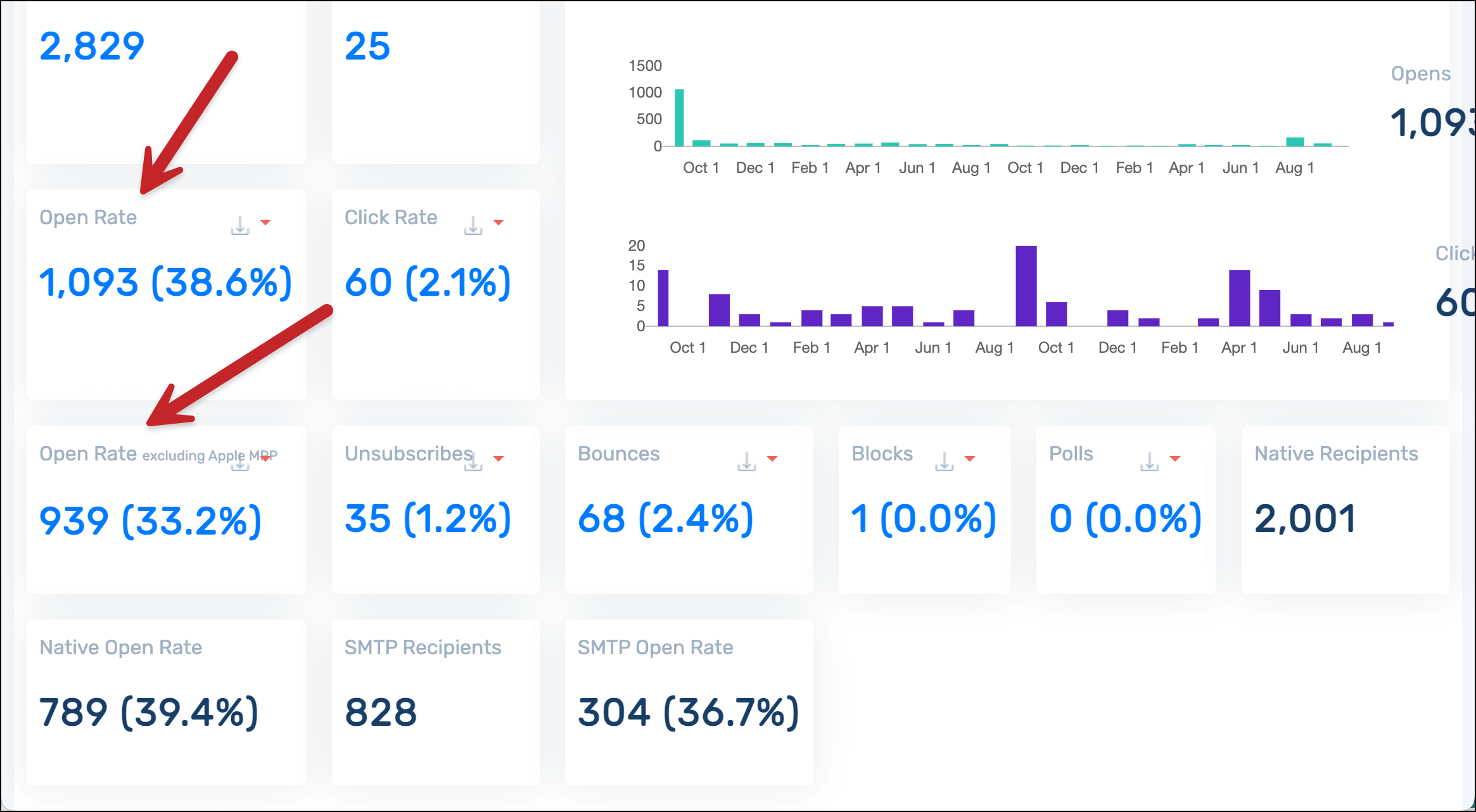
GMass is one of the few email sending platforms that actually shows you your open rate with and without Apple’s opens.
In your web-based campaign report, you can see your overall open rate as well as the rate with Apple bot opens stripped out. If the “opens without Apple” number is less than 100%, then those bot opens are likely the cause of your suspiciously high open rate.
However, that’s not the only way to spot bots.
2. Compare some of your user agents to the known email client user agents
If you scroll down in your GMass report, you’ll see the list of everyone who opened your email. And that list contains the user agent for each person.
The user agent is the basic technical details of the email client a person (or bot) used to open your email.
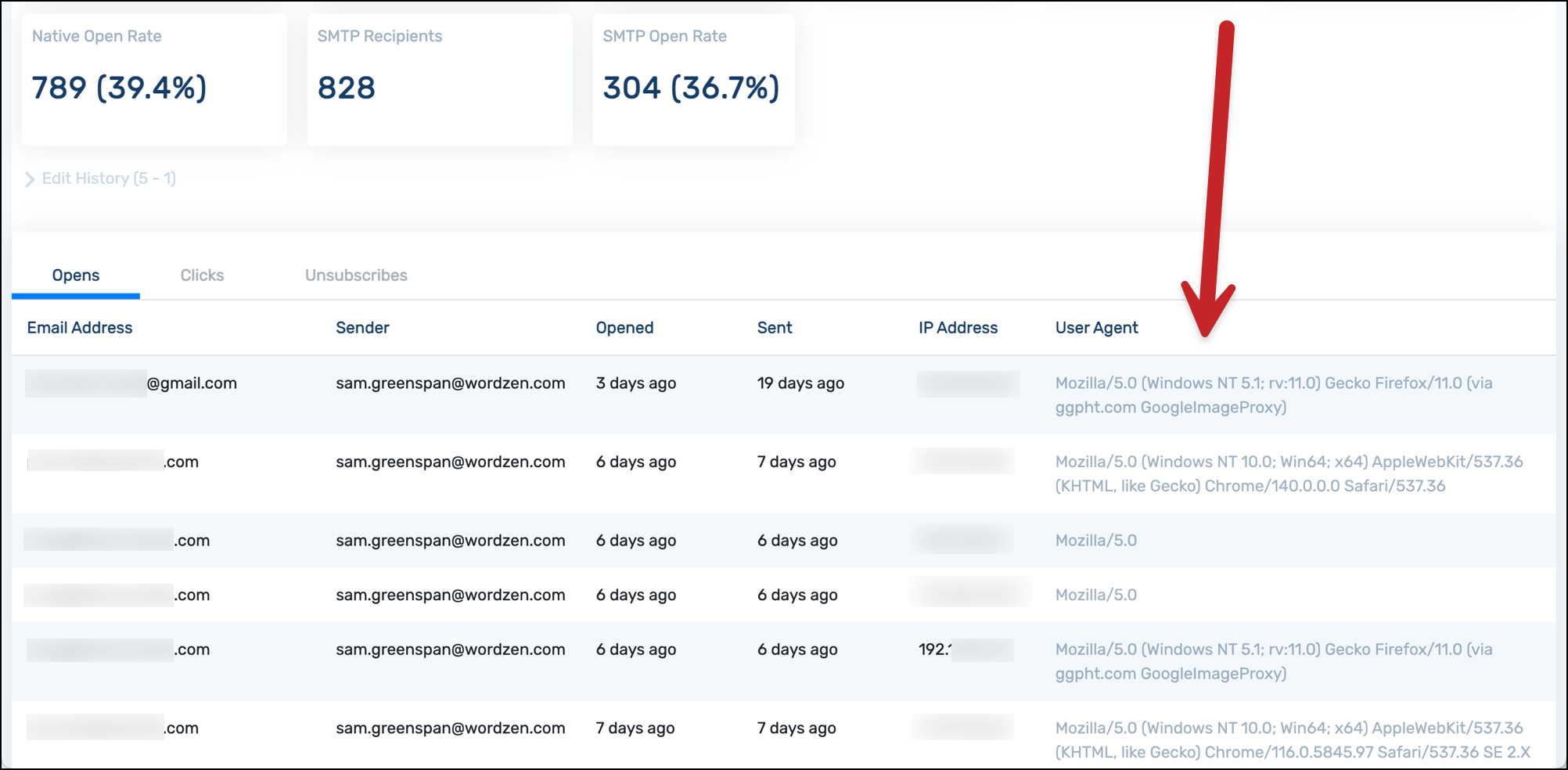
Now you can analyze a few if they look suspicious. There’s a site called User-Agents.net that has the actual user agents of common browsers.
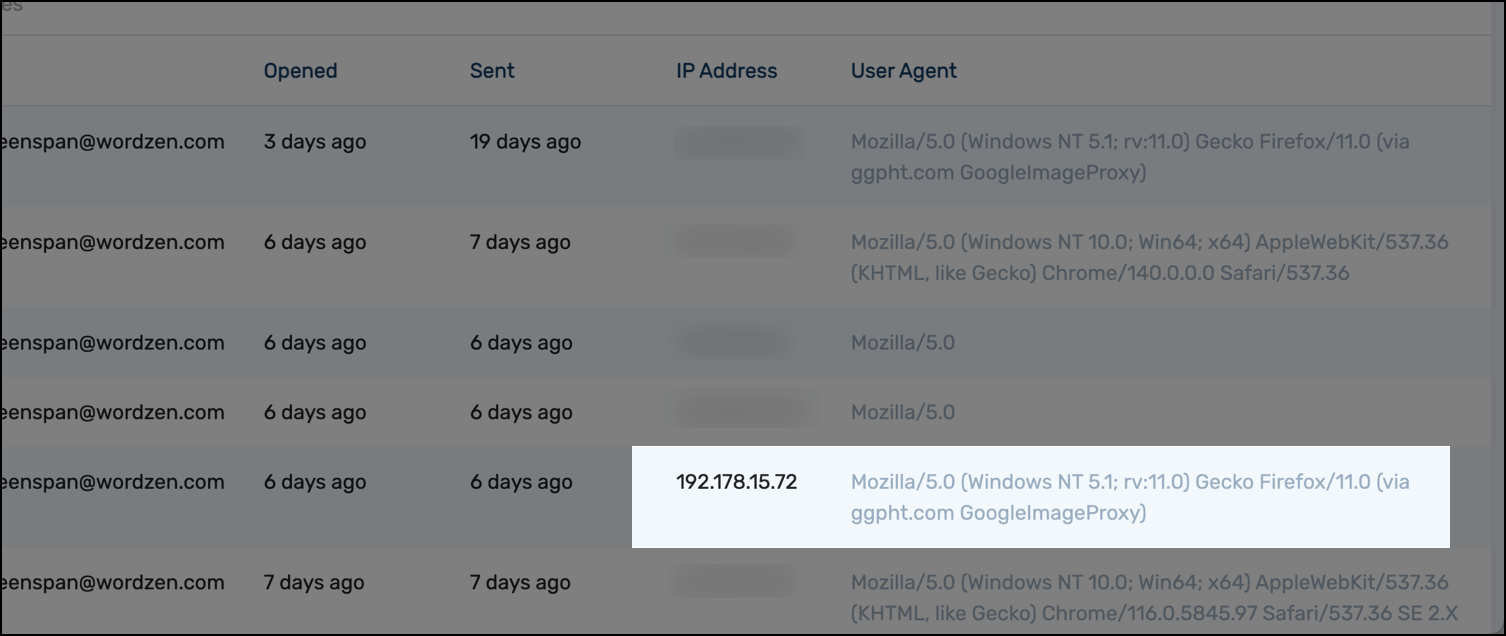
But ChatGPT and other LLMs are your best bet for spotting fakes. For instance, I found this one to be suspicious as a bot open. So I shared the IP address and user agent with ChatGPT to have it analyze things.
And ChatGPT confirmed my suspicion that it’s likely a bot.
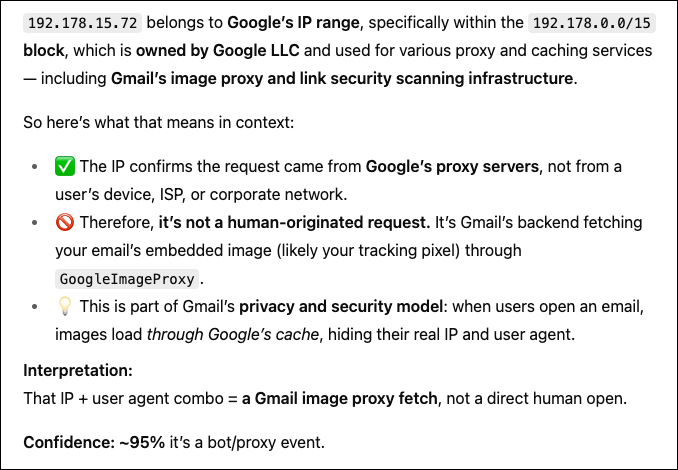
You don’t need to check every single email, but spot check some you find suspicious. You can likely estimate your open rate from there.
3. Be careful about triggering opens yourself
There’s one more major thing that can trigger an inflated open rate.
And that is: When you accidentally trigger opens yourself.
Email opens are tracked using a tiny, invisible image pixel. So if you open a recipient’s email yourself, you can load that pixel which then marks the email as opened.
The two main ways you do this accidentally:
- If you get a bounce notification for an email and open it, Google includes the original email — so that triggers the pixe.
- If you open some of your recipients’ emails in your Gmail Send folder, that can trigger the pixel.
So… if you’ve done either of those things, that could be contributing to the open rate.
4. If all else fails, reach out to GMass support
If none of the above solutions helps you get to the origin of your 100% open rate, you can always reach out to GMass support to take a deeper dive.
Or hey, maybe your email was just that good and it really did entice every single recipient to open it.
✅ You’re all set.
More resources
- Having the opposite problem and seeing a 0% open rate? This can help you diagnose that issue.
- Here are 7 ways email platforms can inflate your open rates.
- And finally, check out some strategies for running modern email campaigns in a world where open rates are unreliable.