
 |
Post-Campaign > Unified inbox |
I’m sending a campaign from multiple inboxes and want every reply in one unified inbox
With GMass’s MultiSend (aka inbox rotation), you can have GMass automatically distribute a campaign across multiple email accounts. It’s a way to keep each sending address’s volume low while still sending large campaigns.
But what happens when replies start coming in? It would be incredibly time-consuming to log into each of your sending accounts individually to check them.
And you don’t have to. GMass offers a unified inbox for this (which you’ve possibly heard referred to as a unibox or master inbox in other tools) where you can view the replies to a MultiSend inbox rotation campaign in one place.
Here’s how to check it.
(Note: For this, I’ll assume you’ve already used MultiSend, connected all your accounts, and sent your campaign. If you have not, you can see the instructions for doing so in our MultiSend blog post.)
Step-by-step guide
1. Go to your campaign report to see your campaign’s replies
There are two different spots in GMass where you can dig into your campaign replies. (Note: You’ll do this in your main GMass account — the one you’re paying for, and the one where you initiated the MultiSend campaign — not any of the secondary sending accounts.)
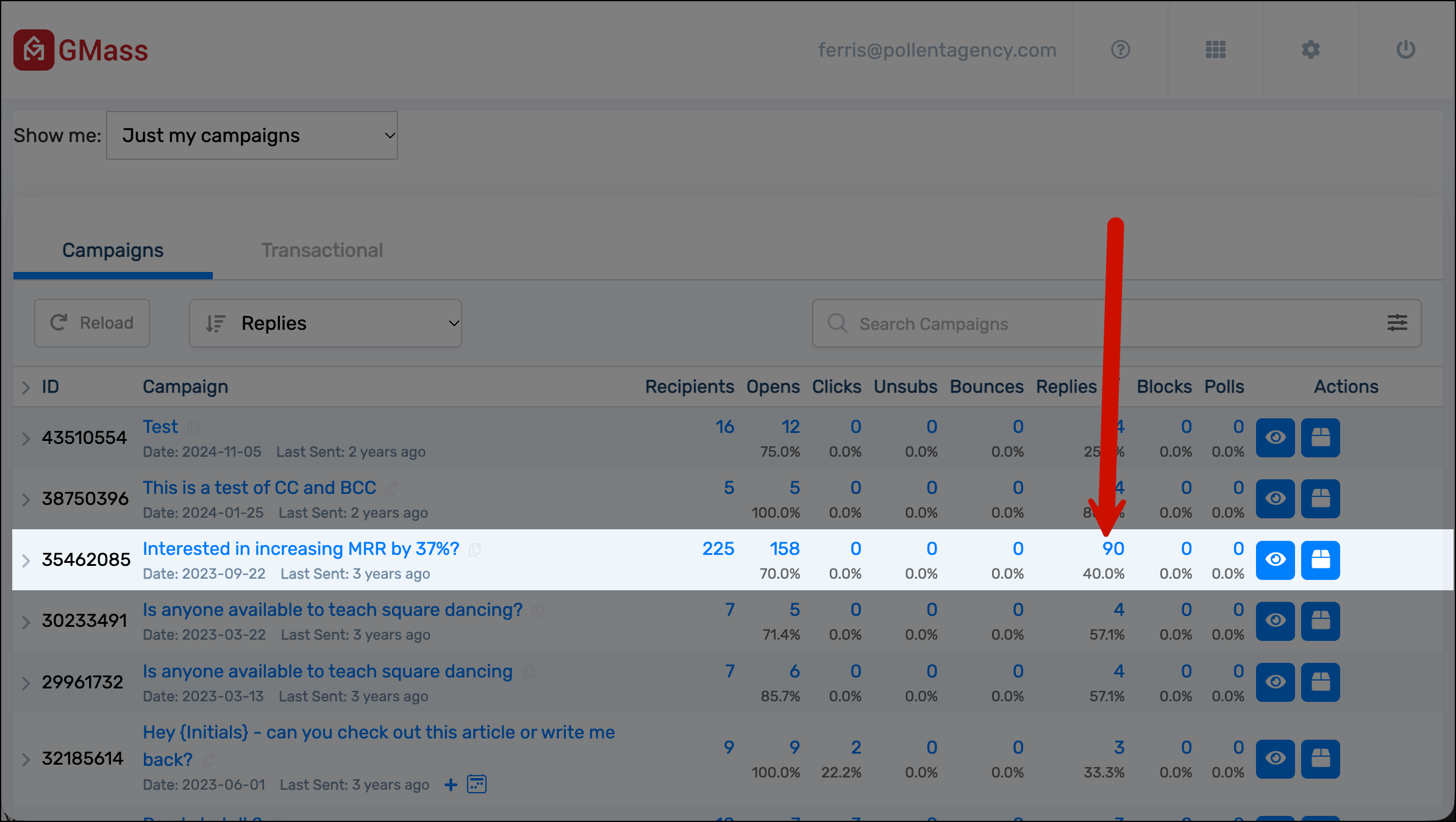
You can click on the number of replies in the GMass dashboard…
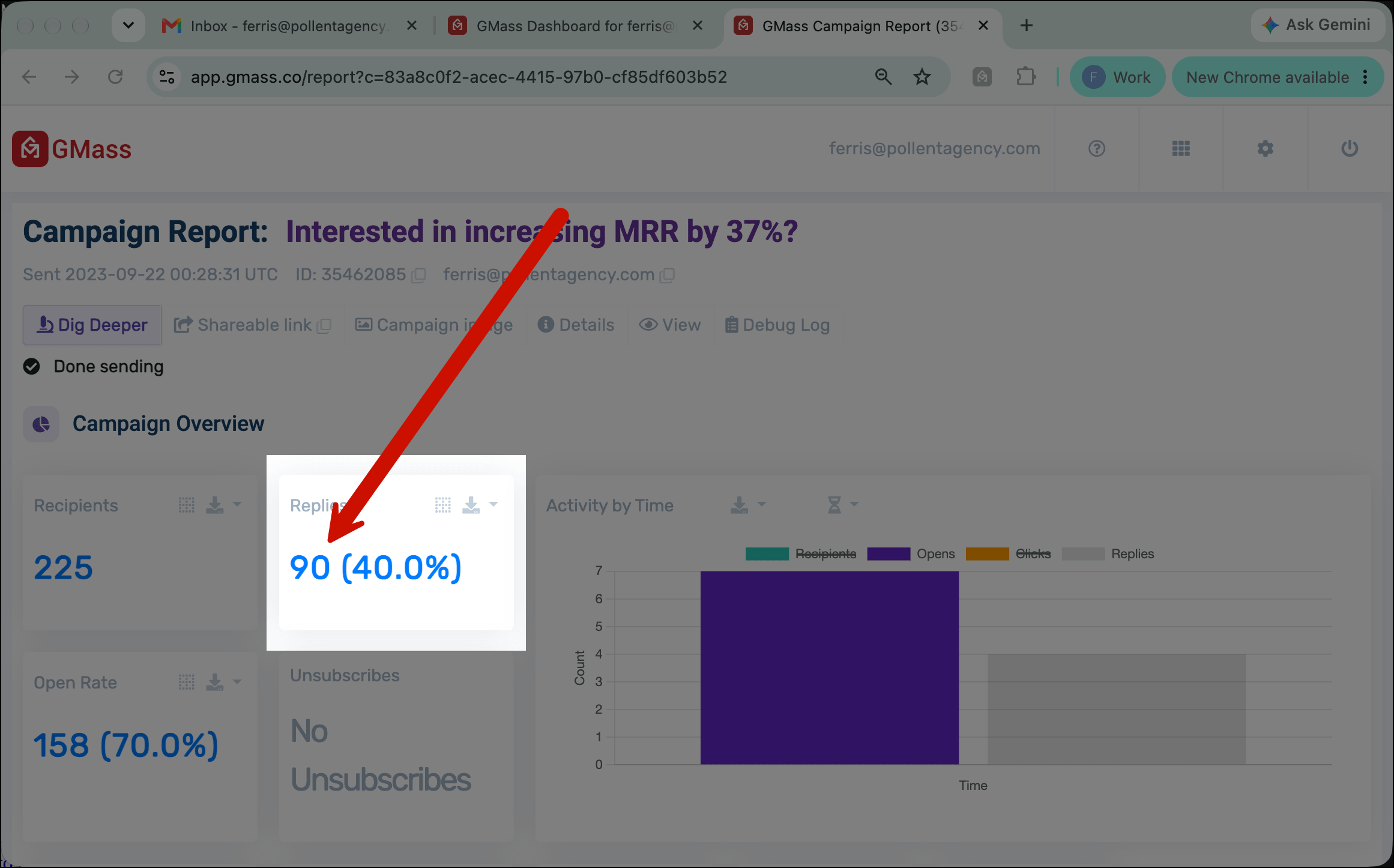
Or you can click on the number of replies in the web-based campaign report.
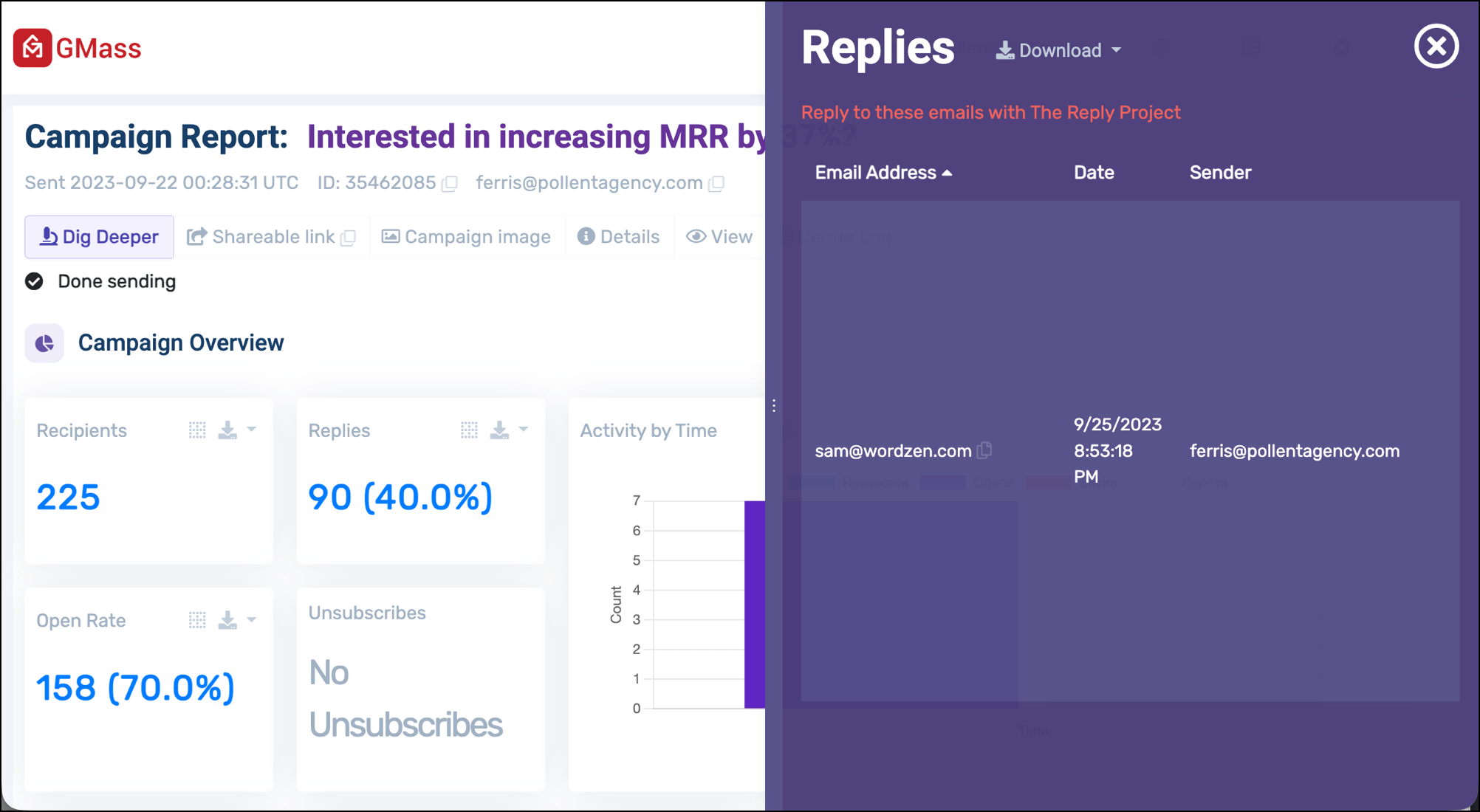
Either way, clicking on the number of replies will bring up the right flyout panel showing you more detail on those replies.
2. Enter The Reply Project
At the top of the right panel, you’ll see a link that says Reply to these emails with The Reply Project.
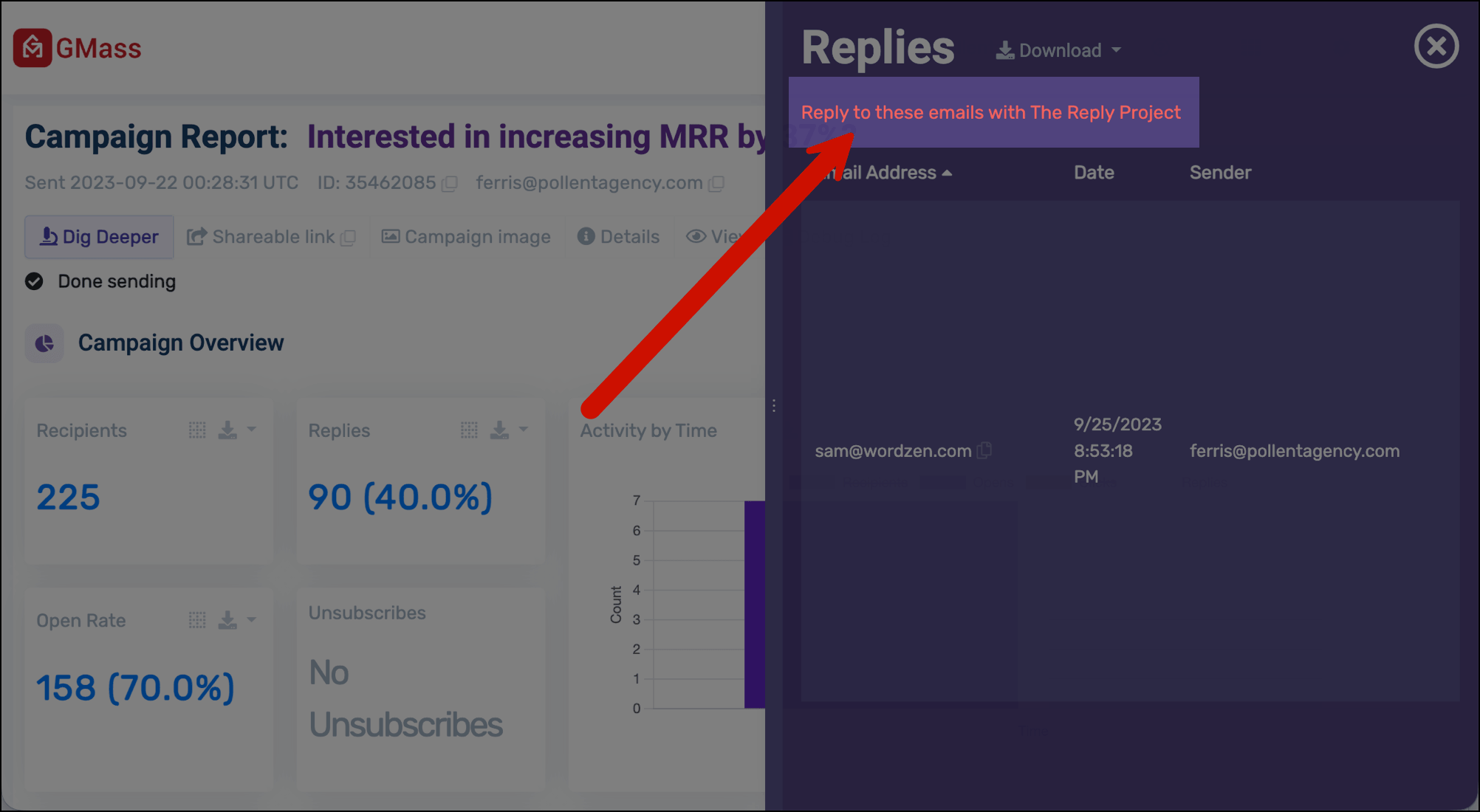
Click on that link.
3. Respond to your campaign replies from your unified inbox
Clicking that link takes you to The Reply Project, which is GMass’s tool for blazing through your inbox — or, in this case, blazing through all your campaign responses in this unified inbox.
On this screen you’ll see every reply to your MultiSend campaign, from every inbox, open. You’ll see which mailbox sent the email initially, you’ll see the reply to that message, and now you can respond.
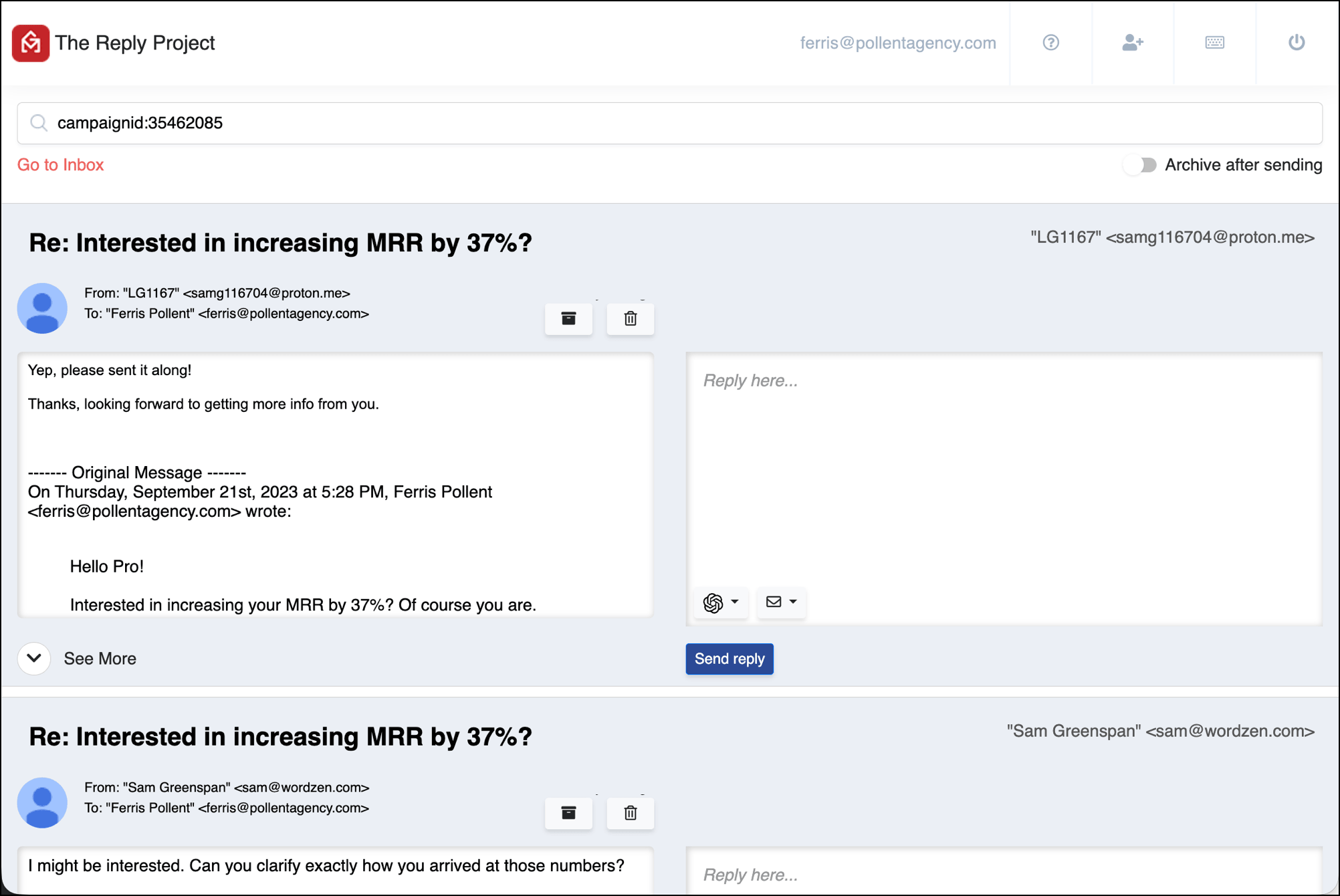
Your responses will go out from the same mailboxes that sent the campaigns. (In other words, if your main GMass account is joe@brightwavelabs.com but the reply came to joe@brightwavehq.net, your response here will be sent from joe@brightwavehq.net.)
Also, you can use ChatGPT or templates to speed up your replies. (You can access those by clicking the ChatGPT icon or the envelope icon, respectively. You can see those icons at the bottom of the “Reply here…” box in the screenshot.)
Come back to this unified inbox anytime to continue to send more responses to campaign replies.
✅ You’re all set.
More resources
- You can read more about everything MultiSend inbox rotation can do in GMass.
- Here’s more on The Reply Project, including how I use it to get to inbox zero on a daily basis.