
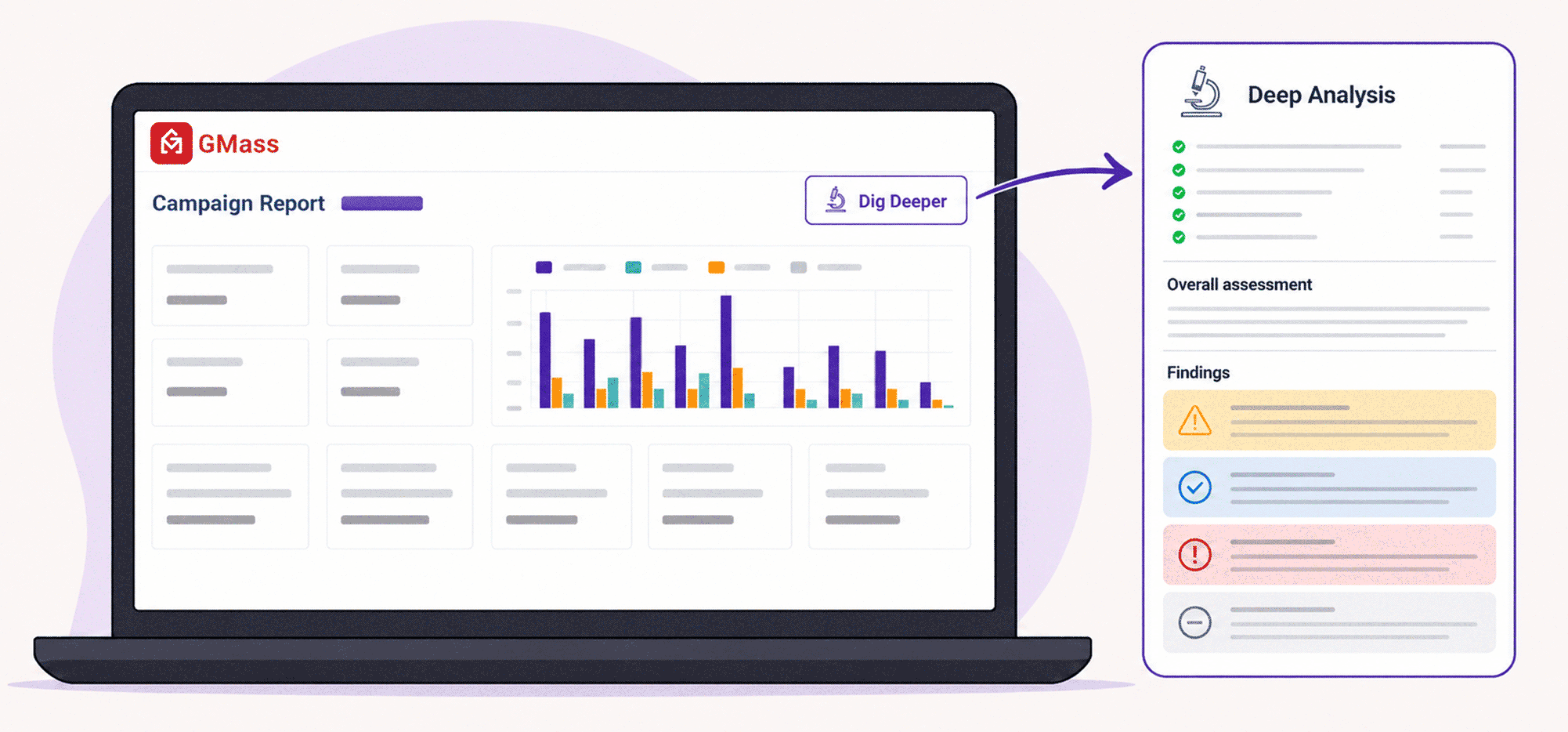
GMass gives you detailed analytics on every email campaign, which is great — but not everyone knows exactly what to do with them.
We get a decent number of questions about campaign stats, like…
- Is my open rate/click rate/reply rate good?
- Was my deliverability good or am I going to spam?
- How is it possible my open rate is 90%?
- Are these real opens or bot opens?
- Are these real clicks or bot clicks?
- What do I do about bounces and blocks?
- Why is my bounce/block/unsubscribe rate so high?
- How did my campaign actually perform?
So we just launched a new feature called Deep Analysis, and it’s our favorite way to use AI with email campaigns to date.
With Deep Analysis, we trained our AI system on email campaigns, what the numbers mean, what hidden pitfalls might be behind the numbers, and how to diagnose and fix any problems.
How to Use Deep Analysis to Get Insight into Your Email Campaigns
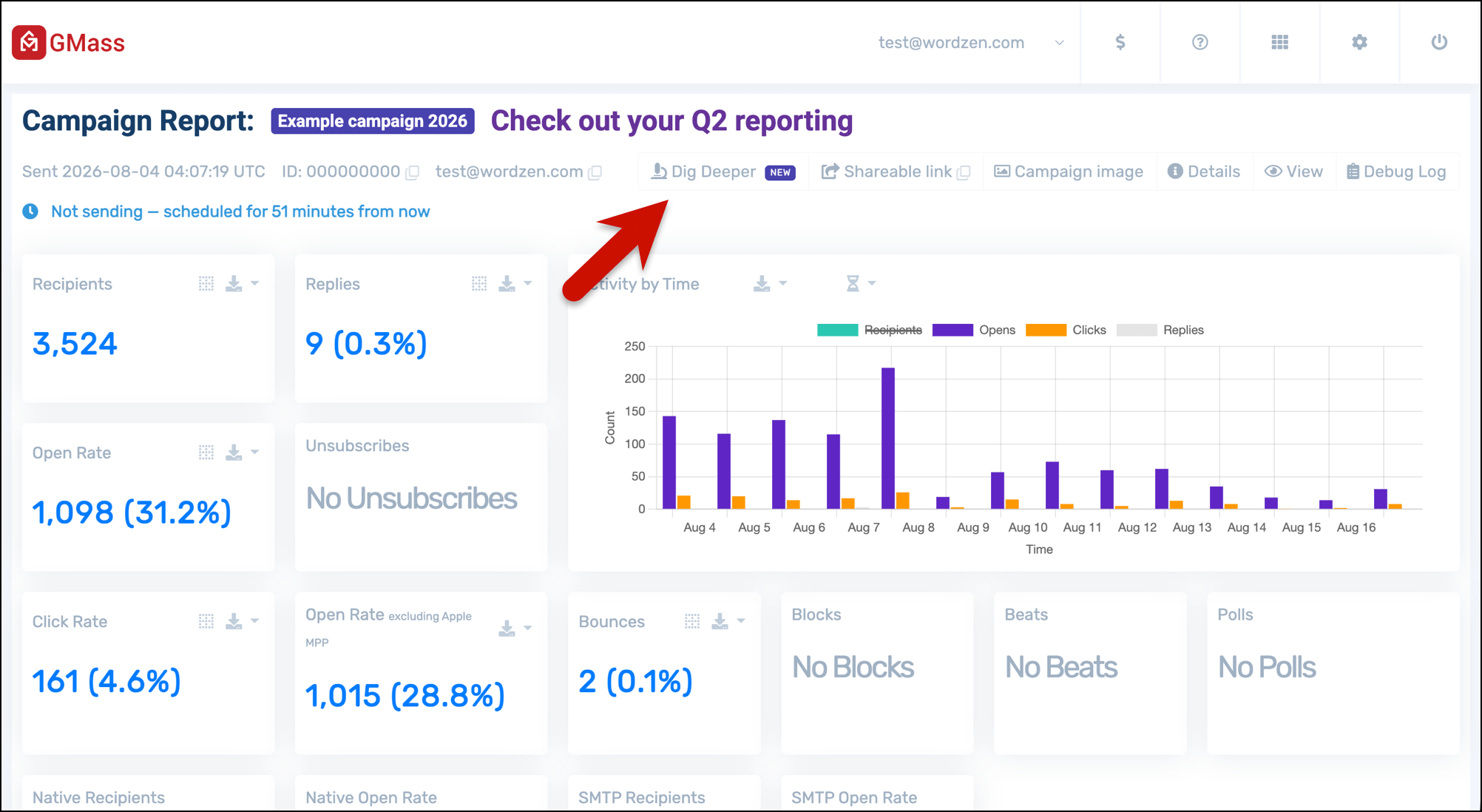
Head to the web-based campaign report for your campaign. (It’s linked in your reporting email or by clicking on the campaign in the GMass dashboard.)
You can run a deep analysis on any campaign, past or present.
On that page, you’ll see a button that says Dig Deeper.
The analysis will run, and then give you a full deep dive into the campaign. Usually this takes well under a minute.
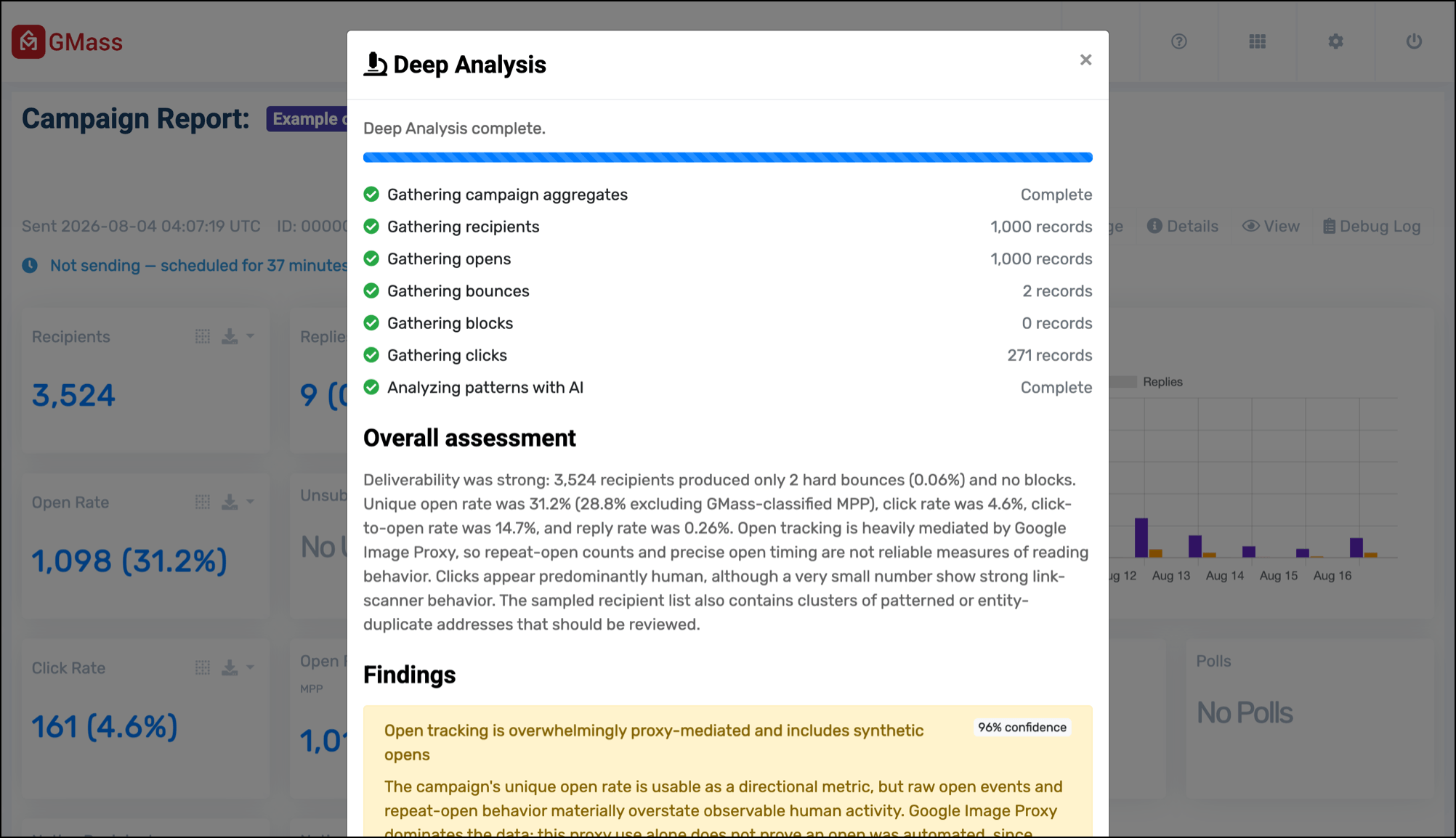
You’ll see different parts of the report color-coded in different ways (red meaning a serious warning, yellow meaning a moderate warning, blue meaning good news, gray meaning neutral).
You’ll also get advice on what to do with the information, including possible remedies (if needed).
For example, here is some good news about the clicks (the analysis finds they’re almost certainly real) and bounces (isolated situation).
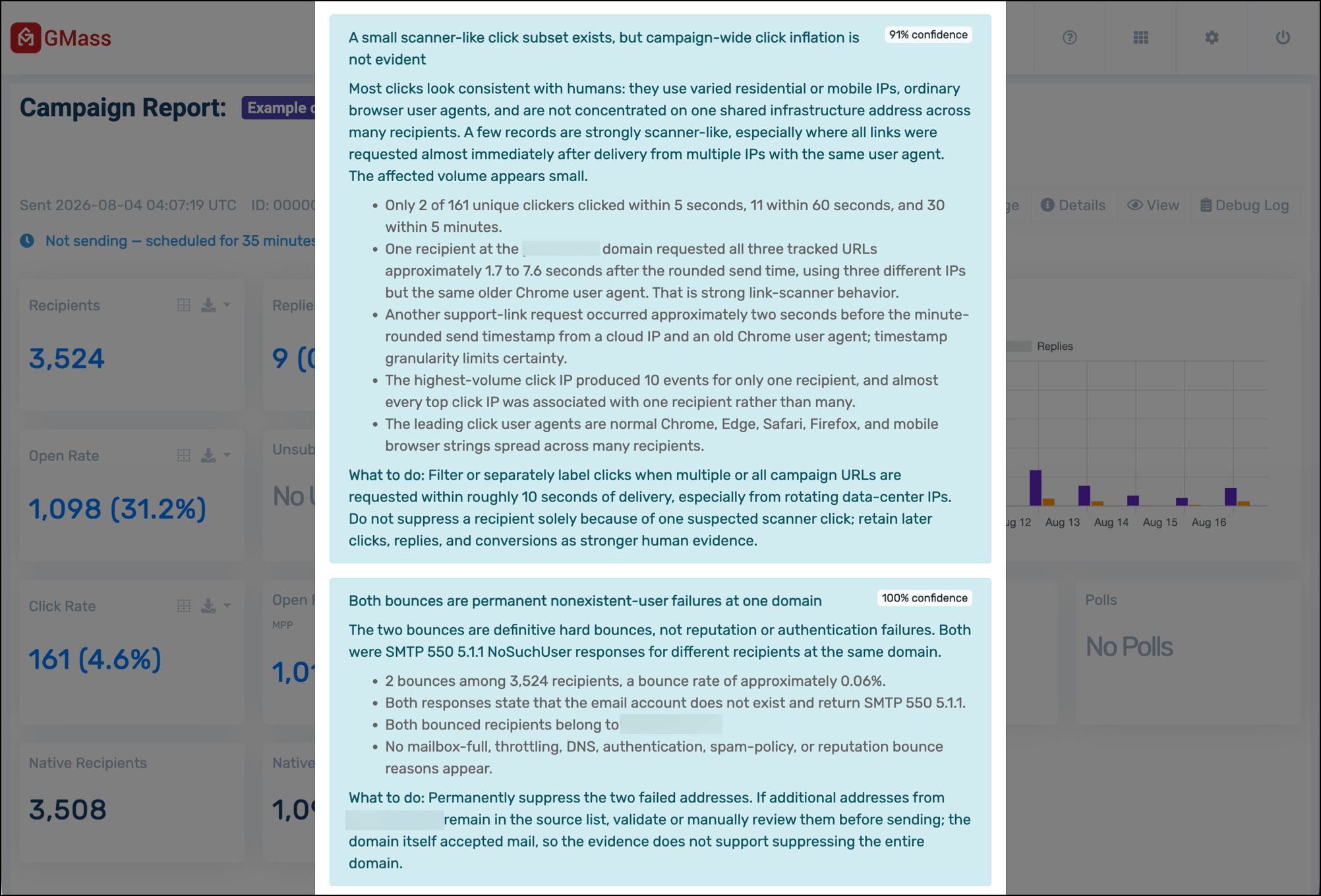
Here’s a report from a different campaign, showing some news that wasn’t so good.
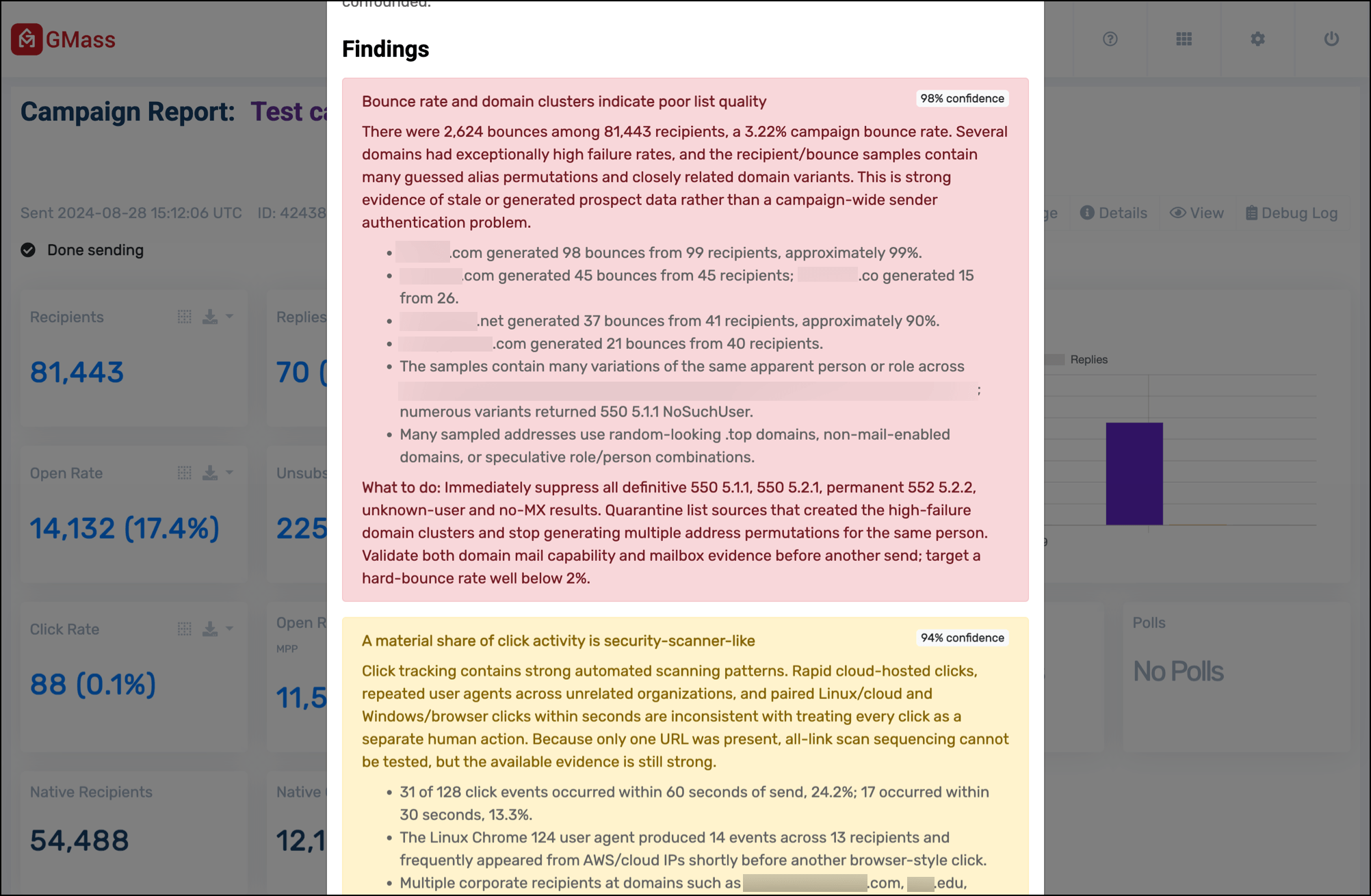
But whether the news is bad, mixed, neutral, or good — it’s all extremely valuable insight into your campaign.
This is the kind of job AI is great for: Analyzing a dataset and spotting patterns that a human eye might not (or it would take quite a while for us to spot). It’s high-level campaign data analysis, delivered super fast, to help you make better decisions.
Why GMass Is Focused on Having the Best Campaign Reporting in the Industry
Deep Analysis is our newest feature around campaign analytics and it continues something we’ve been working on for years: the best campaign reporting in the entire industry.
- We make it easier to share campaign reports.
- We have reports you can view everywhere (they’re emailed to you, on your dashboard, in your Google Sheet, and on the internet).
- We have instant reply and bounce detection.
- We’re constantly working on having the most accurate open rates you’ll find anywhere, with things like Tracker Blocker, open tracking hardening, Apple MPP reporting, and more.
If you’re a GMass subscriber, all of this reporting — including Deep Analysis — is already included in your plan.
And if you’re not a GMass subscriber, you can try GMass for free with no credit card required. Download the Chrome extension to get started.
And you can come see why 400,000+ people use GMass and have given us an average rating of 4.8 out of 5 stars across tens of thousands of reviews — for our analytics, and beyond.
what ai model is used for deep inspection?
Getting a “something went wrong” error message while “Dig Deeper” starts first stage “gathering campaign aggregates”.
Help.