
 |
Deliverability > Ensure full tracking |
I want to make sure my campaign is fully tracked
As the old saying goes, you can’t improve what you can’t measure.
Emailers often swear by that statement as well — particularly because email is so measurable.
In this guide, I’ll walk through making sure you’re tracking everything possible in your GMass campaign. That goes beyond just making sure tracking is on; it includes using the proper types of links and more.
Step-by-step guide
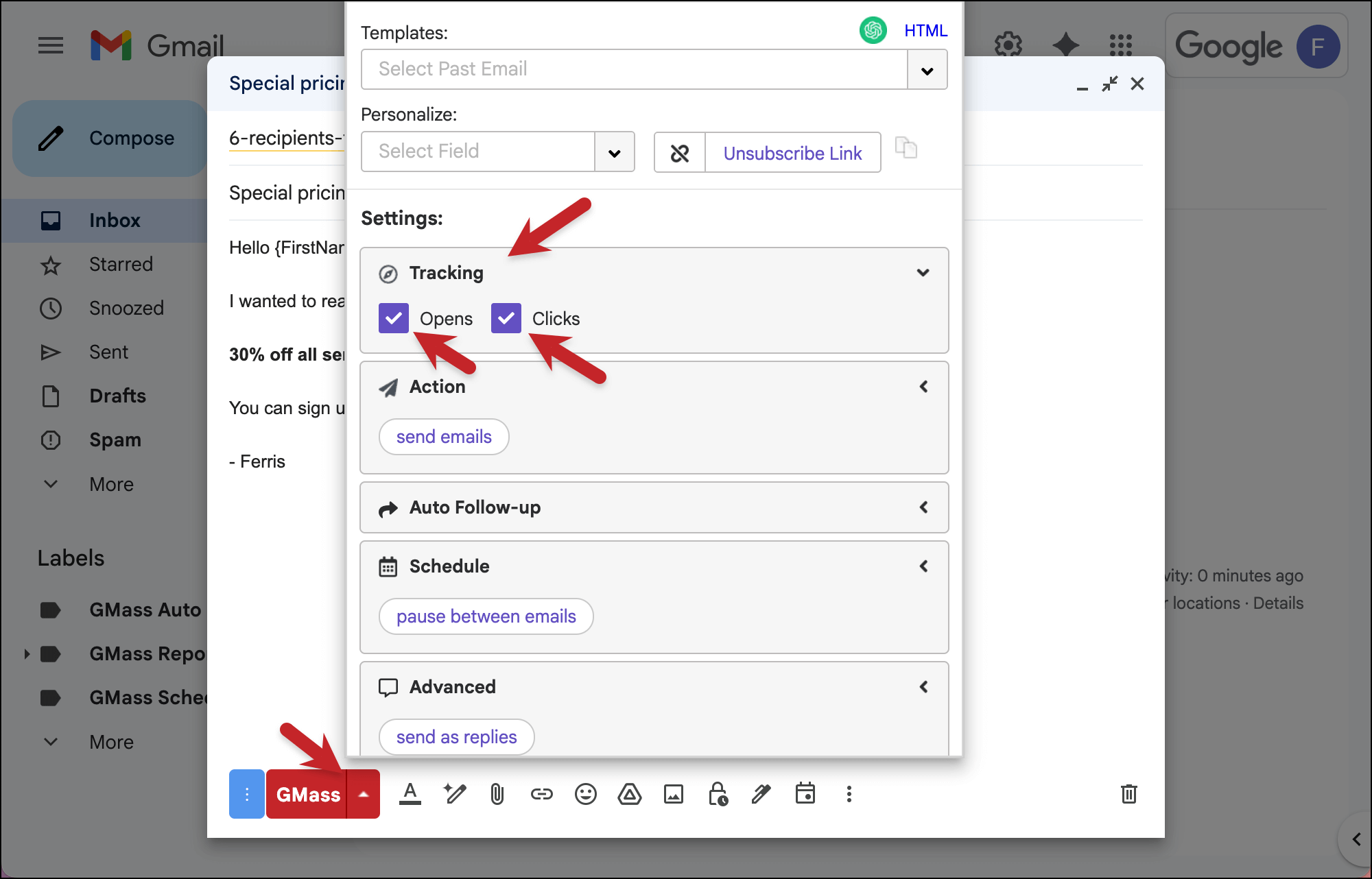
1. Open the GMass settings for your campaign, open the Tracking section, and turn on Open and Click tracking
Check the boxes next to Opens and Clicks to make sure you’re tracking both of those metrics.
2. Also in the settings, make sure Reply-To is not set
Head down to the Advanced section and look for Reply-To.
Make sure that field is either empty (it says “Enter a reply-to address” in light gray text) or is set to None.
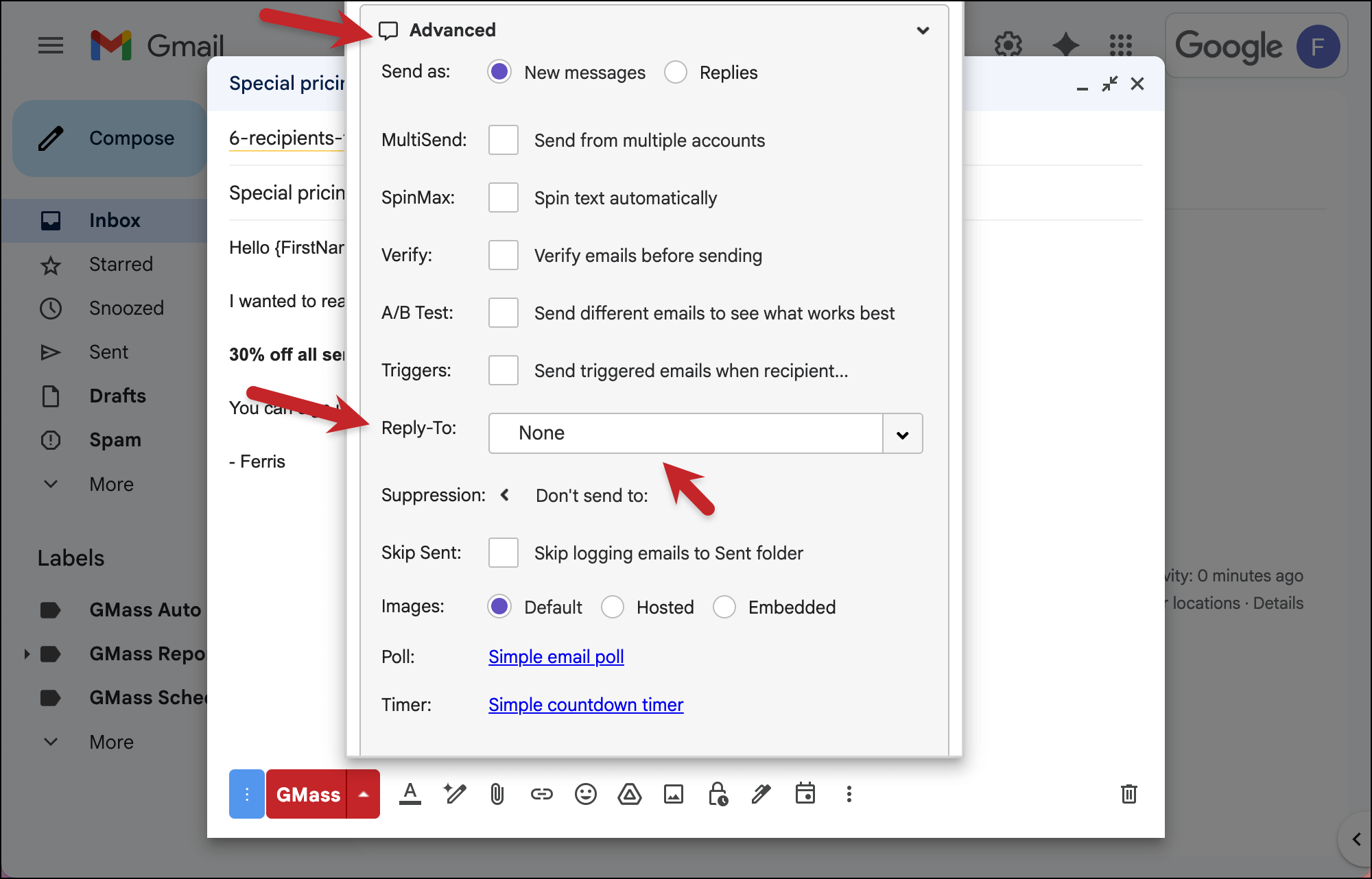
Why are we doing this? We can’t track your replies if they’re going to a different address, we can only track replies as they come into your mailbox.
3. Make sure you use hyperlinks and HTML email
We’re all set with turning on tracking, but now we have to make sure everything tracks as planned.
With click tracking on links, you need to use hyperlinked text (i.e., GMass) as opposed to URLs (i.e., https://www.gmass.co).
For a link to be tracked, GMass (or any other email platform) needs to turn it into a trackable link that then reroutes to the ultimate destination. We can’t turn a pure URL into a trackable link, because that’s a spam flag — displaying a URL that (at least initially) links to a different destination.
And to make sure opens are tracked, you’ll need to send HTML, not plain text, emails.

That’s because open tracking is done with a hidden image pixel in your email. Without HTML, there are no images… and therefore no hidden image pixels… and therefore no tracking.
✅ You’re all set.
More resources
- Important: If you’re going to use click tracking, we strongly recommend using a custom tracking domain for deliverability.
- Here’s the full documentation on GMass campaign tracking and reporting.
- Read up on why false opens are a plague in the email world (and so is open inflation) and how we at GMass take steps to give you the most accurate open rates possible.
- Also: Why you might get a 0% open rate.
- Here’s more on email click tracking in GMass.
- While I didn’t cover this in the article because it’s a bit esoteric, if you attach audio files in GMass you can also track listen times.