
 |
Deliverability > Tracking domain deliverability |
I want to know if my tracking domain is affecting deliverability
Worried that your tracking domain is affecting deliverability?
In this guide I’ll show you how to test and get a definitive answer. I’ll also cover how to set up your own custom tracking domain which you can keep nice and clean.
Step-by-step guide
1. Create your campaign as you normally would, with a tracked link
To start, create your normal campaign in GMass.
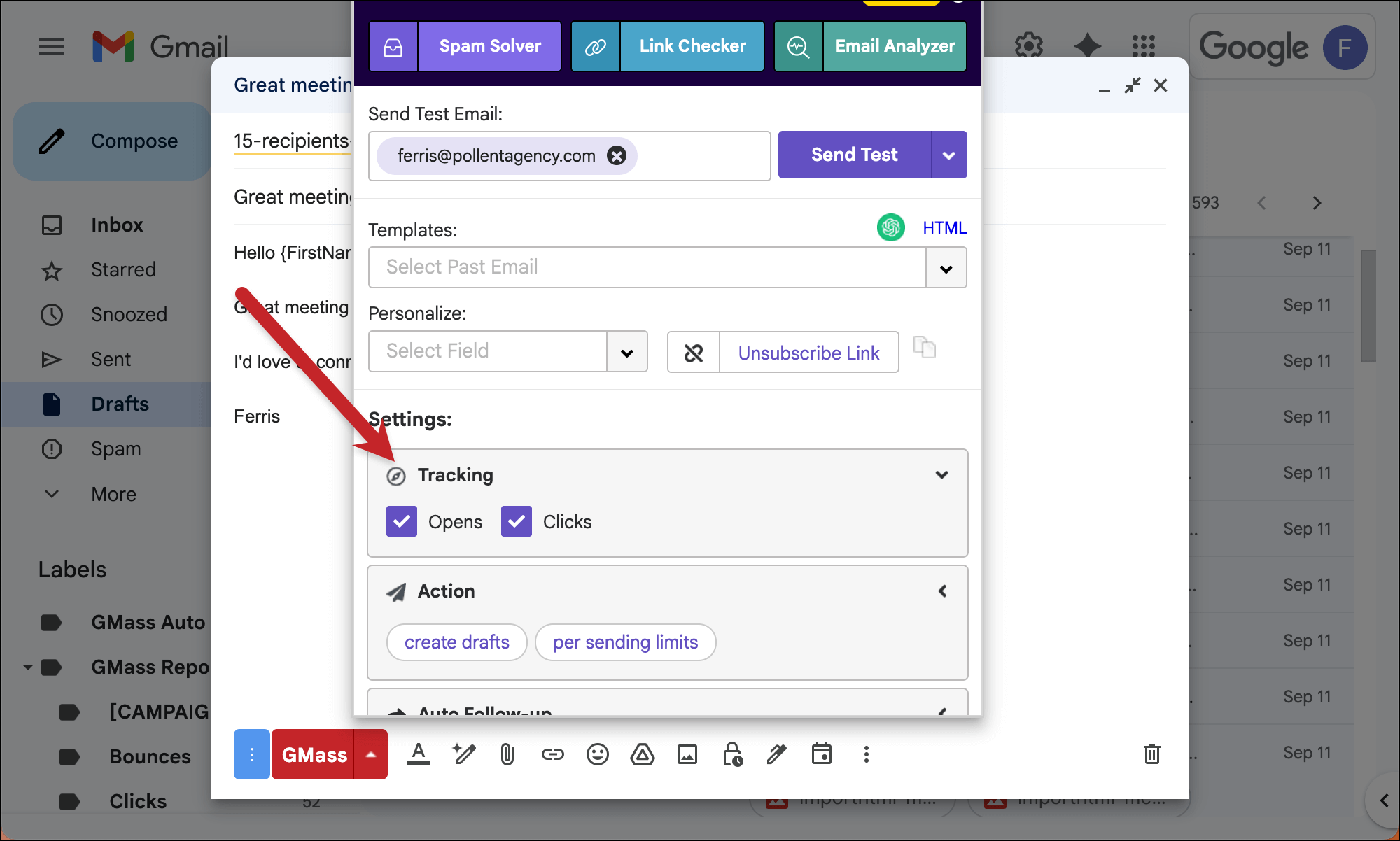
Since we want to test whether the tracking link is affecting deliverability, make sure you have tracking turned ON for the campaign.
2. Test the campaign with Spam Solver
Now we’re going to use GMass’s Spam Solver tool to get a “before and after” test here.
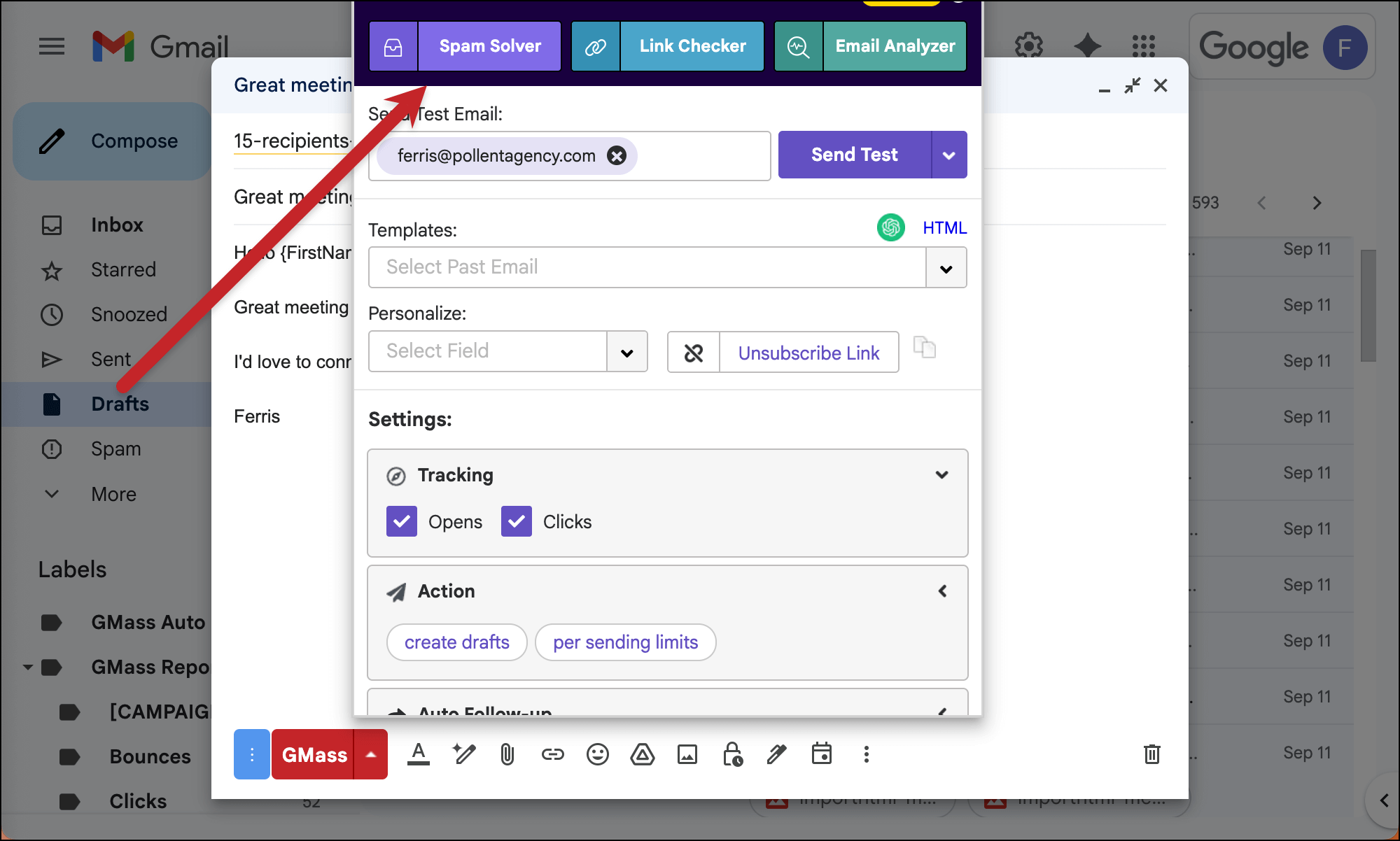
In the settings box, click on the button on the top left to run Spam Solver. (Don’t worry, Spam Solver is included in all paid GMass plans.)
If Spam Solver shows you’re going to all inboxes, then you’re all done — we can say your tracking domain isn’t affecting deliverability.
However, if you are seeing a lot of spam placement in our seed accounts, then the culprit very well could be your tracking domain.
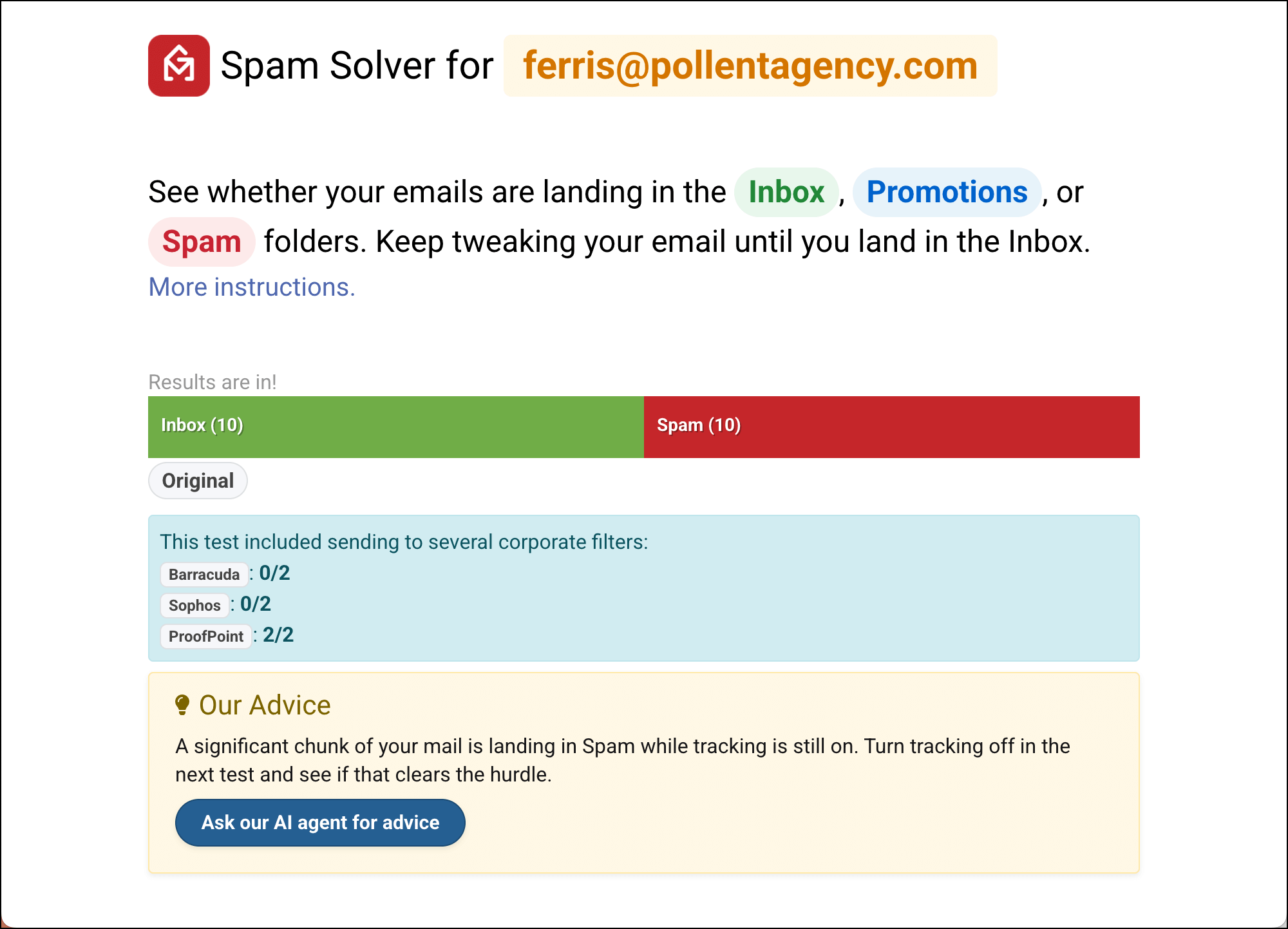
Click the Turn off tracking option in Spam Solver. Then click the Start new test with above settings button.
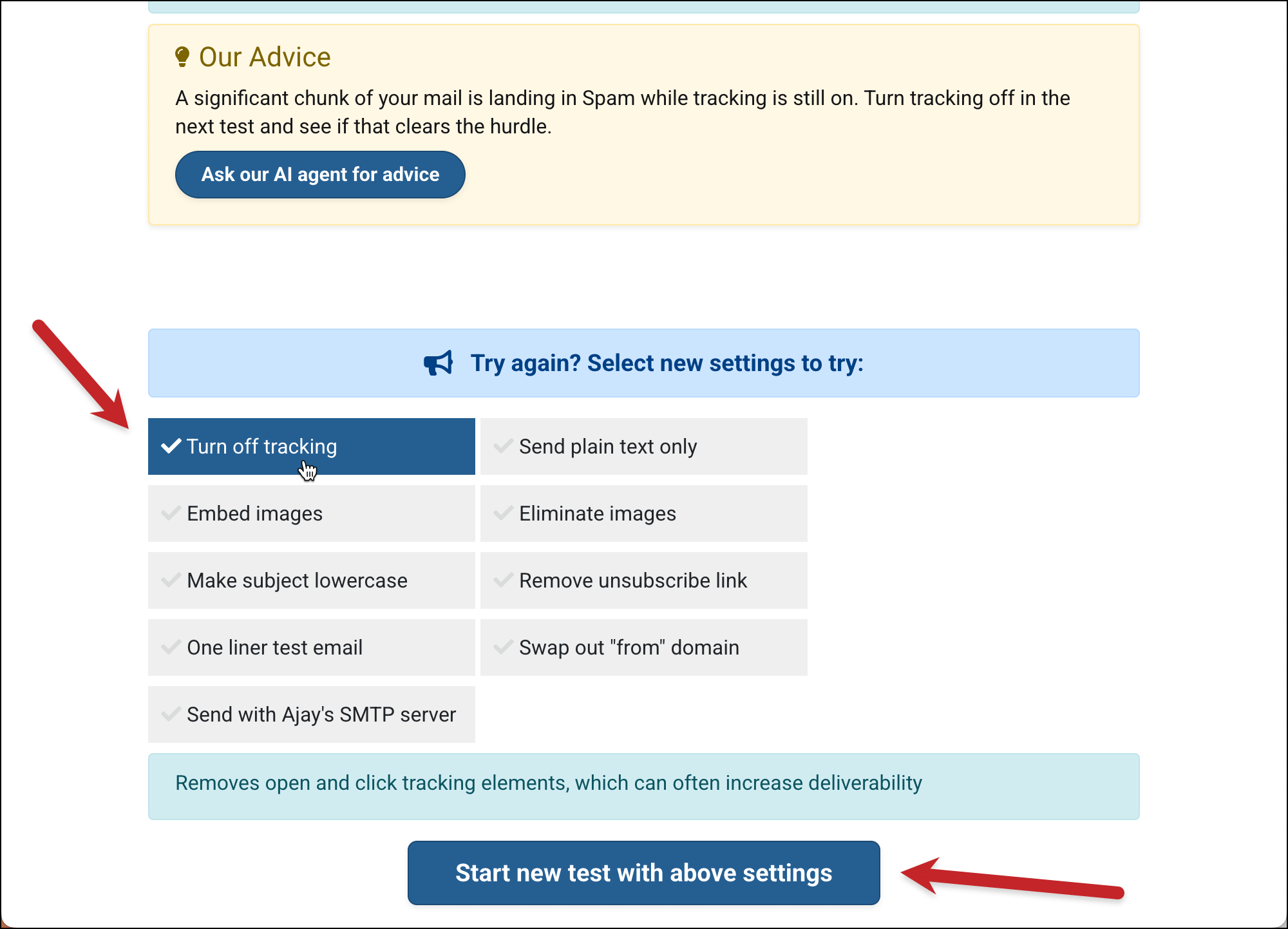
See if that makes a difference in your inbox vs. spam placement.
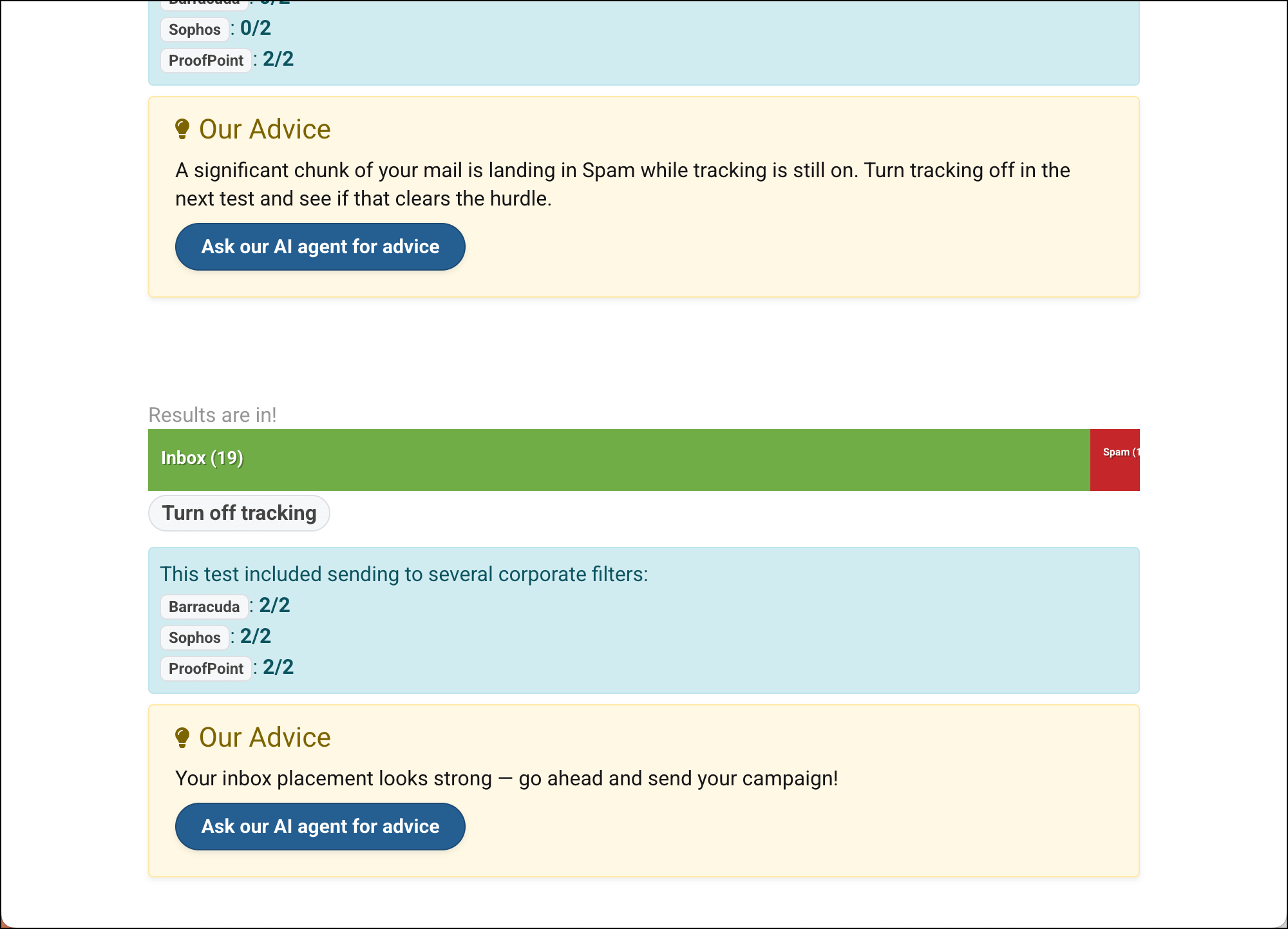
In my case above, I can see the tracking domain was affecting my placement results.
So now I can turn off tracking and feel confident in my campaign’s deliverability.
(If you’re still seeing high spam placement, try some of the other test suggestions in Spam Solver.)
✅ You’re all set, unless you don’t WANT to send with out tracking…
3. Optional: Set up a custom tracking domain
The good news in my scenario above is that I figured out tracking was affecting my deliverability.
The bad news is that now I don’t have tracking on my campaign.
If you’d like to use tracking and want to make sure it won’t hurt your deliverability, you can use a custom tracking domain.
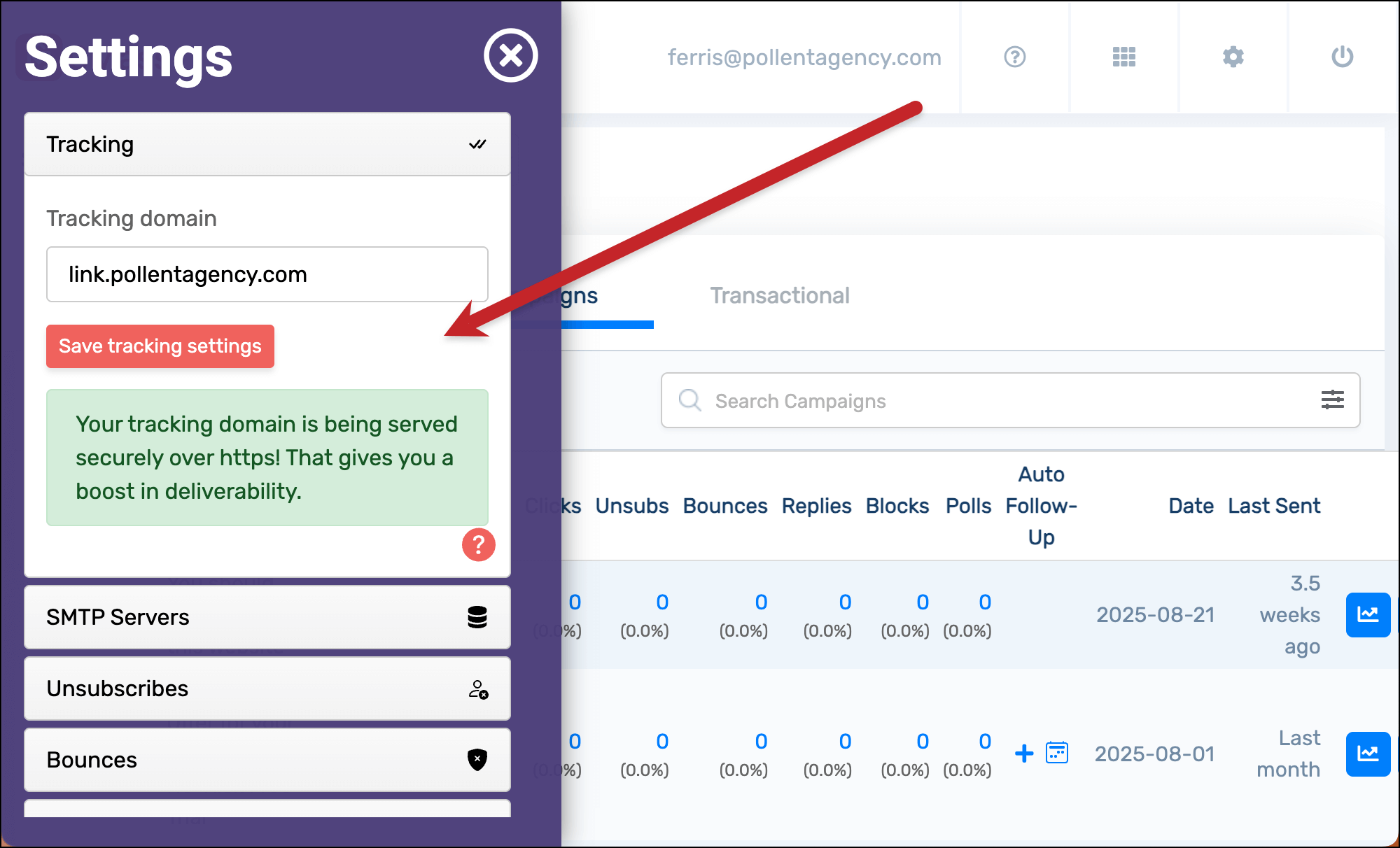
Unlike the default shared tracking domains, only you will use your custom tracking domain — which means no one else can affect your reputation.
I won’t get into the full walkthrough here, but setting up a custom tracking domain is about a five-minute process. You can follow these instructions to set it up.
A custom tracking domain can give you a great deliverability bump. And GMass is one of the only companies in the world that automatically adds SSL to your tracking domain to make it even more of a deliverability booster.
More resources
- Read more about custom tracking domains here. We strongly recommend using one.
- Here’s real time data on GMass campaigns with custom tracking domains and without.
- You can also disable tracking on individual links if you so desire.
- Check out all of GMass’s deliverability features — including more about Spam Solver.