
 |
GMass & Infrastructure > Gmail disconnected mid-campaign |
My Gmail account became disconnected from GMass mid-campaign — how do I fix it?
GMass uses an OAuth connection to Gmail in order to send and manage your campaigns. Unfortunately, that connection can periodically break, expire, or otherwise stop working.
And it’s especially unfortunate when one of those disconnections happen in the middle of sending an email campaign.
Fortunately, the process of reconnecting Gmail and GMass (and then resuming your campaign) is pretty straightforward. Here’s how to do it.
Step-by-step guide
Here’s how to reconnect Gmail and GMass, then resume sending a campaign.
1. Reauthorize the connection between Gmail and GMass
When GMass and Gmail become disconnected, you should receive an email letting you know…
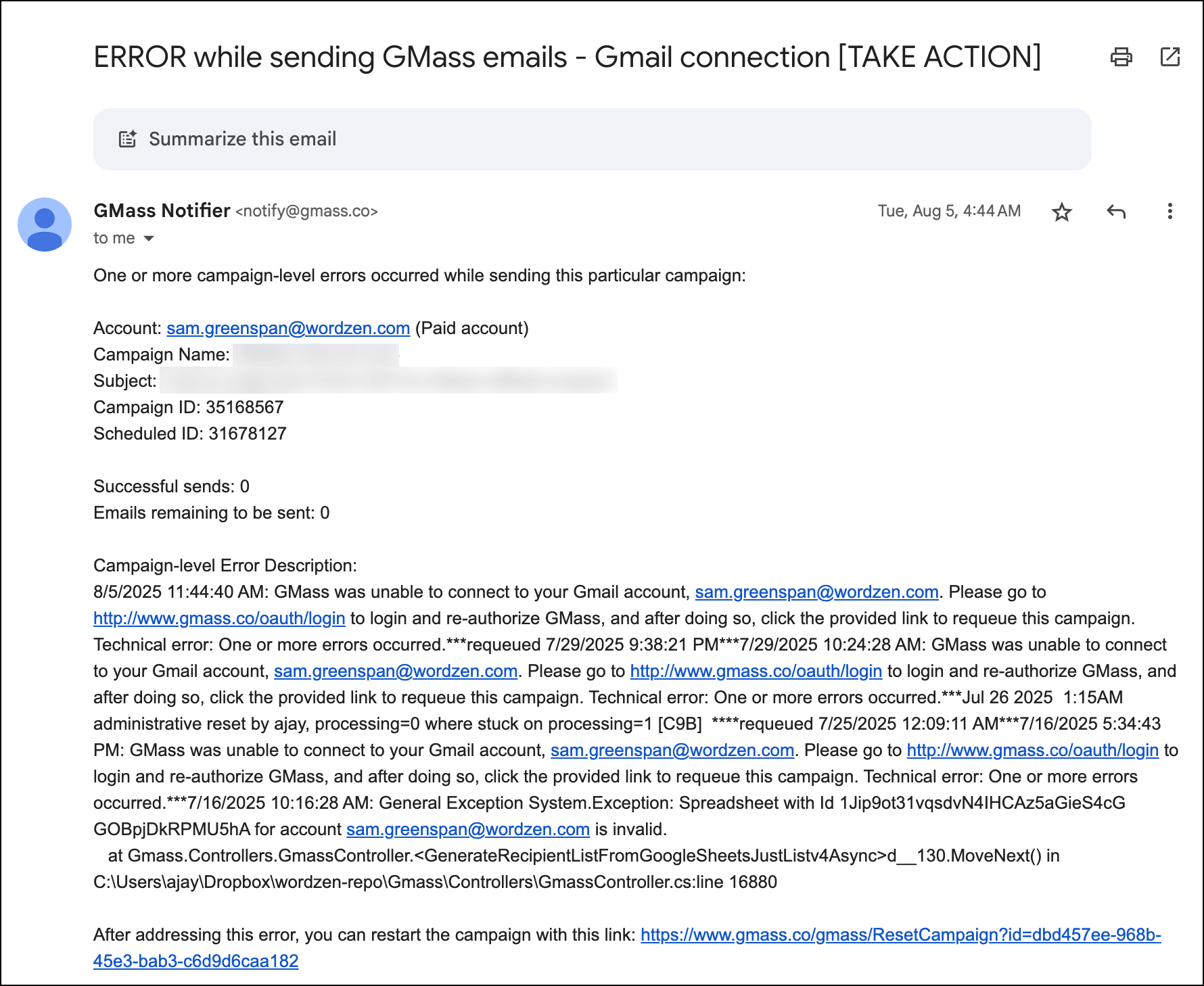
And that email has all the steps you need. You can click on the OAuth link, click through the various requisite permission screens, and your connection will be alive again.

If, for whatever reason, you don’t have this email, you can also just click through here to reauthorize: http://www.gmass.co/oauth/login
2. Reset the campaign to resume sending
After you’ve successfully reauthorized the connection, you can click the “reset the campaign” link in the alert email.
Don’t worry, this doesn’t mean your campaign will start from scratch; it means your campaign will resume sending from where you left off.

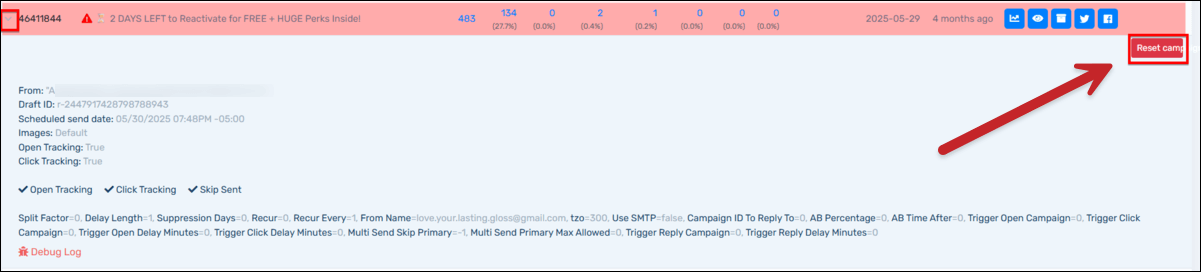
Once again, if you don’t have this email, you can click a button to reset your campaign.
You’ll find it in the GMass dashboard. The campaign will be highlighted red and you’ll see a Reset campaign button when you expand the campaign info.
✅ You’re all set.
More resources
- Here’s more information on fixing Gmail errors.
- You aren’t the only one who’s annoyed by OAuth issues. Here’s just some of what we’ve encountered trying to get it to work properly.