
 |
Deliverability > Check if emails received |
I want to know if my campaign emails are actually being received or if there’s a problem
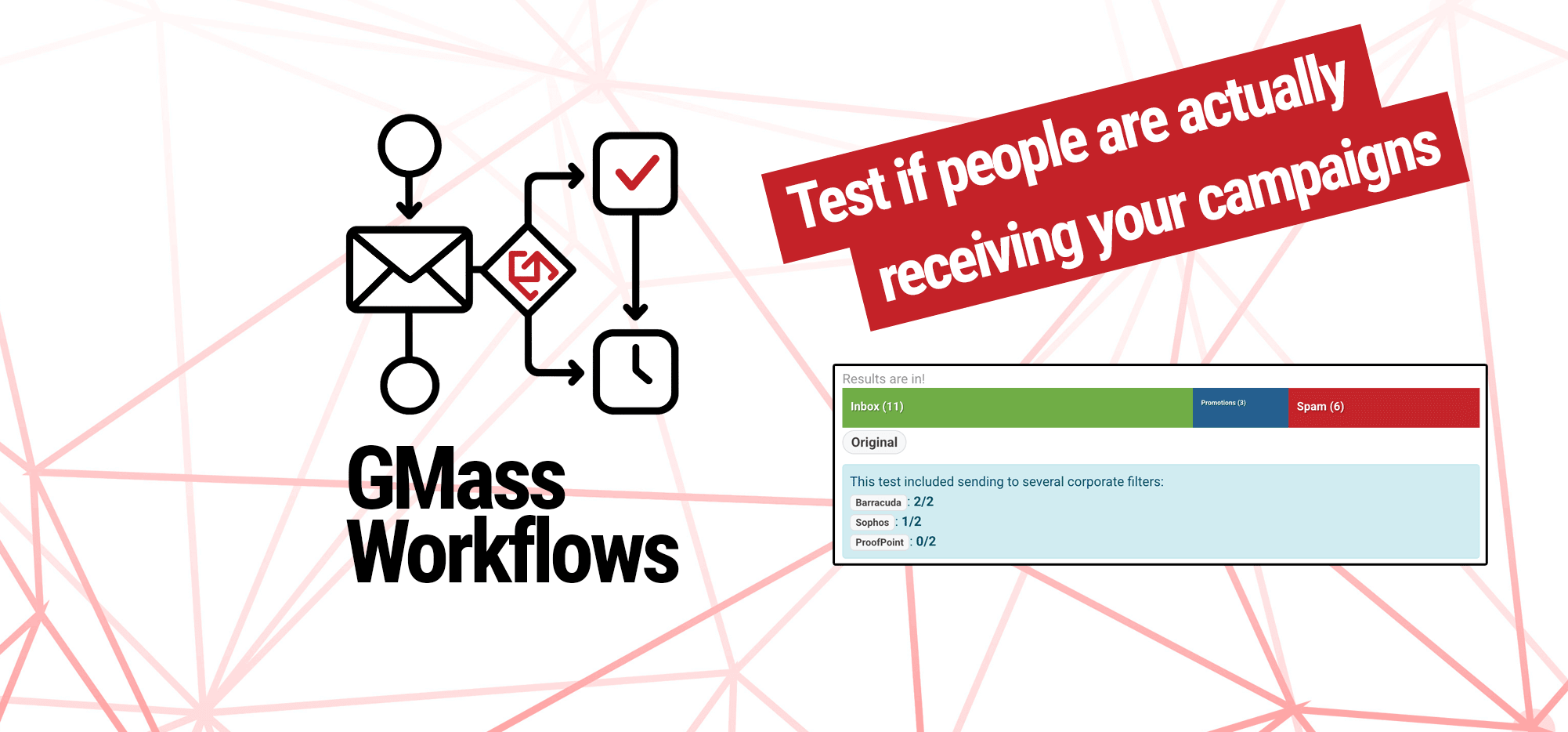
Not getting the reply, click, or even open rates you’d expect for your campaign?
It could very well be that your messages are going to spam or the promotions folder, or they’re getting eaten by aggressive corporate email filters.
In this guide, I’m going to show you how to test to get a definitive answer on whether the people you’re sending to are actually receiving your emails.
Step-by-step guide
1. Create your campaign as usual
To start, create your normal campaign in GMass.
I’d recommend setting it up exactly as you do with your other campaigns. So if you always use open and click tracking, use open and click tracking in this test. If you always include an email signature with your photo, include that in this test.
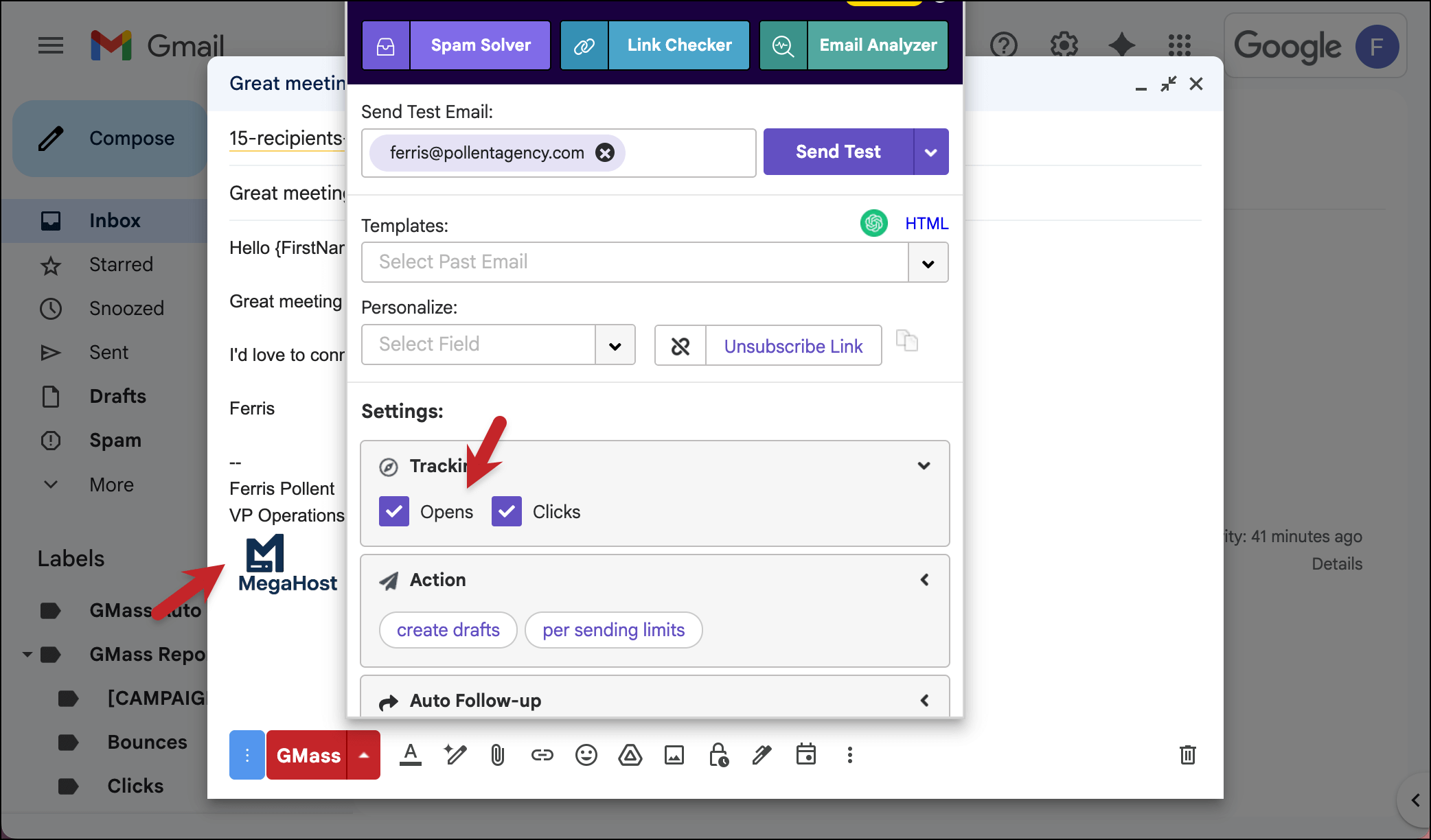
2. Test the campaign with Spam Solver
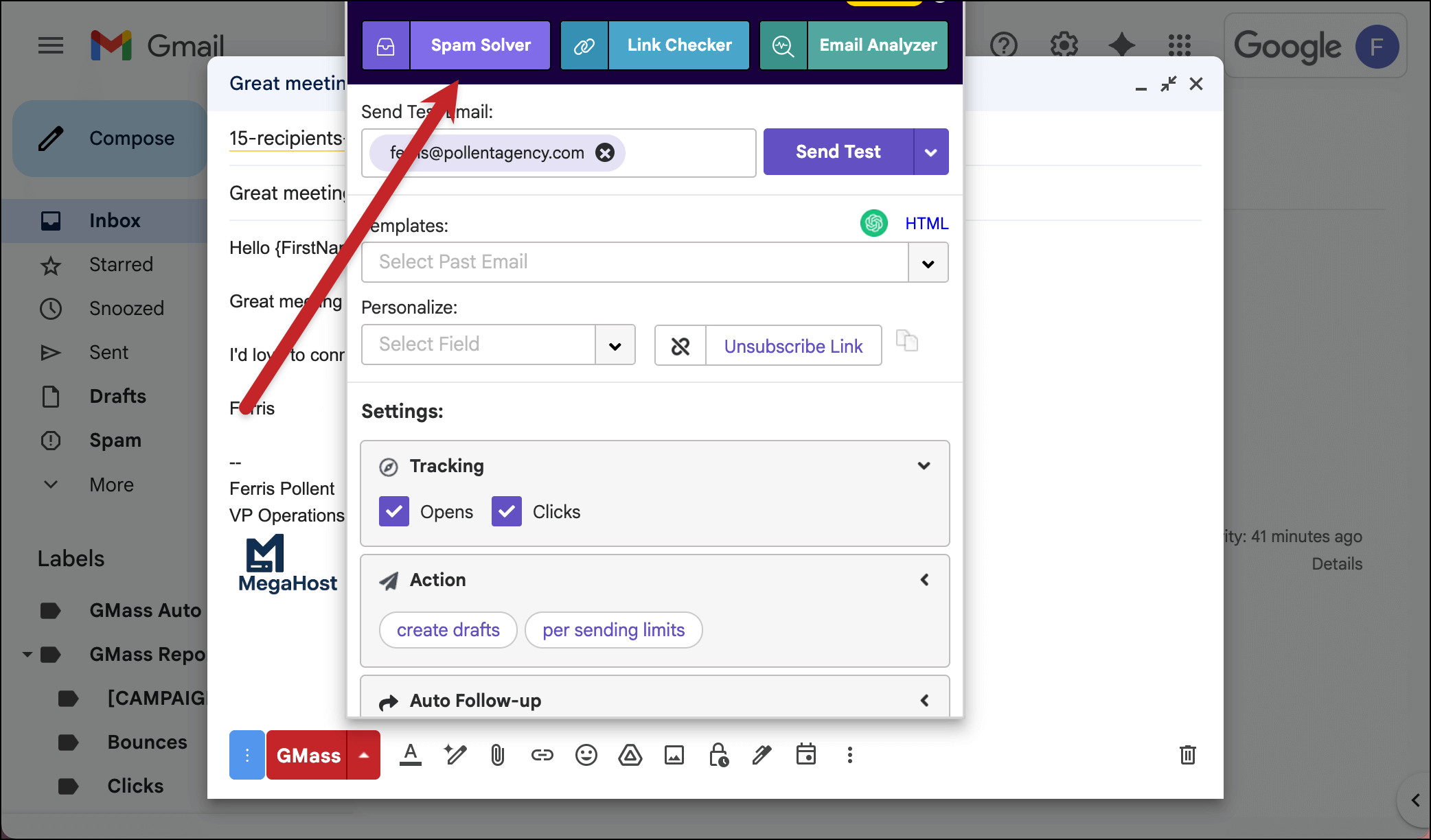
Now we’ll use GMass’s Spam Solver tool to get our definitive answer as to whether or not you’re having deliverability issues.
In the settings box for your campaign, click on the top button to run Spam Solver.
If Spam Solver shows you’re going to all or virtually all inboxes, then you’re all set. (Though the bad news is, you can’t blame deliverability for your lower-than-desired engagement.)
But if you are going to spam at several of our Spam Solver seed accounts, then it’s time to diagnose what’s going wrong.
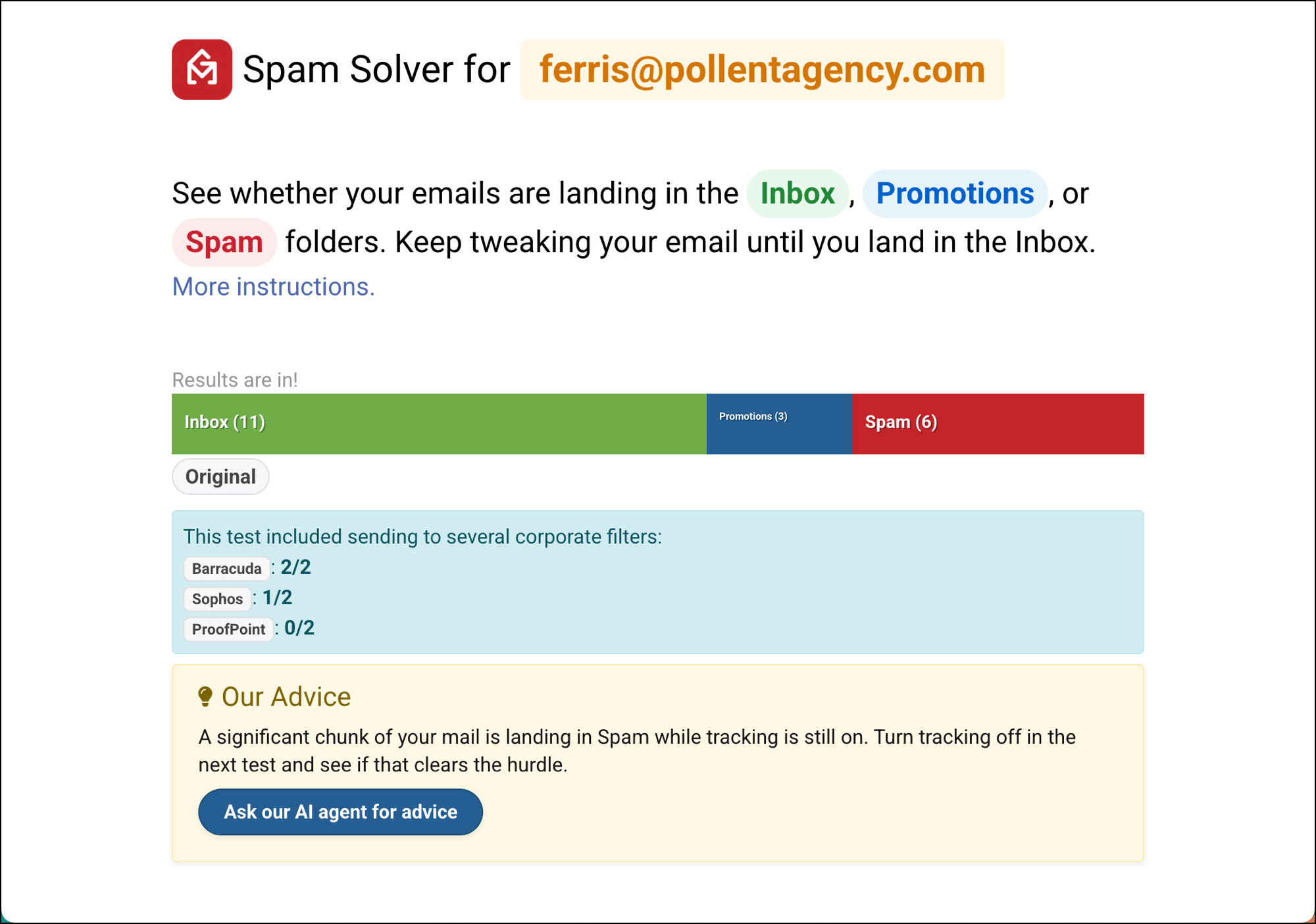
GMass will give you a tip to try, or you can click the button to get help from our AI agent.
Either way, you can select one or more option in Spam Solver (though, for the sake of scientific testing, it’s best to try one thing at a time). 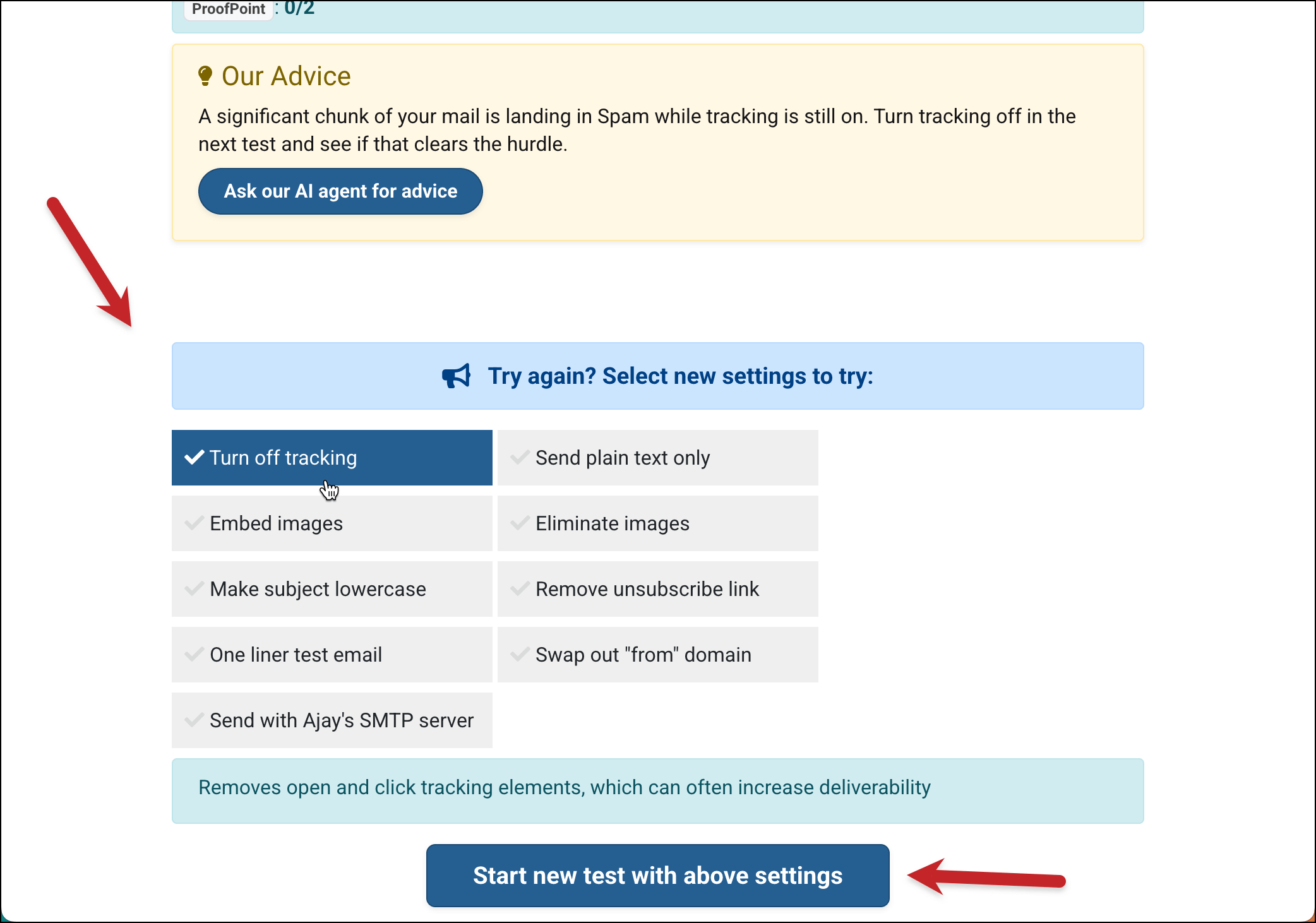
Then click Start new test with above settings, and see if it makes a difference.
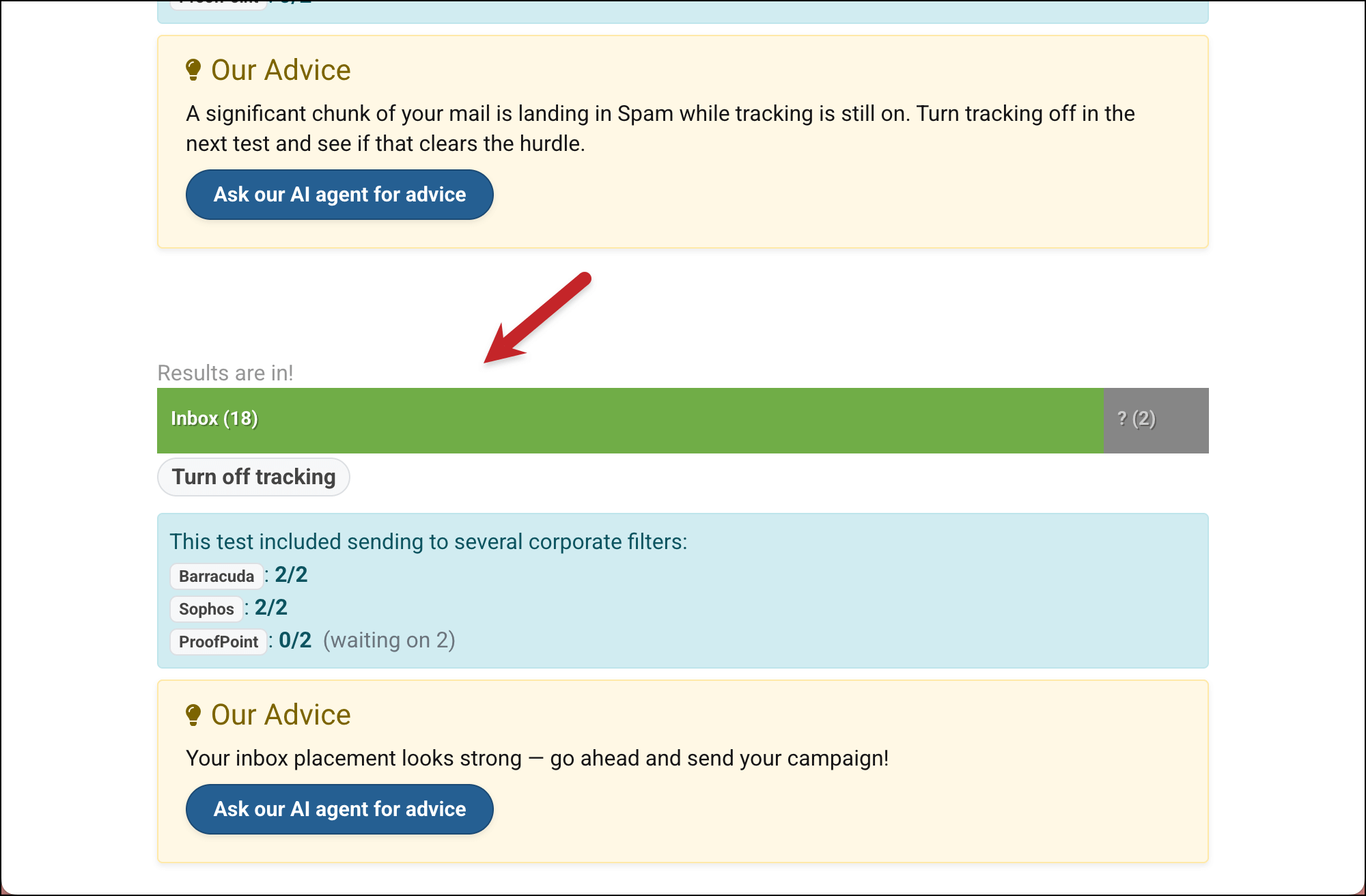
As you can see, the tweak I made was the difference. Now I know that turning off tracking (or using a custom tracking domain) will solve the deliverability issues I’ve been having.
If the retest doesn’t solve your issues, keep trying different Spam Solver suggestions until you find the culprit.
✅ You’re all set.
More resources
- Read up on all of GMass’s deliverability features — including a full explanation of Spam Solver.
- Want to optimize your deliverability? Use a custom tracking domain, embedded images, and set up
- SPF, DKIM, and DMARC. Those changes alone should make a major difference.