
 |
Deliverability > Disable all tracking |
I want to I want to turn off all tracking for the sake of deliverability
There are a lot of cold emailers out there who avoid having any links in their email, as they say links kill deliverability.
When you remove links, you also miss out on the opportunity for open and click tracking. However, for many emailers, that’s a trade-off they’re willing to make.
In this guide I’ll walk through turning off any tracking that could affect deliverability.
(Note: That does not include reply or bounce tracking as those do not require links and are done based on emails that come back to your inbox.)
Step-by-step guide
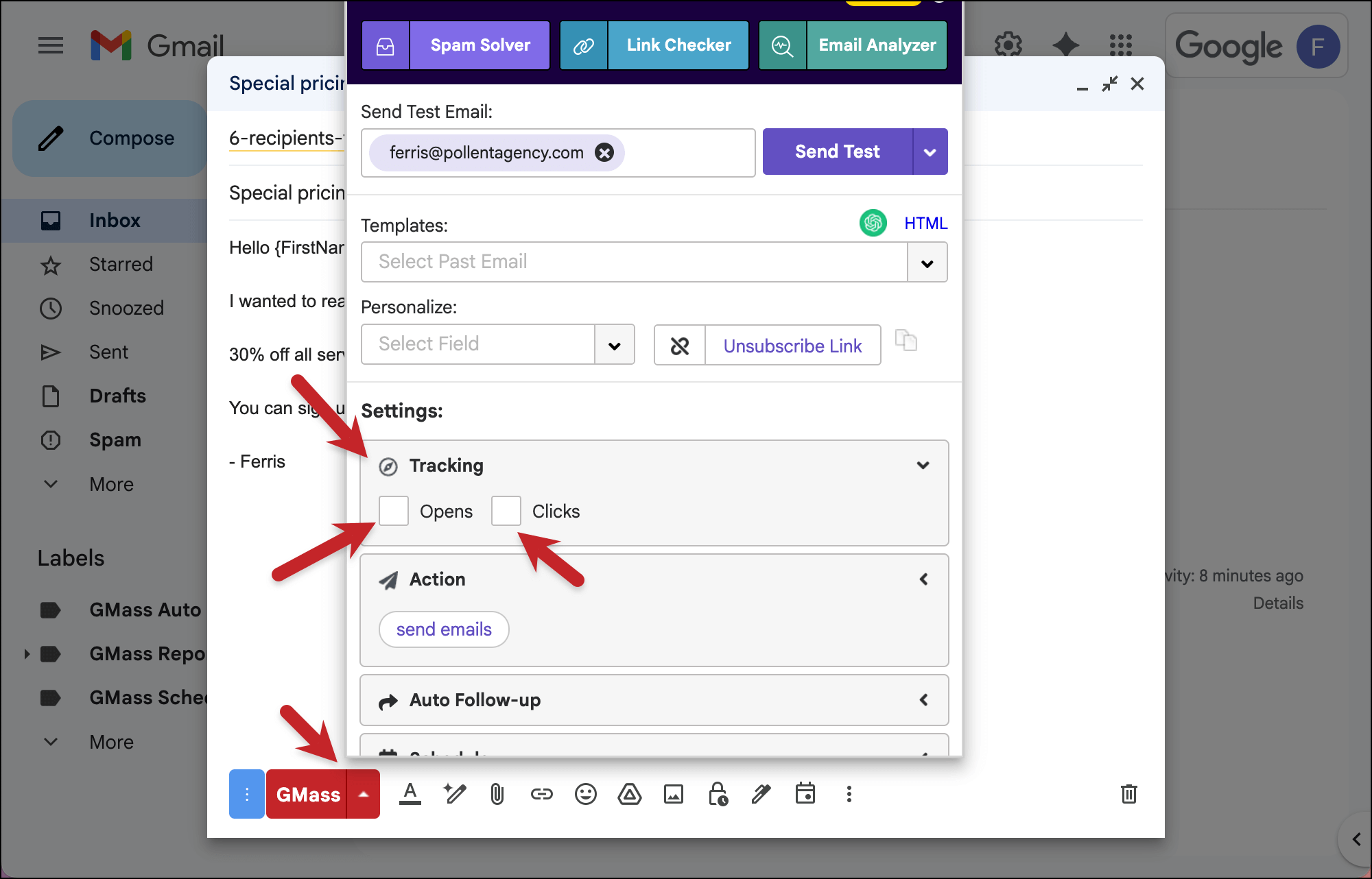
1. Open the GMass settings for your campaign, open the Tracking section, and turn off Open and Click tracking
Uncheck the boxes next to Opens and Clicks to make sure you’re not tracking either of those metrics.
2. Turn off list-unsubscribe header in the GMass dashboard
Head into your GMass dashboard, where you handle account-level settings.
Click the gear to open the settings fly-out panel, then open the Unsubscribes section.
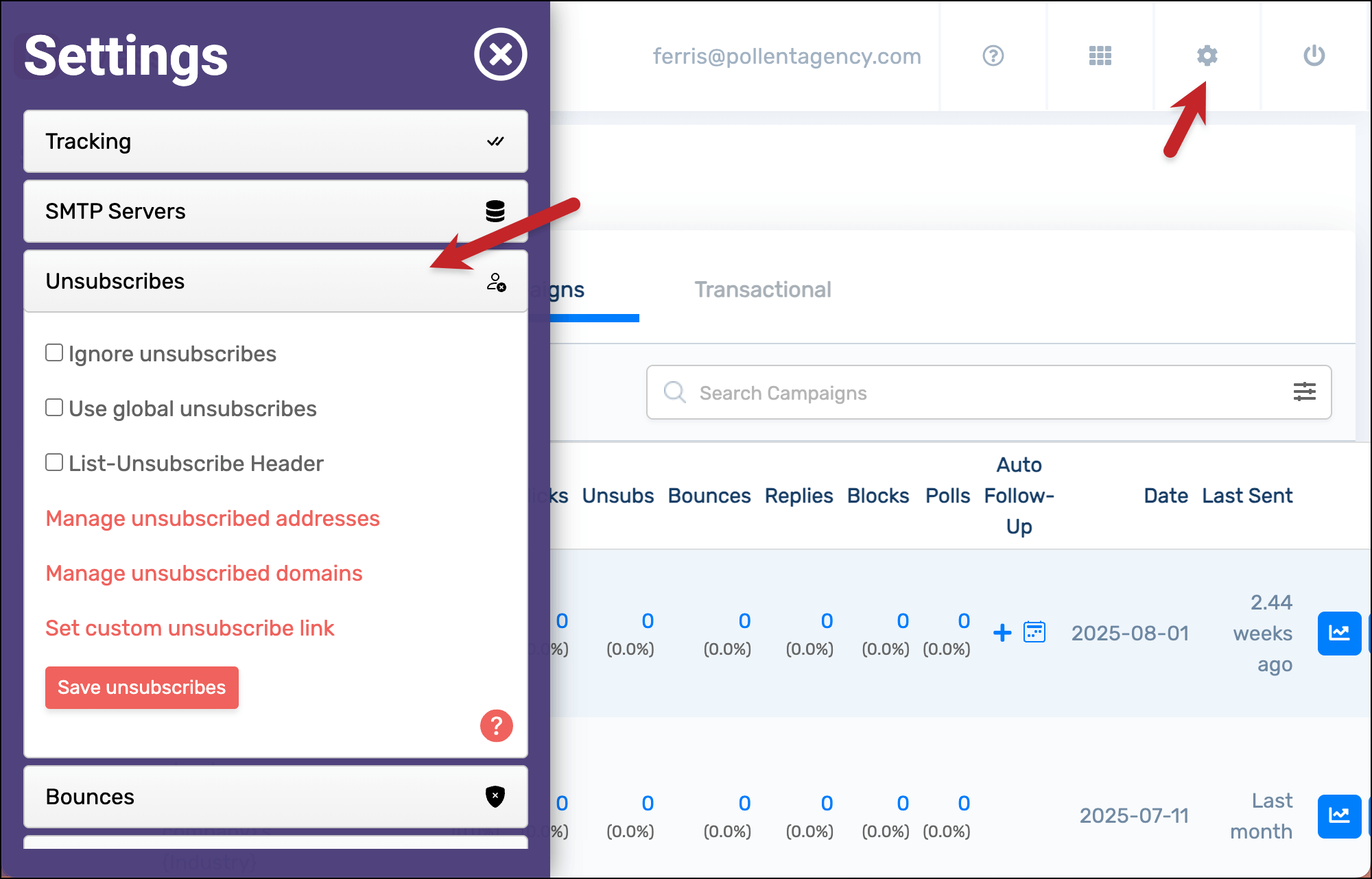
Make sure the box next to List-Unsubscribe Header is unchecked.
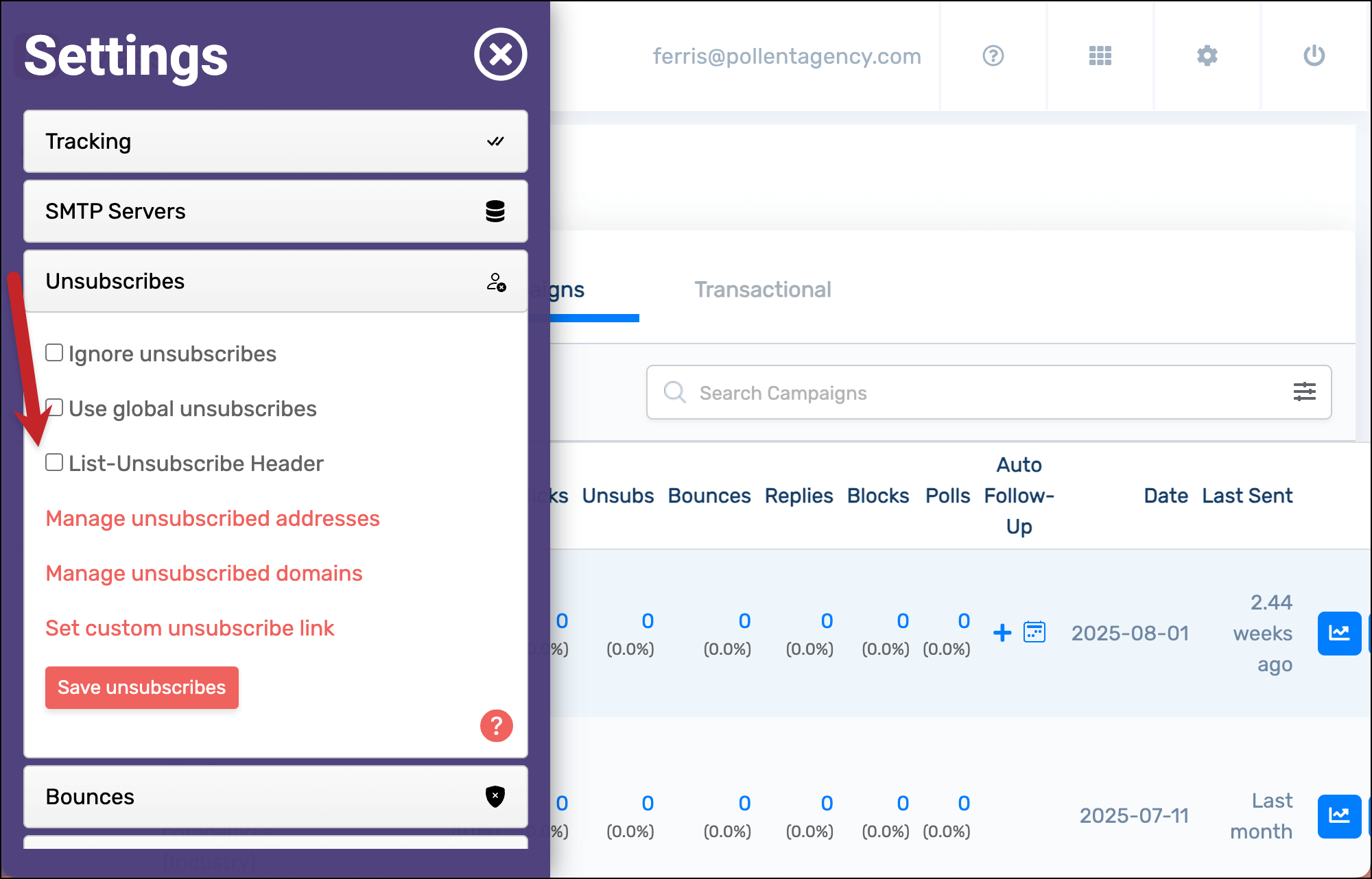
We’re doing this because you don’t want any links in your email.
The list-unsubscribe header is that little “Unsubscribe” button or link that the email clients put at the top of your email.
So while the list-unsubscribe header is not in your message body, it does still count as a link. (Not by all email clients, but Google and Yahoo both do count it as one). So if you’re using a shared tracking link (rather than a custom tracking domain, as recommended), the list-unsubscribe header has a link that might affect your deliverability.
Two notes, though.
One: If you send a large volume, a list-unsubscribe is required by Google and Yahoo. If you meet those qualifications, then don’t turn it off.
And two: Ultimately, having a list-unsubscribe option could be a deliverability benefit rather than a detriment. Because, when you offer that one-click unsubscribe at the top of your email, ideally people who don’t want to hear from you will click that rather than the damaging “mark as spam” button. Still, the point of this guide is turning off all possible tracking, so I’m showing you how to do it.
✅ You’re all set.
More resources
- Here are more hot settings for cold emailers who want to maximize deliverability.
- Here’s the full documentation on GMass campaign tracking and reporting.
- You can also disable tracking on individual links if you so desire.
- Since you’re into deliverability, check out all of GMass’s deliverability features — in particular Spam Solver.