
 |
Automations & Sequences > Push auto follow-up |
My auto follow-up didn’t go out at the time I expected and I want to send it now
Sometimes an auto follow-up won’t go out exactly when you might have thought. Maybe you’ve hit your Gmail limits on sending day. Maybe you forgot you’ve skipped sending on certain days. Maybe Gmail had a technical hiccup at the scheduled send time.
Whatever the reason — your follow-up didn’t go out as planned so you want to send it now.
There’s a really simple fix.
Step-by-step guide
1. Head to Gmail, go to the Drafts folder, and find your campaign draft
Since your campaign is still sending its auto follow-ups, you’ll find it inside your Gmail Drafts folder.
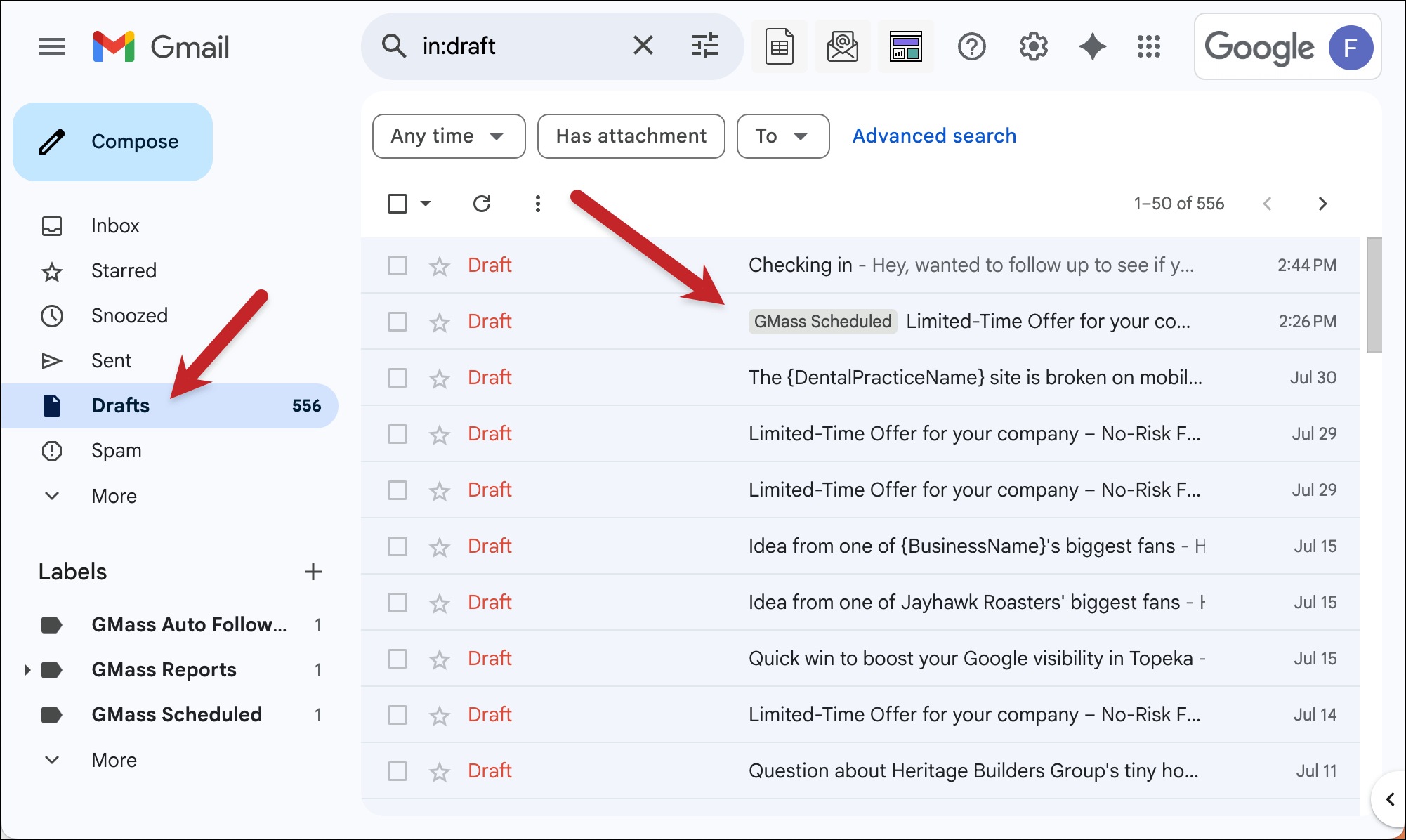
Open up the draft.
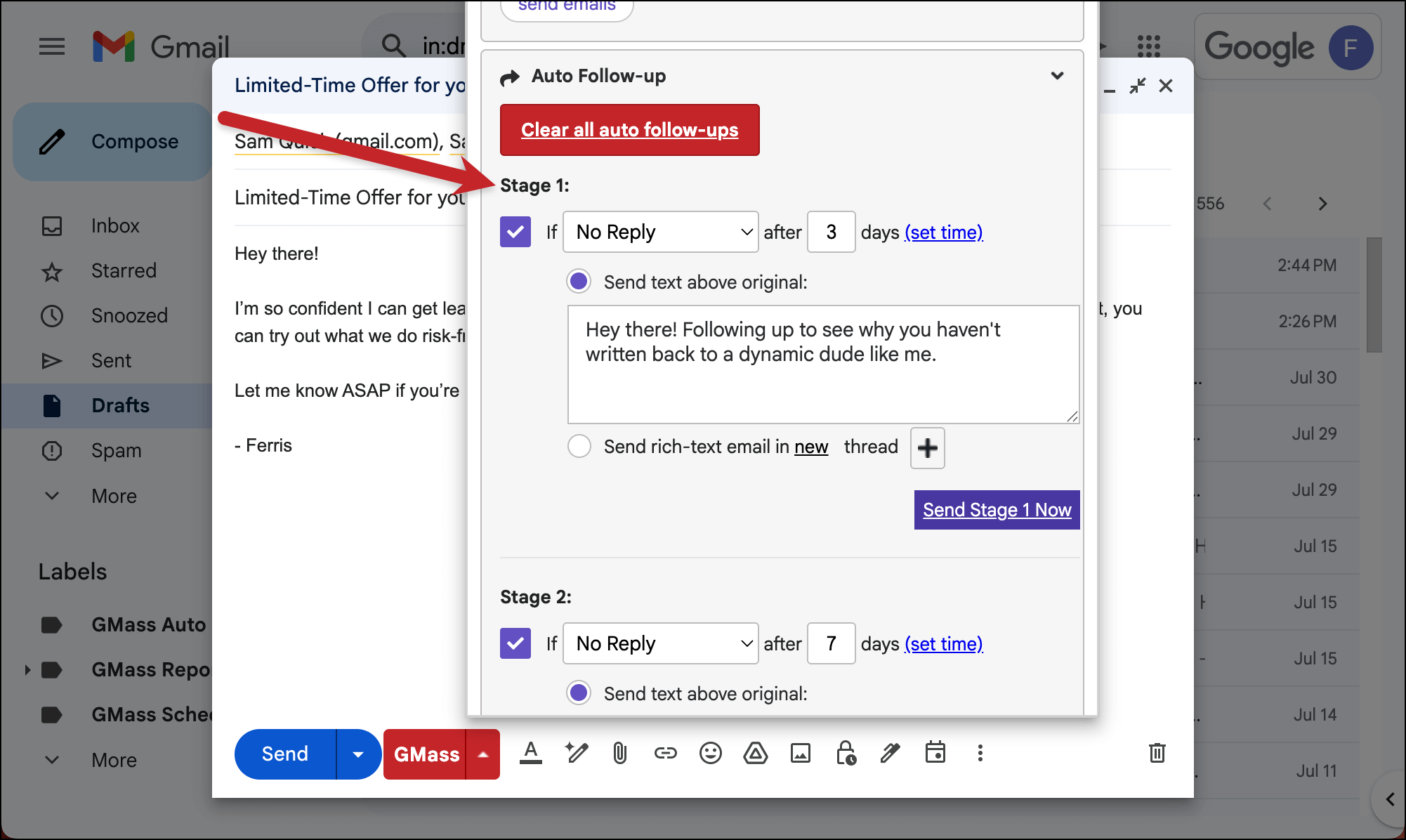
2. In the settings box, find the follow-up you want to push
Now open the GMass settings box.
Head to the Auto Follow-up section and find the auto follow-up you want to push. In my example it’s stage 1 but you can do this for any stage.
3. Click the button to send the stage now
See the purple Send Stage n Now button?
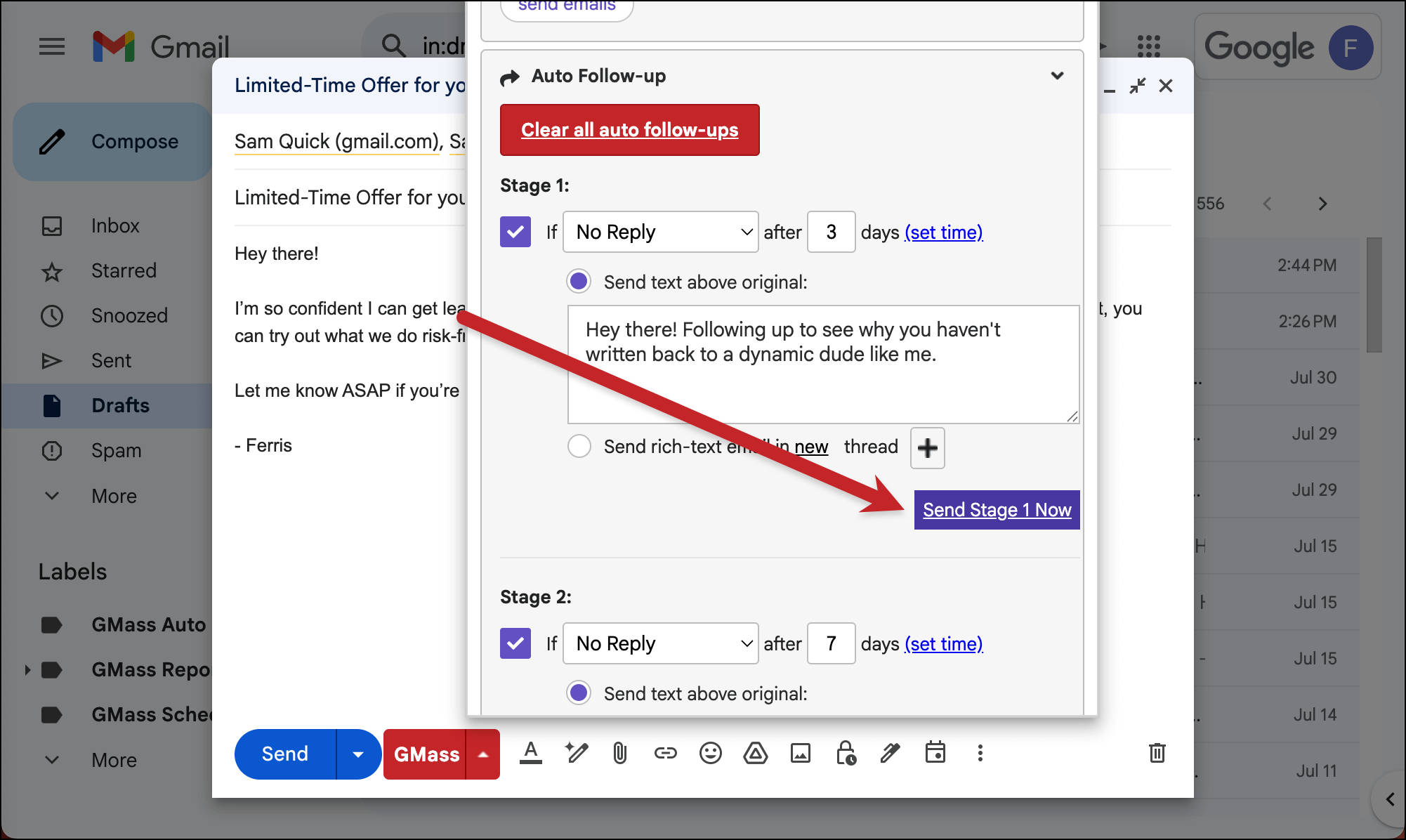
All you need to do is click that to push your auto follow-up stage immediately.
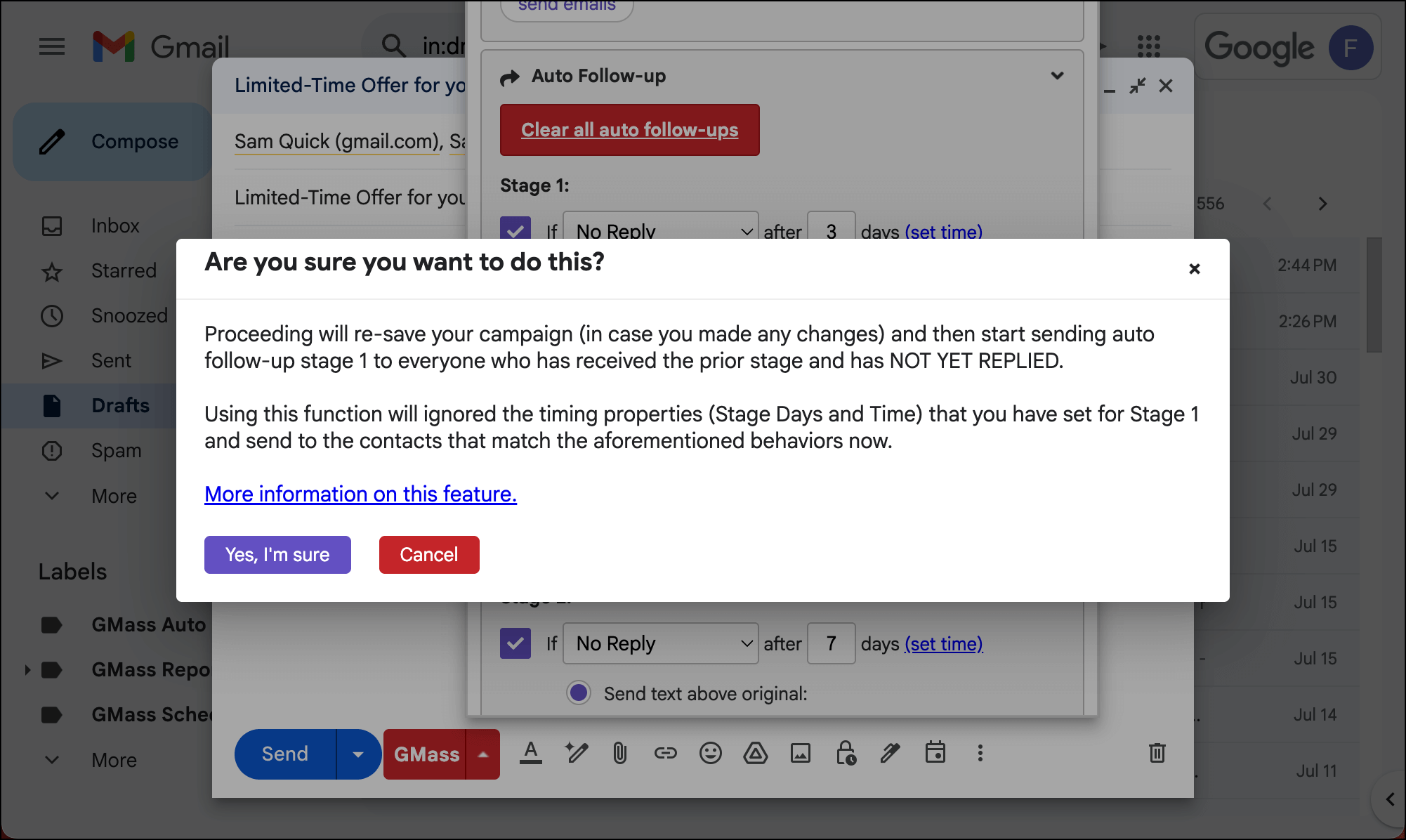
You’ll see a pop-up. If you’re sure you want to push the stage out to all eligible recipients, click Yes, I’m sure.
✅ You’re all set.
More resources
- Here’s our full guide on how to push an auto follow-up out immediately rather than wait for its scheduled time.
- And here’s more on how to cancel, pause, edit, or add auto follow-up emails.
- Need to remove someone from an auto follow-up sequence?
- You can send unlimited follow-up stages with GMass.