
 |
Deliverability > Verify Authentication Setup |
I want to know whether SPF, DKIM, and DMARC are set up properly

Want to check to make sure your authentication protocols (SPF, DKIM, and DMARC) are in place?
Maybe you’re only vaguely familiar with them and want to find out if you need to take care of them. Maybe you’re a pro who’s just double checking.
Either way, here’s an easy guide to figuring out if the authentication for your sending domain is set up and working properly.
Step-by-step guide
1. Go to the GMass Email Analyzer
To test our authentication protocols, we’ll use GMass’s free email analyzer tool.
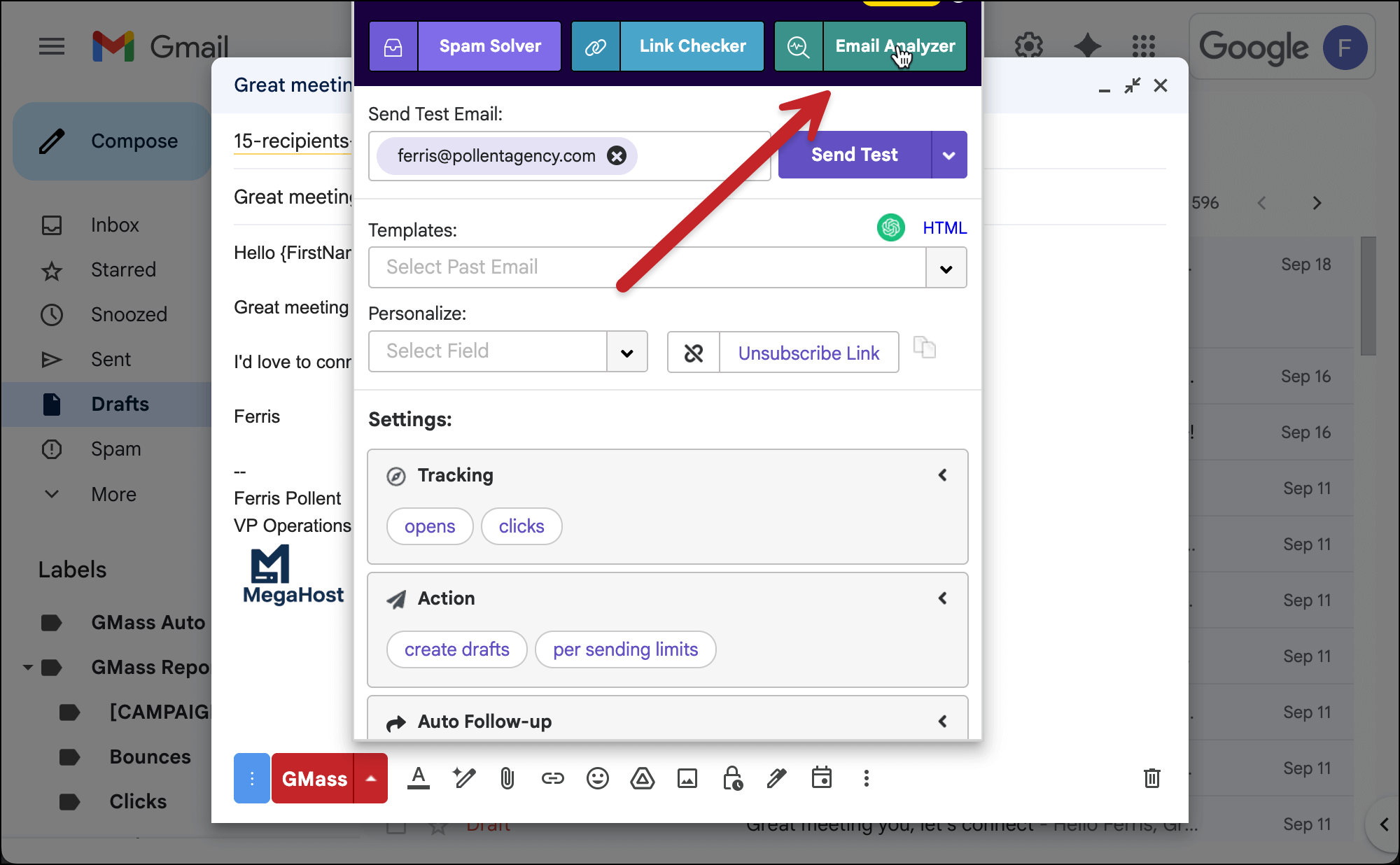
You can access this either through that link in the previous sentence or by clicking the Email Analyzer button in the GMass settings box for a campaign.
If you use the settings box option (as pictured below), you can skip step 2 below — GMass sends the testing email automatically.
2. Send a test email to the analyzer
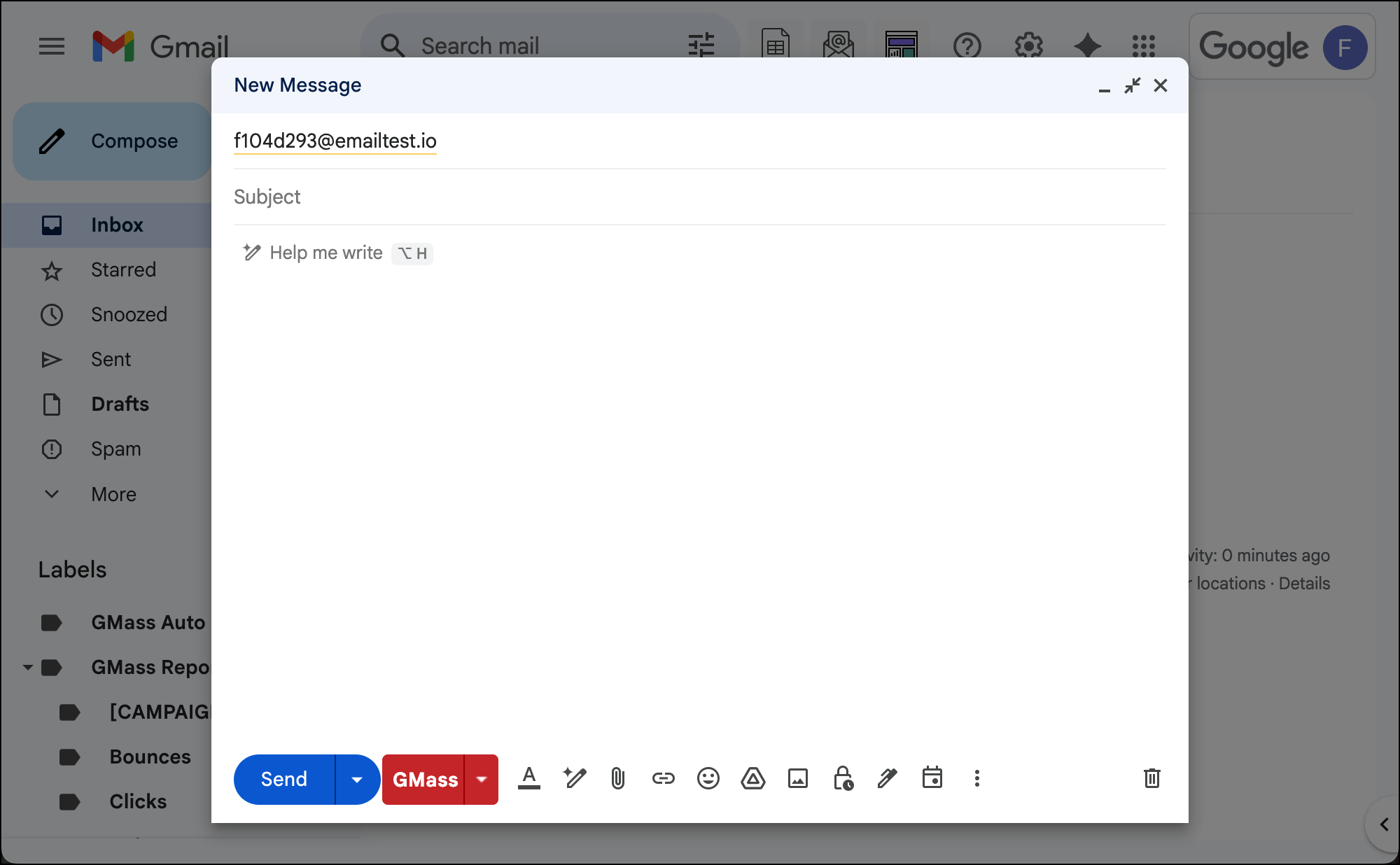
After you click the link to go to the email analyzer, you’ll see an email address there.
Copy it.

Now go to Gmail and send an email to that address.
You don’t need to send using the red GMass button unless you want to; since SPF, DKIM, and DMARC are all at the domain level, it doesn’t matter if you send with the blue Gmail button or red GMass one.
3. Examine your test results for SPF, DKIM, and DMARC
Now go back to the tab where you had the GMass Email Analyzer open.
It should take less than 30 seconds before you see results appear on the screen from your test.
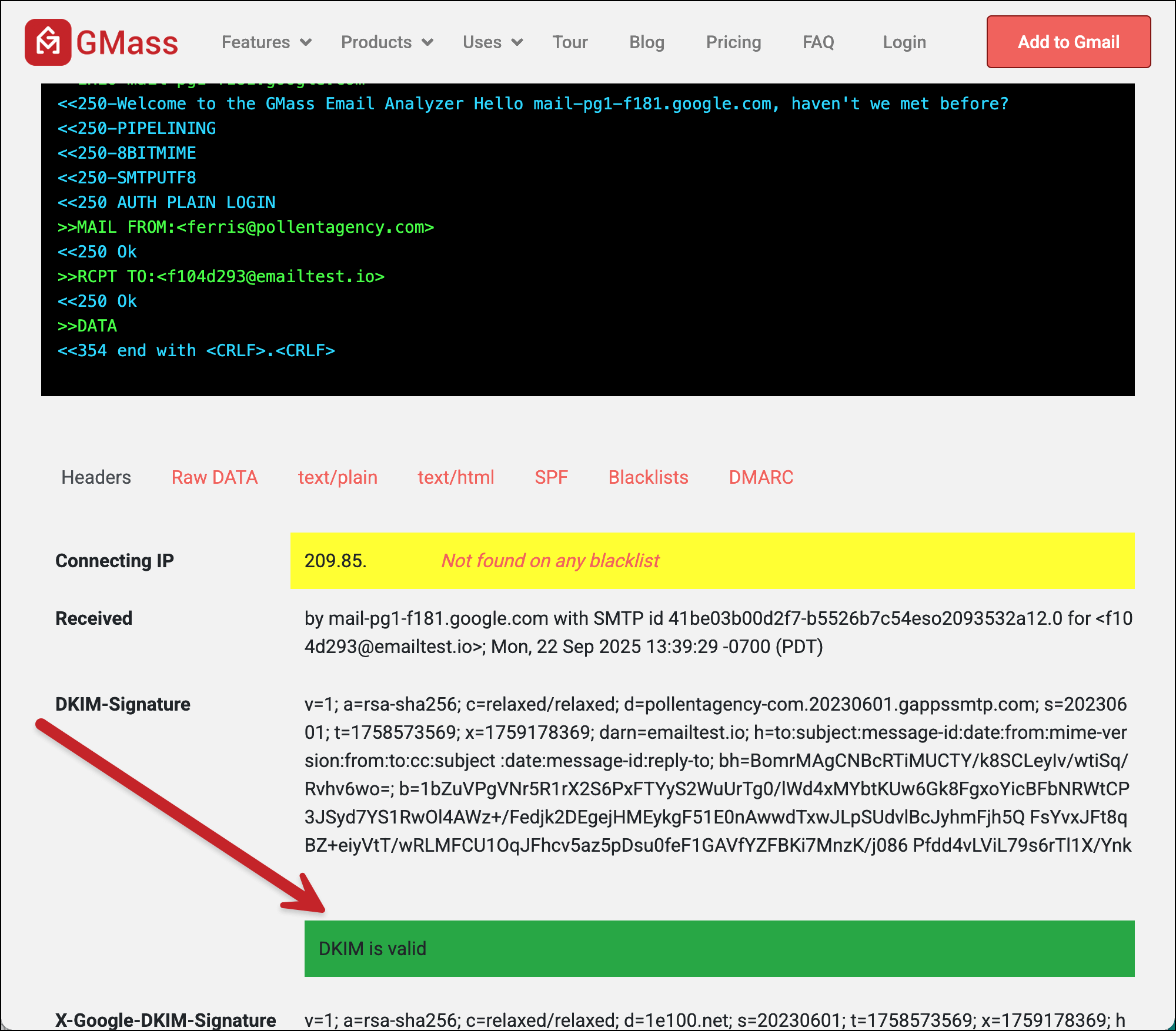
Your DKIM result is on the first screen. Scroll down and you should see whether or not DKIM is valid.
To see if SPF is valid, click on the SPF tab. Look for “Pass” in your result.

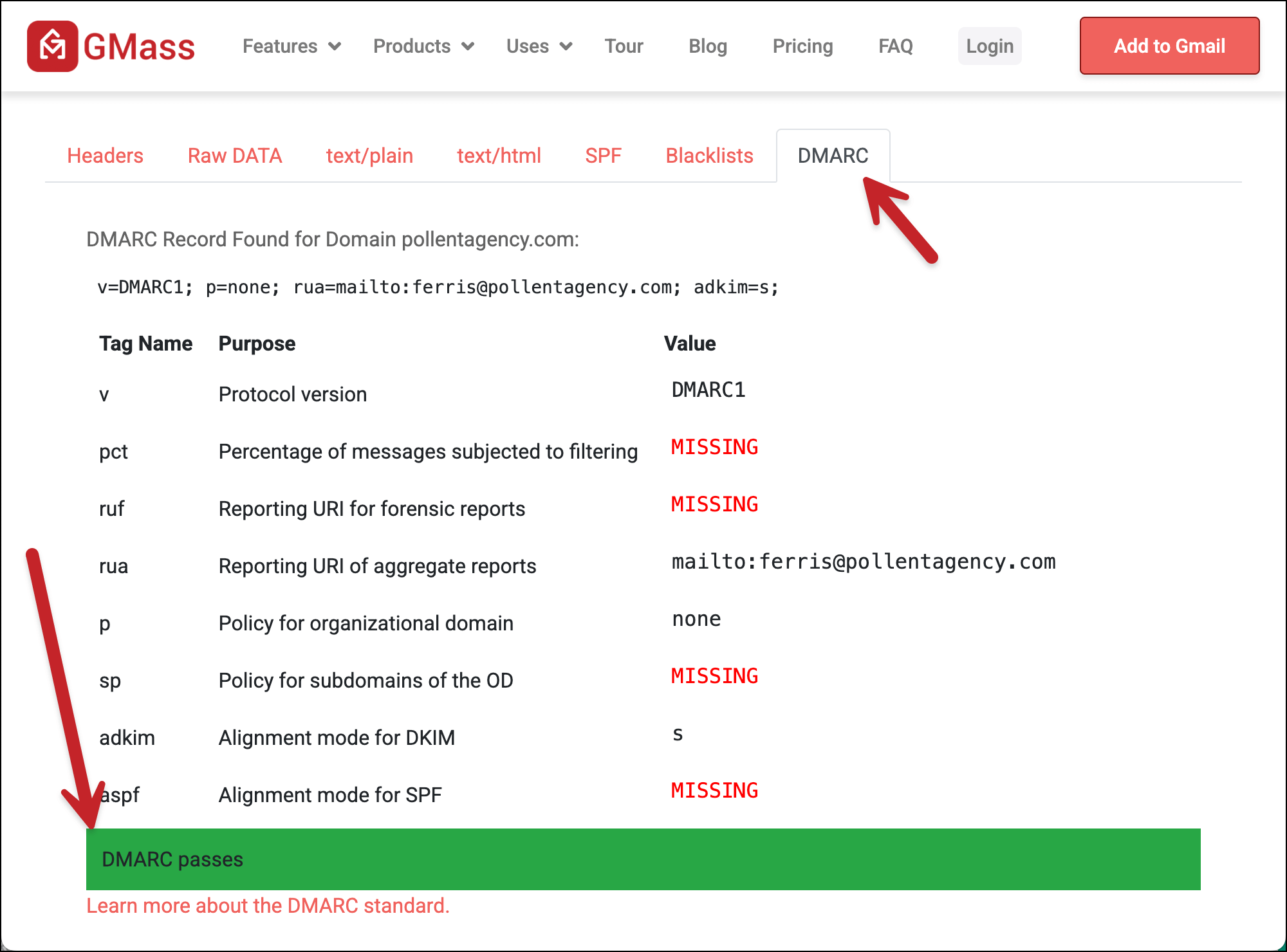
And for DMARC, go to the DMARC tab. You want to see the green bar that says “DMARC passes.”
If you’re passing all three, then…
✅ You’re all set.
But what if you’re failing?
4. Fixing SPF, DKIM, or DMARC if you are failing
If you’re failing one of the authentication protocols, follow these (simple) instructions to fix things:
You can also ask ChatGPT or any of the other AI tools to help walk you through if you’re having trouble. They may even be able to give you more specific instructions for your domain registrar.
More resources
- Here’s more about specific DKIM settings you should use in GMass if you’re sending with a third-party SMTP server.
- Read about the Gmail bulk sender guidelines, which require SPF, DKIM, and DMARC for high-volume senders.
- And if you’re using a Gmail.com address, here’s GMass’s fancy technique to help you achieve DMARC alignment.