

Looking for an in-depth Mandrill review?
Developed by Mailchimp, Mandrill is a SaaS-based transactional email service that lets you send personalized transactional emails to your customers.
But despite being feature-rich, Mandrill might not be the ideal email provider for transactional email management for everyone.
In this Mandrill review, I’ll talk about everything you need to know about this transactional email service.
I’ll cover what Mandrill is, its essential features, the major drawbacks, and its pricing details to help you determine if Mandrill is the best tool for you.
This Mandrill Review Covers:
(click on the links below to jump to a specific section)
- What is Mandrill?
- What Are the Key Features of Mandrill?
- What Are the Drawbacks of Mandrill?
- What Are Mandrill’s Pricing Plans?
What Is Mandrill?
Mandrill is the former name of the Mailchimp Transactional Email plugin. It uses API and SMTP servers to let you send transactional emails to your customers.
Are you a little confused over what those terms mean?
I’ll break them down to help you understand:
What Are Transactional Emails?
Transactional emails are emails triggered by user actions. Order confirmation emails, password reset emails, shipping notification emails, and customer support emails are common examples of transactional emails.
What Is Email API?
Email API (application programming interface) gives your website or app the power to access the functions usually provided by an email service provider.
For example, if a customer purchases a product from your website or app, you can send delivery details to their email address via Mandrill’s email API.
With the API, you also get access to detailed analytical reports about core email metrics like click-through rates and bounce rates.
What Is SMTP?
SMTP (Simple Mail Transfer Protocol) is an email protocol that lets you send outgoing emails from an email account to other email accounts.
Why do you need an SMTP service?
Various Email Service Providers (ESPs) like Gmail, Outlook, and Yahoo! Mail, etc., limit the number of emails you can send daily. This way, they can manage their total daily volume of sent email traffic by imposing a maximum.
For instance, in G Suite, you can’t send more than 2,000 emails in a day — which may seem like enough for a regular user. However, if you have 3,000 or more customers, this will limit your reach and your ability to grow.
The SMTP service in Mandrill lifts this limitation by helping you bypass these restrictions and send a virtually unlimited number of emails every day!
You can even integrate Mandrill’s SMTP server with popular web frameworks like Ruby on Rails or NodeJS for added flexibility.
The SMTP integration also allows you to use SMTP headers to personalize any message you want.
You can:
- Use merge tags for any custom message.
- Utilize open tracking and click tracking.
- Add Google Analytics tracking for your links.
- Generate plain text from HTML content.
- Use custom-metadata.
Interested in learning about the SMTP protocol?
Check out my ultimate SMTP guide here.
What Is the Difference between Mandrill and Mailchimp?
Mandrill focuses only on transactional emails, unlike Mailchimp, which deals with general email marketing activities.
For example, Mandrill can help you with standard automated emails like shipping confirmations, invoices, account notifications, welcome emails, customer service emails, etc.
On the other hand, Mailchimp helps you with your overall marketing campaigns and can support creative promotions through newsletters, product promotions, educational/informational emails, etc.
While Mailchimp has a web version and mobile app for iOS and Android devices, Mandrill can only be accessed from your laptop or desktop.
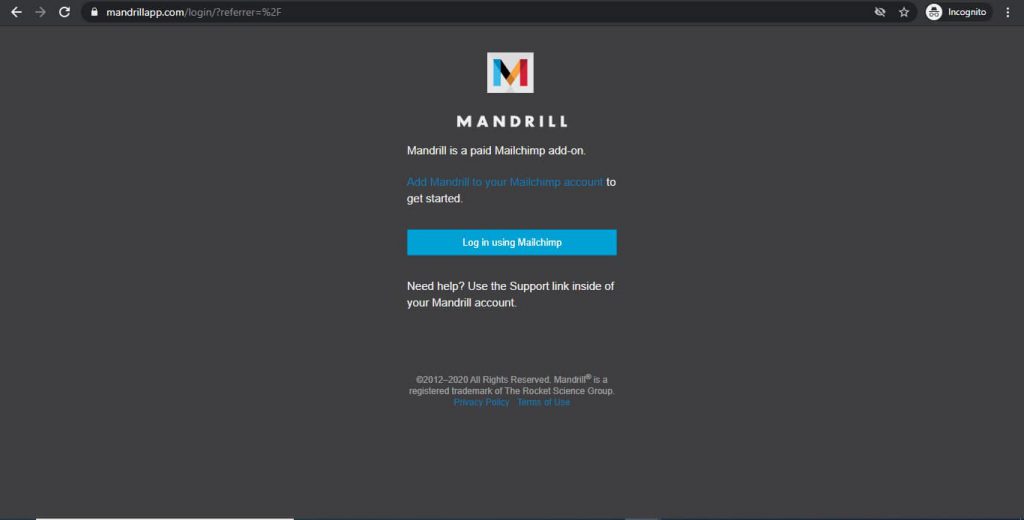
To use Mandrill’s features, you must sign in through Mailchimp first.
Who Are the Typical Users of Mandrill Transactional Email?
Mandrill is used mostly by B2B and B2C businesses across multiple industries like e-commerce, retail, finance, and software development.
What Are the Key Features of Mandrill?
Here are four essential features that make Mandrill a great transactional email service:
1. Analytics and A/B Testing
As a transactional email provider, Mandrill has a great dashboard that highlights the statistics of your overall email performance.
It highlights your:
- Email reputation
- Delivery rates
- Country and state email opens, clicks, and unsubscribes
- Inbound and outbound emails
- Email content
- Recipient details and total sends for each month and hour
- Delayed or failed sends
Additionally, Mandrill gives you comparative reports over your transactional emails, helping you with A/B testing of your email campaigns.
What Is A/B Testing?
A/B testing involves sending multiple versions of the same email to different smaller groups of customers before sending the email to a larger group. For example, you can test different email subject lines and introductions, etc. (Version A would use one subject line, and Version B would use a different one. That’s how “A/B” testing got its name.)
Analyzing and comparing the performance of the two email versions shows you which one performed better and why.
You can then optimize the subject line, email content, and links within the email for better:
- Open rates
- Response rates
- Click-through rates
Ajay’s Email TipThe quickest way to boost engagement rates is by starting and ending your emails properly. Check out my detailed guides on how to start and end emails the right way. |
For a better understanding of customer-email interaction, you get comprehensive status updates via Mandrill’s event tracking API.
Additionally, to identify your various emails, you can add custom tags by sending API calls or using custom SMTP headers.
2. Email Security and Deliverability
When you send a transactional email to your customer, you want to ensure that it reaches their inbox. To help you boost email deliverability and security, Mandrill uses custom SPF and DKIM records.
What Is SPF?
SPF (Sender Policy Framework) is a security validation process that verifies the IP addresses and web applications whose domains you use to send emails.
An SPF record for a specific domain includes a database of authorized applications and IP addresses that can send emails from that domain.
Recipient mail servers check these SPF records during an email transfer and only deliver emails that are authorized. If not authorized, your emails will automatically get rejected or flagged.
This ensures that only emails you authorize are sent to your recipients — preventing any spam from being sent using your domain.
What Is DKIM?
DomainKeys Identified Mail (DKIM) is a process of encrypting outgoing mail with a digital signature. This way, the sent email is protected throughout the mail transfer process, and the owner of the domain is also verified.
DKIM ensures that the outgoing email can only be decrypted by the recipient’s mail server. And once the recipient’s mail server verifies the domain owner, the email is directly delivered to their inbox instead of going to a spam folder.
For added customization, you can also create your own dedicated IP or use a shared IP for sending mails on Mandrill.
Using a shared IP address means that many other businesses may also be using the same IP address as you do to send bulk emails.
In that case, you can white-label your shared IP so that the recipient can directly see your domain name instead of a code of numbers. This process is known as reverse DNS (rDNS).
What Is Reverse DNS?
In a nutshell, DNS (Domain Name System) is the internet’s address book.
It helps you find web pages based on their domain names (like gmass.co or nytimes.com) by identifying and translating their IP addresses.
In the case of reverse DNS (rDNS) or white labeling an IP, it identifies domain names through their IP addresses.
For instance, if you enter a specific IP address like 3.3.3.3, it will give you the domain name of that IP address.
And it isn’t just limited to websites. A reverse DNS lookup can be performed for emails as well.
By white-labeling your shared IP address, you allow your recipient to view your domain name directly rather than see an ambiguous IP address. This boosts your authenticity and helps you gain customer reliability.
3. APIs and Integrations
Mandrill offers several integrations that can optimize your transactional emails and also streamline your business workflows.
Through its webhook (reverse API) and event tracking API, you get real-time notifications on email delivery, bounce rates, and spam complaints — helping you to take action promptly.
What Is a Webhook?
A webhook allows an app to transfer real-time information to other apps based on user triggers. It is also known as a web callback or HTTP push API.
For example, if you buy something from an eCommerce app using online payment, you immediately get notifications on your banking app about the debited amount.
This is possible because of webhooks.
With Mandrill webhooks, you get notified instantly of any customer action when your email gets delivered. You’ll know whether it was opened, marked as spam, or blocked, etc.
Mandrill also integrates with a whole range of third-party tools to streamline your transactional email marketing campaign.
Some of Mandrill’s integrations include:
- Stripe: a payment management software
- Woopra: a customer journey analytics platform
- Drupal: a content management system or CMS
- WordPress: a content management systems or CMS
4. Multiple Transactional Email Templates
Who says you have to create every transactional email from scratch?
To speed things up, Mandrill offers multiple ready-to-use email templates. Just select a template that suits you, input your email content, and send it!
To add templates to your account, you can either custom-code one and send it to your Mandrill account, or add it via the Templates page in your account.
You can even send a Mailchimp template from your Mailchimp account to your connected Mandrill account to start creating your email.
What Are the Drawbacks of Mandrill?
Mandrill may have some handy features, but a few drawbacks are holding it back.
In this review, I’ll highlight the two major drawbacks of Mandrill.
1. You Need a Mailchimp Account to Use Mandrill
Previously, you didn’t need a Mailchimp account to access Mandrill.
You only had to buy the add-on, which was a very cost-effective option for small and medium businesses and startups, etc.
However, it’s now compulsory that you become a Mailchimp user to access Mandrill.
This means now you have to pay for both the Mailchimp plan and the Mandrill plan.
Moreover, using Mandrill isn’t that straightforward.
You need to log in to Mailchimp to access Mandrill — which is simply inconvenient.
2. Limited Message Archive
In Mandrill, the emails you send are archived for record-keeping purposes.
However, delivered emails are stored for only 30 days, while bounced emails are stored for 90 days.
This limits the campaign insights you get as you can’t check the cumulative growth in the customer-email interaction beyond the set timeframe. You’ll have to check the emails within 30 or 90 days; after that, the data is lost.
What Are Mandrill’s Pricing Plans?
The Mandrill app or Mailchimp Transactional Email offers you blocks of transactional emails. Each block contains 25,000 emails.
The pricing for blocks depends on the number of emails you need to send per month.
Mandrill’s pricing plans are as follows:
- 1–20 blocks: $20/block – supports 1–500K emails.
- 21–40 blocks: $18/block – supports 500K–1 million emails.
- 41–80 blocks: $16/block – supports 1–2 million emails.
- 81–120 blocks: $14/block – supports 2–3 million emails.
- 121–160 blocks: $12/block – supports 3–4 million emails.
- 161+ blocks: $10/block – supports over 4 million emails.
Wrapping Up
With its multiple features and diverse integrations, Mandrill can be a great option for your transactional emails.
However, it is not a perfect app.
Apart from limited email records, and no mobile app, you’ll have to use Mailchimp to use Mandrill. Why pay for two tools when you only need one?
So if you think Mandrill isn’t your cup of tea, you can always check out other options like SendGrid, Mailgun, Sendinblue, or Amazon SES.
Or you can always give GMass a try.
Interested in other SMTP service providers?
Check out my:
- Sendpulse Review
- SocketLabs Review
- SMTP2Go Review
- Mailjet Review
- Moosend Review
- Pepipost Review
- WP Mail SMTP Review
- Pabbly Review
- Postmark Review
- Inboxroad Review
Based in the United States, GMass is comprehensive email marketing software that offers powerful email tracking and mail merge features right inside Gmail.
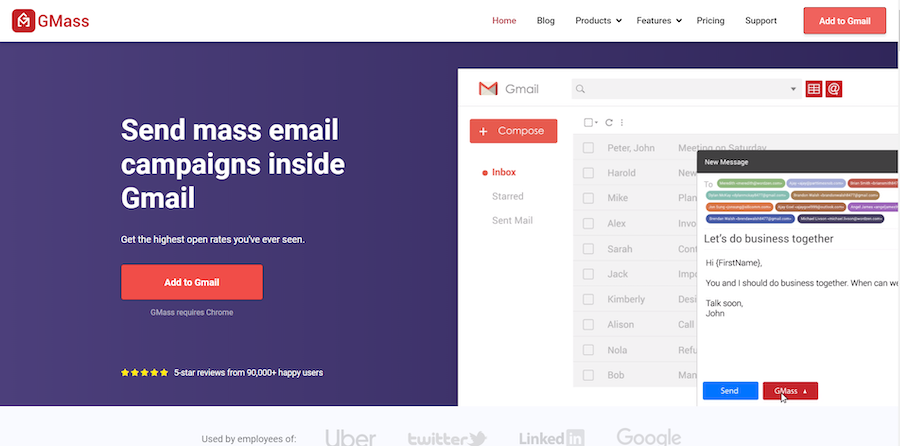
With a SendGrid integration and a user-friendly interface, GMass is the perfect tool for small businesses, churches, and individuals to send bulk emails to their target audience.
Additionally, there’s a handy mobile app and no limited email archive.
What more could you ask?
Download the GMass Chrome extension and experience its power today!
What are you saying, man? I realize everyones got their own view, but really? Listen, your blog is neat. I like the energy you put into it, specially with the vids and the pics. But, come on. Theres gotta be a better way to say this, a way that doesnt make it seem like everyone here is stupid!
The next time Someone said a weblog, I hope that it doesnt disappoint me as much as this. I mean, I know it was my substitute for read, but I personally thought youd have some thing intriguing to say. All I hear is actually a number of whining about something you could fix if you ever werent too busy in search of attention.
There are incredibly plenty of details that way to take into consideration. It really is a excellent examine talk about. I provide thoughts above as general inspiration but clearly you’ll find questions like the one you start up the place that the most essential factor will likely be getting work done in honest excellent faith. I don?t determine if guidelines have emerged around stuff like that, but I am certain your job is clearly labeled as an affordable game. Both children notice the impact of simply a moment’s pleasure, for the rest of their lives.
What are you indicating, man? I understand everyones got their own thoughts and opinions, but really? Listen, your website is neat. I like the effort you put into it, particularly with the vids and the pics. But, come on. Theres gotta be a better way to say this, a way that doesnt make it seem like everybody here is stupid!
Could it be fine to reference some of this particular on my weblog only add a back link to this particular page?
An interesting discussion is worth comment. I do think that you need to write much more about this topic, it might become a taboo subject but usually consumers are too little to dicuss on such topics. To the next. Cheers
When I initially commented I clicked the -Notify me when new comments are added- checkbox and now each time a remark is added I get four emails with the same comment. Is there any manner you possibly can take away me from that service? Thanks!
The next time I read a blog, I hope that it doesnt disappoint me as much as this one. I mean, I know it was my choice to read, but I actually thought youd have something interesting to say. All I hear is a bunch of whining about something that you could fix if you werent too busy looking for attention.
After I initially commented I clicked the -Notify me when new feedback are added- checkbox and now each time a remark is added I get four emails with the same comment. Is there any method you’ll be able to take away me from that service? Thanks!
I didn’t understand the concluding part of your article, could you please explain it more?
This is the right blog for anybody who wants to search out out about this topic. You realize a lot its virtually arduous to argue with you (not that I actually would need…HaHa). You positively put a new spin on a topic thats been written about for years. Nice stuff, just nice!
When I originally commented I clicked the -Notify me when new comments are added- checkbox and after this whenever a comment is added I get four emails with the same comment. Could there be however you possibly can get rid of me from that service? Thanks!
Every email you send should have your signature with the link to your web site or weblog. That usually brings in some visitors.
Useful info. Fortunate me I discovered your web site by accident, and I’m surprised why this coincidence did not came about earlier! I bookmarked it.
Hi there, i read your blog occasionally and i own a similar one and i was just curious if you get a lot of spam feedback? If so how do you stop it, any plugin or anything you can suggest? I get so much lately it’s driving me crazy so any support is very much appreciated.
There is noticeably a bundle to learn about this. I assume you made certain good factors in options also.
I am very happy to read this. This is the type of manual that needs to be given and not the accidental misinformation that is at the other blogs. Appreciate your sharing this greatest doc.