
OK… so this seems obvious but I still feel like I have to say it: The entire key to bulk email marketing is making it feel like it’s not bulk email marketing.
If you can master that, it will do incredible things for your business.
But so, so, so few people have mastered it.
I know because I’ve worked with thousands of people on email marketing over the past decade and I’ve seen it daily. I can also count on one hand the number of truly incredible marketing emails I get in a month.
In this article, I’ll give you all the best advice, tips, and ideas that I’ve gathered in all my years in email marketing — all focused on the goal of making your bulk emails feel personal, relevant, worth opening, and worth acting on.
Bulk Email Marketing: Table of Contents
- Why Bulk Email Marketing Fails
- 7 Essential Tips for Bulk Email Marketing That Feels Personal
- How and Why to Send Bulk Email Marketing Through Gmail
- Make Your Bulk Email Marketing Feel Personal
Why Bulk Email Marketing Fails
This is all pretty intuitive, so I won’t go too long here. But to fix the problems with mass email marketing, first we all have to see eye-to-eye on what those problems are.
We’ve all gotten sneaky good at spotting mass emails
I see this constantly with new email marketers.
They write copy that’s clearly mass produced — but maybe throw in a {FirstName} mail merge tag or an AI-generated line about a detail from their recipient’s LinkedIn — and think they’ll magically fool people into believing it’s a one-on-one message.
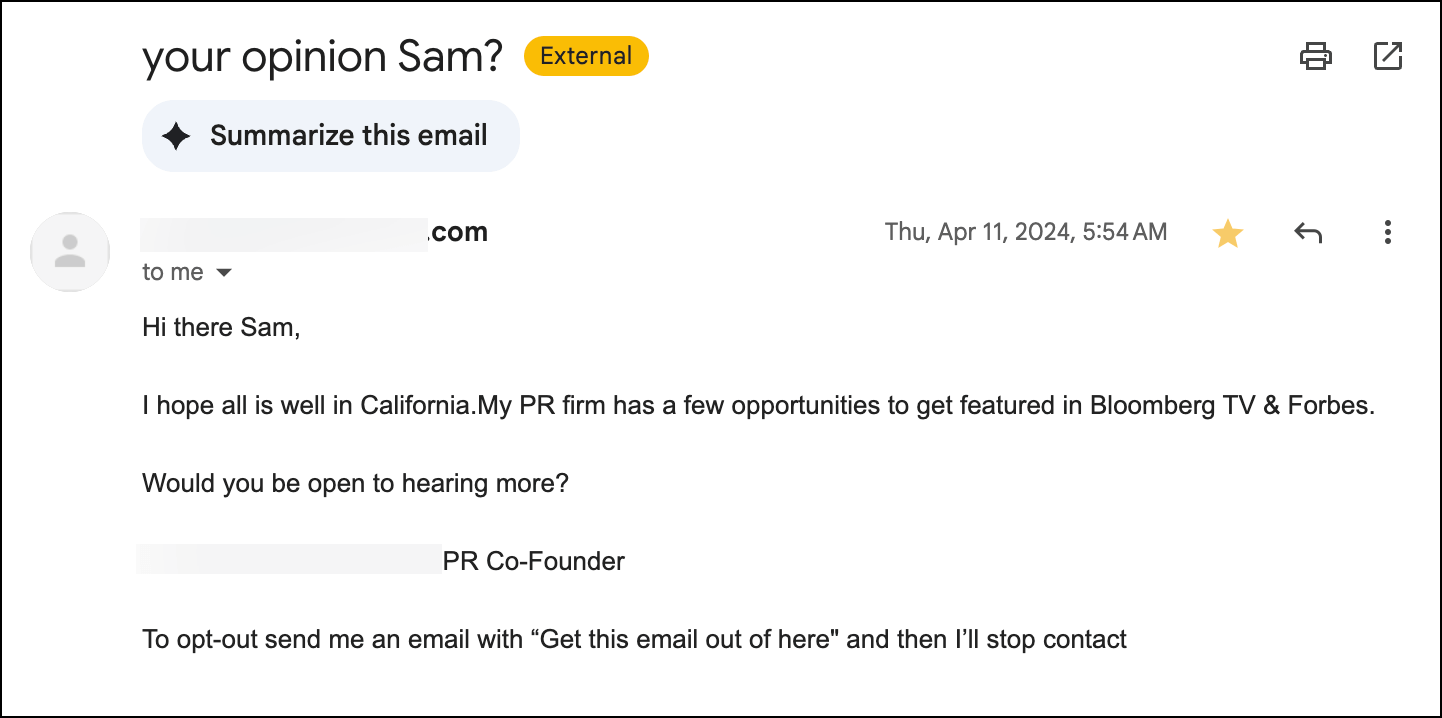
We’ve all been getting bulk email for a quarter century at this point. No one’s getting fooled.
Not even by the AI-written personalization that often feels like it’s bordering on cyberstalking.
We subconsciously devalue bulk email
When people sense they’re receiving a mass email, they immediately devalue it.
They don’t do it on purpose. They don’t care if the content is actually relevant.
If they spot bulk email, it gets the bulk treatment in their brain.
The good news: The same person who deletes an obvious marketing email will happily engage with a message that feels personal and conversational. They’ll open it, read it, even respond to it. The content might be nearly identical, but the presentation makes all the difference.
Generic bulk emails tend to be bad for deliverability
One of the keys to email deliverability is how people interact with your messages.
Obvious bulk emails will likely get fewer opens, fewer clicks, and fewer replies. And that engagement isn’t good for your future deliverability.
Also… when people mark you as spam, that’s especially bad for your deliverability.
The solution? Make your bulk emails feel like they’re not bulk at all.
7 Essential Tips for Bulk Email Marketing That Feels Personal
So how can you send large-scale email campaigns that genuinely feel one-on-one?
Here are the most successful techniques I’ve observed.
1. Master real personalization (beyond {FirstName})
Everyone knows to use someone’s first name in an email. But that’s table stakes now.
With more and more people using AI for personalization, even deeper references are becoming standard. But those rarely feel personalized the right way.
What’s the right way?
Referencing something unique, relevant, and specific.
That doesn’t mean you used AI to craft a reference to their city — it means you have an anecdote.
That doesn’t mean you used AI to come up with a pain point — you used your expertise to spot something no one else has.
That doesn’t mean you reference one of their blog posts — it means you offer an actual interesting thought on that blog post.
The goal is to make each recipient think, “Even if I’m not the only person getting this email, they took the time to focus this one on me.”
2. Write like you’re emailing a single person
Whenever I’m helping people learn cold email copywriting, I start out by having them write a single email to a single prospect.
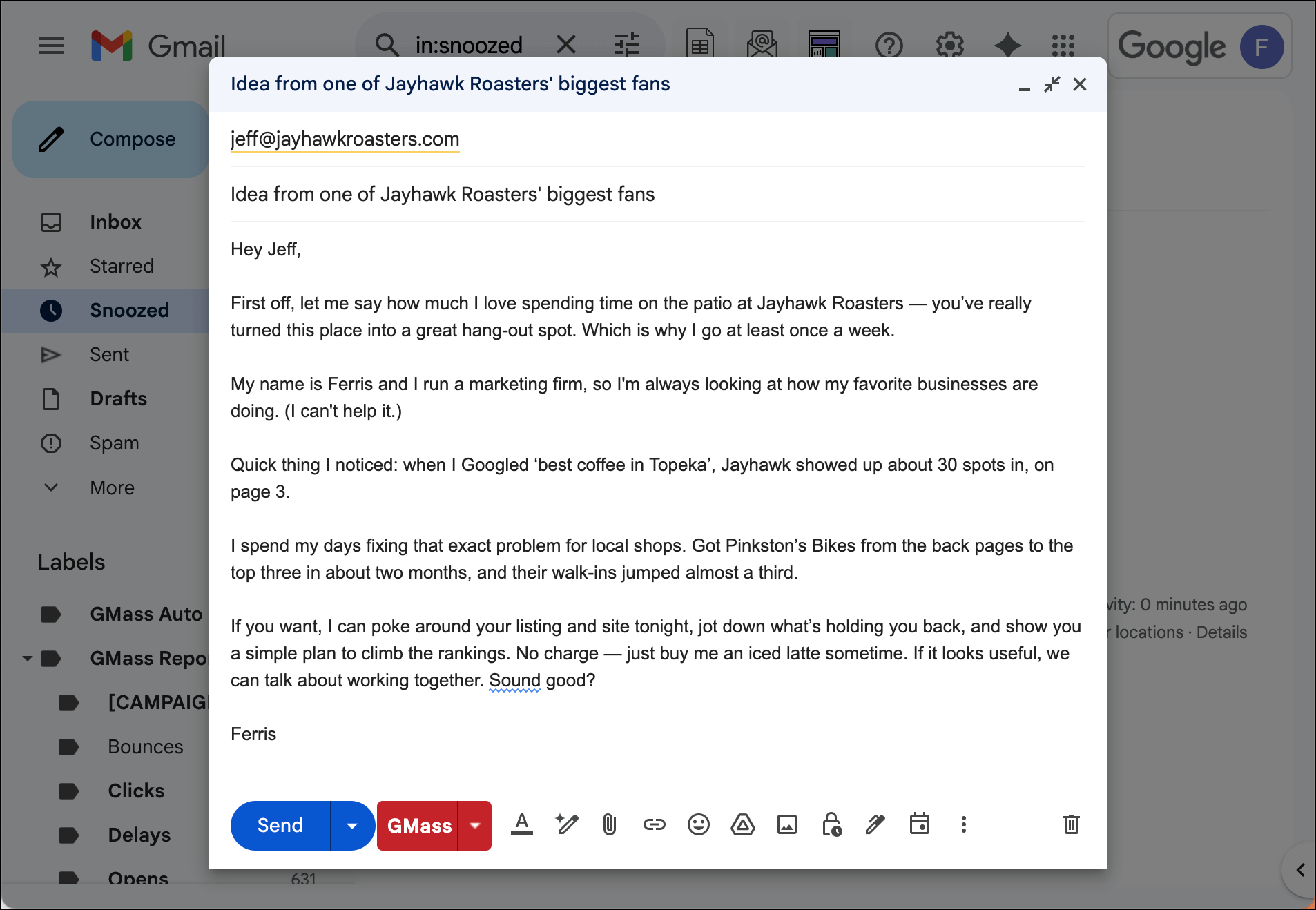
Then we compare that to their most recent mass email blast.
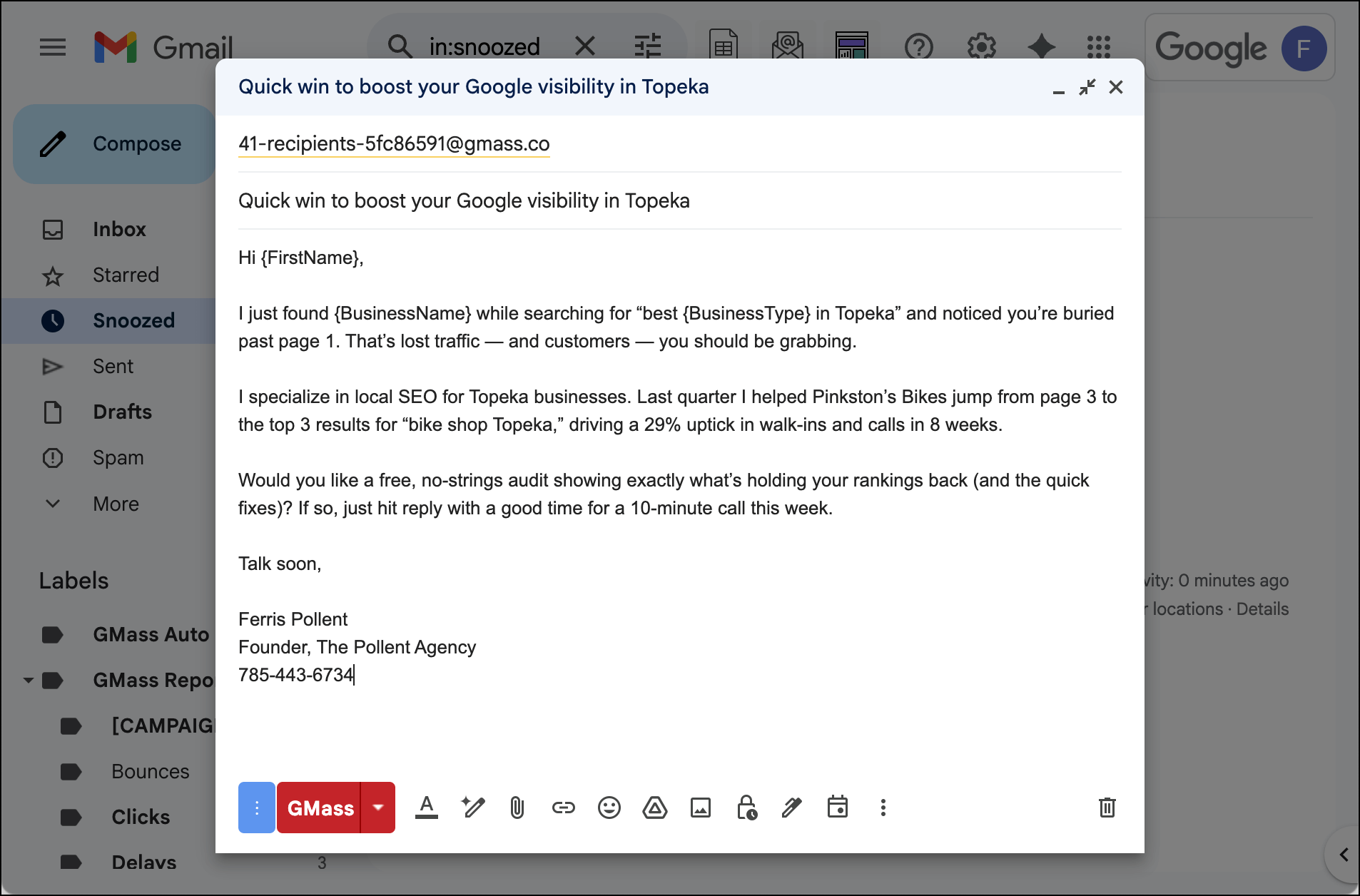
The two emails look, feel, and sound completely different. Every. Single. Time.
Really look at those templates. Which one is far more likely to get a response?
Next time you’re writing a bulk email, try writing a single email first. You’ll be surprised how much more conversational, personal, and genuine it sounds.
(P.S. 99% of the people I work with hate this exercise and this advice. So very few of them follow it and stick with it. That’s a huge advantage for you if you do it.)
3. Send from a person, not a brand
“noreply@company.com” screams bulk email. So does “Outreach Team.”
Instead, send from an actual person with a real name — and a real profile picture.
Use something like “Jeff from Company” or just “Jeff Jones” in the From field.
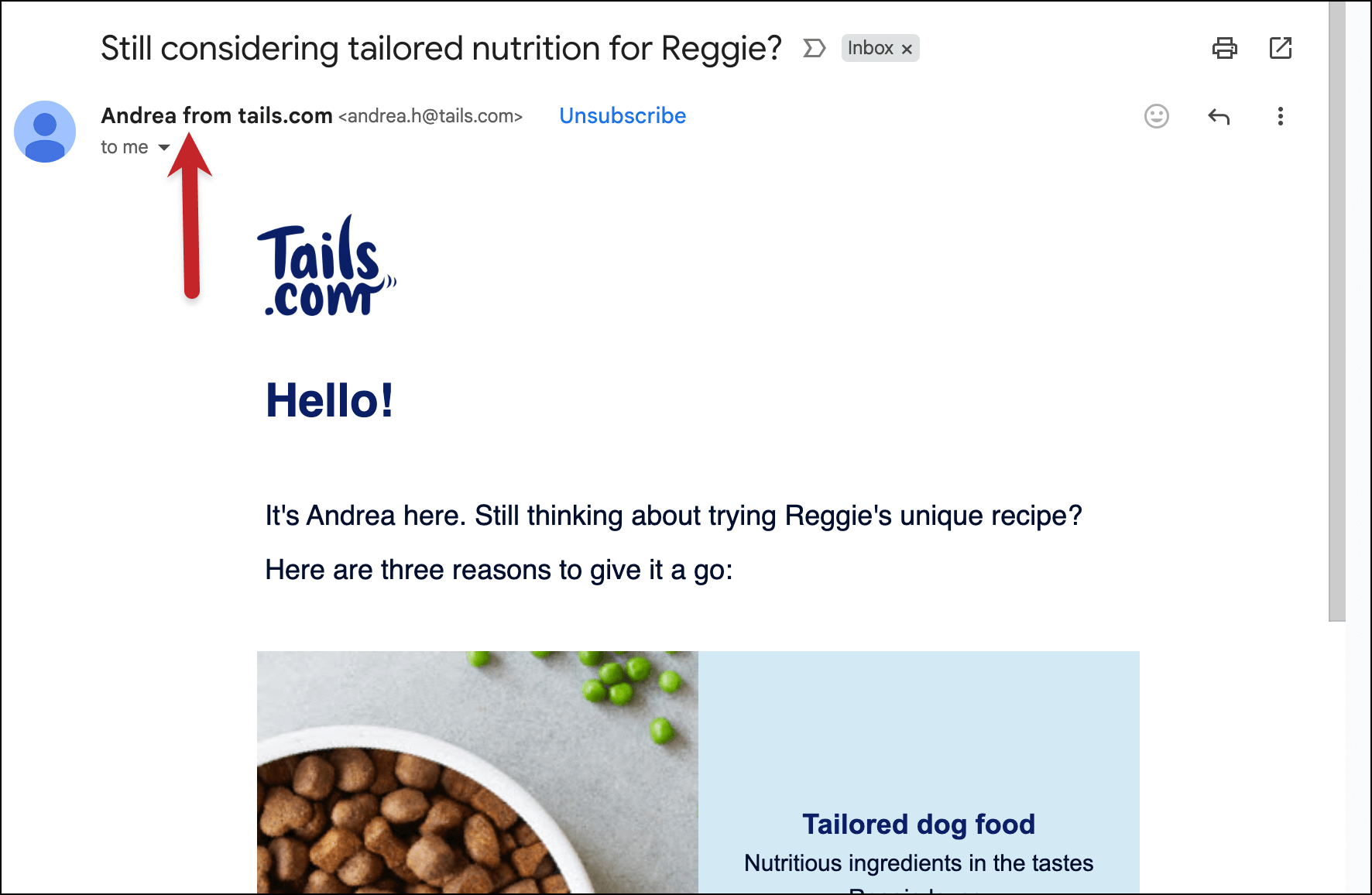
Include a real signature with a photo if it fits your brand. (No, this won’t hurt deliverability if you do your email signature right.)
And make sure the reply-to address actually works, because personal emails get replies.
This simple change will dramatically improve your overall engagement.
4. Segment like your open rates depend on it (because they do)
I know you don’t have time to do an hour of research on every prospect. (I mean, you’d have amazing results if you did, but that’s not really The Game we’re playing.)
So if you can’t personalize that granularly, you need to personalize at scale.
Segment by behavior (what they’ve clicked, bought, or downloaded), demographics (job title, company size, location), and engagement level (how often they open your emails, or whether they’ve replied to a prior campaign).
The smaller and more specific your segments, the more personal your emails can feel.
One well-targeted email to 100 people will outperform a generic blast to 1,000 every single time.
5. Make your subject lines conversational
Your subject line is the first signal of whether your email is personal or bulk. Avoid promotional language like “Don’t Miss Out!” or “Last Chance!” — those phrases immediately trigger people’s marketing email alerts.
Instead, write subject lines like you’re texting a friend. “Quick question about your marketing stack” or “This reminded me of our conversation” feel infinitely more personal than “Boost Your Marketing ROI by 300%!”

You should A/B test extensively here. You’ll be shocked at how the most casual, almost throwaway subject lines can perform the best.
6. Keep your email design simple and clean
Fancy email templates with complex layouts, bright colors, and “Buy Now” buttons look like marketing emails.
If you want your bulk emails to feel personal, make them look more like emails and less like advertisements.
Consider plain text emails or very simple HTML designs.The design should fade into the background and let your message take center stage.
Also, consider actually sending from your Gmail account, since no one’s sending one-on-one emails from Mailchimp. (Yes, you can send bulk emails from Gmail — I’ll show you how in the next section of this article.)
7. Use advanced mail merge features
Basic mail merge stops at names, companies, and even AI generated platitudes.
Advanced mail merge can dynamically change entire paragraphs, images, links, or calls-to-action based on what you know about each recipient.
Show different product recommendations based on past purchases. Include different case studies based on their industry. Change your call-to-action based on where a prospect is in your sales funnel.
Remember that one-on-one template from earlier in the article? Here’s how I turned it into a Google mail merge template.
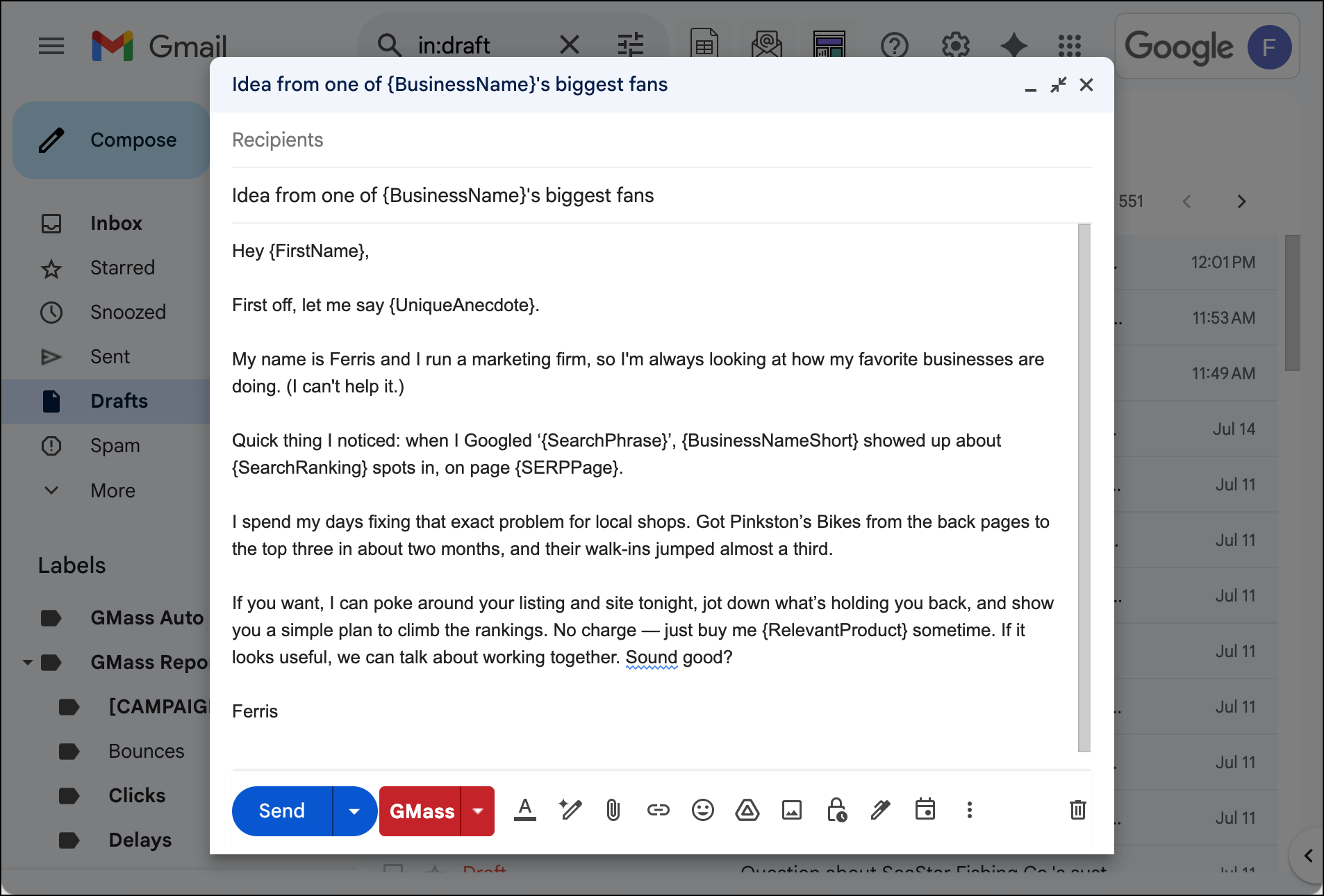
The more your email adapts to each individual recipient, the less it will feel like bulk email marketing.
How and Why to Send Bulk Email Marketing Through Gmail
Here’s another of my Things That Are Obvious But Still Need to Be Said moments in this article: Email marketing platforms are designed to send marketing emails.
They push you toward flashy templates, promotional language, and features that make your emails look and feel like bulk marketing.
Mailchimp, Constant Contact, Klaviyo, ActiveCampaign, and all the rest of their ilk are built around the assumption that you want your emails to look like newsletters or promotional blasts.
And, as a result, their personalization options barely scratch the surface.
If your goal is bulk email marketing that doesn’t look like bulk email marketing — aka the entire point of this entire article — these platforms are working against you.
Gmail-based solutions: Your secret weapon
The best-kept secret in email marketing? Sending your bulk emails through Gmail.
I know it’s the best-kept secret because I’ve been working at the leading Gmail-based bulk email company for several years now and every time I’m talking to someone about my job, they say, “Wait, you can do that in Gmail?”
And for bulk email marketing that doesn’t feel like bulk email marketing, there’s really no better foundation.
When you get an email from someone’s Gmail account, it immediately feels more personal and trustworthy.
There’s no corporate infrastructure visible, no obvious email marketing platform fingerprints. It just looks like someone sent you an email.
Gmail-based solutions let you send bulk emails that look exactly like the personal emails already sitting in your recipients’ inboxes. Same interface, same threading, same natural conversation flow.
And with the right level of personalization, those messages genuinely do feel like one-on-one emails.
GMass: The best of both worlds
This is where GMass changed everything when it pioneered bulk email inside Gmail in 2015 — and where it continues to lead today.
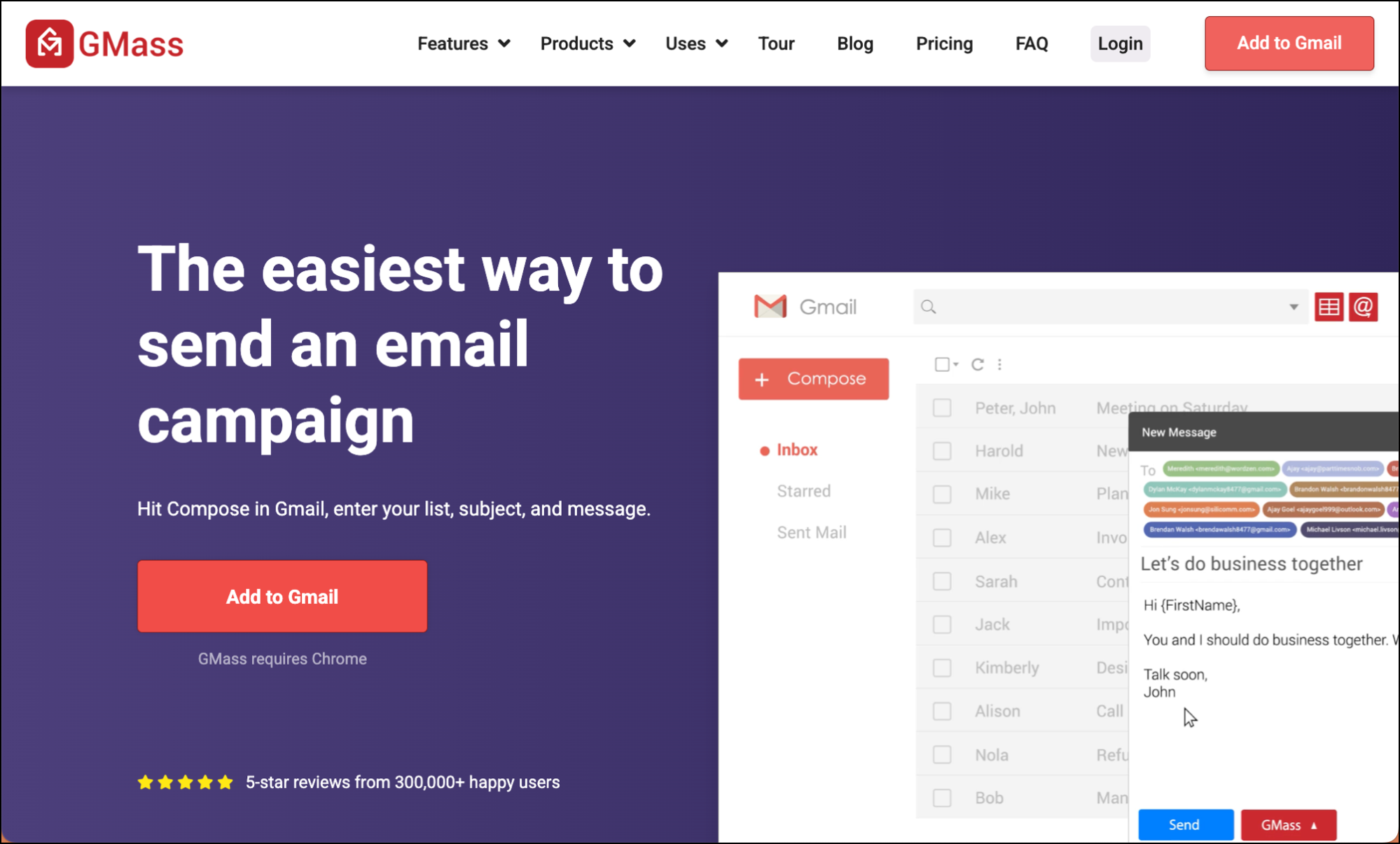
GMass is a Chrome extension that transforms Gmail into a powerful bulk email marketing platform while keeping all the personal touches that make Gmail emails feel authentic.
The personal touch
With GMass, you can send unlimited emails to unlimited contacts, but every single email looks like it came from your personal Gmail account.
Your recipients see a normal Gmail email with your real name, your actual signature, and none of the corporate marketing baggage.
You can even send a bulk email campaign where every message will go out as a reply to your last correspondence with each person.
The power features
But while GMass is easy to use inside Gmail, it’s not underpowered. GMass gives you all the advanced features you need for effective bulk email marketing:
- Advanced mail merge that goes way beyond names and companies
- Automated follow-up sequences that feel like natural conversation starters
- A/B testing capabilities to optimize your campaigns
- Detailed analytics to track what’s working
- Deliverability tools like Spam Solver that help ensure your emails actually make it to the inbox
- Ability to break Gmail’s normal sending limits while staying completely within Google’s terms of service
Make Your Bulk Email Marketing Feel Personal
I’ve said it throughout this article but I’ll say it again because it’s so damn important: Bulk email marketing works best when it doesn’t feel like bulk email marketing at all.
You can have scale and personalization.
You can reach thousands of people while making each person feel like you’re talking directly to them.
But it requires the right approach and the right tools.
Start with the mindset shift: write emails like you’re talking to one person, not broadcasting to thousands. Then choose tools that support that approach instead of fighting against it.
GMass transforms your Gmail into the most powerful personal-feeling email marketing platform on the planet.
And you can give it a try for free with no credit card required. Just install the Chrome extension and start sending emails within minutes.
See why nearly 400,000 users rely on GMass for their mass email marketing campaigns — and why it gets an incredible average rating of 4.8 out of 5 stars across tens of thousands of reviews.
Send incredible emails & automations and avoid the spam folder — all in one powerful but easy-to-learn tool
TRY GMASS FOR FREE
Download Chrome extension - 30 second install!
No credit card required
You really make it seem so easy with your presentation but I find this topic to be really something which I think I would never understand. It seems too complex and extremely broad for me. I am looking forward for your next post, I will try to get the hang of it!
I will right away grab your rss as I can not find your email subscription link or newsletter service. Do you have any? Please let me know so that I could subscribe. Thanks.
You actually make it seem so easy with your presentation but I find this matter to be really something which I think I would never understand. It seems too complex and very broad for me. I’m looking forward for your next post, I?ll try to get the hang of it!