

One of, if not the, hardest parts about sending a huge campaign through your regular email address are the Gmail bulk mail limits.
I see it literally every day (and someone asks me about it every day — occupational hazard of working for one of the world’s most popular mass email platforms and having your contact info plastered all over the website).
Right now, somewhere in the world, there are entrepreneurs launching email campaigns from Gmail, sales teams blasting out prospecting emails, and nonprofits sending newsletters — all while bumping up against Google’s mysterious and opaque sending limits.

And that leads to failed campaigns, confusion, and a whole lot of frustration… because emails just kinda stop sending.
If you’ve ever wondered exactly how many emails you can send through Gmail (spoiler: it’s probably fewer than you think), this guide will break it down.
Plus I’ll show you how you can actually break those limits (all legally within Google’s terms of service) so you can send true bulk emails in Gmail.
Gmail Bulk Mail Limits: Table of Contents
- Gmail’s Official Email Sending Limits (The Reality Check)
- How to Work Within Gmail’s Limits
- How to Break Gmail’s Limits (The Legal Way)
- Essential Deliverability Tips for Gmail Bulk Sending
- How to Deal with Gmail Bulk Mail Limits: Next steps
Gmail’s Official Email Sending Limits (The Reality Check)
Let’s start with what Google actually allows, because the numbers floating around the internet are often wrong.
Free Gmail accounts (gmail.com addresses)
The stated limit: 500 emails per day.
The reality: It’s often much lower than that, especially for newer accounts.
Here’s what most people don’t realize about Gmail’s 500-email limit:
New accounts get severely restricted. If your Gmail account is fresh, you might only be able to send 100-200 emails per day. Google gradually increases your limit as you build your sender reputation over weeks or months.
Gmail counts recipients, not emails. Send one email to 10 people in the “To” field? That’s 10 emails against your limit. Add a few folks in CC or BCC? They all count too.
It’s a rolling 24-hour window, not a daily reset. Hit your limit at 2 P.M. today? You can’t send another 300 at 8 A.M. tomorrow — you have to wait until after 2 P.M. for those 300 “slots” to free up.
Rate limiting kicks in before you hit the cap. Try to send 500 emails in an hour and Gmail will start blocking you long before you reach 500. They want to see natural, human sending patterns.
Paid Google Workspace accounts
The stated limit: 2,000 emails per day.
The reality: If you’ve got a new account, you’ll need to build up to 2,000 — and Google doesn’t tell you how long that will take. (However, they do say you’ll need to spend $100 on Workspace fees before they’ll fully increase you. At $7/month, that’s 15 months.)
Paying for Google Workspace bumps your limit to 2,000 emails per day — but comes with the same gotchas.
The same recipient counting rules apply. Send to 100 people with 5 people CC’d? That’s 500 emails against your limit right there.
Rate limiting is still enforced. You can’t send 2,000 emails in a few hours and expect them all to go through.
The hidden limits nobody talks about
Beyond the daily caps, Gmail has several invisible restrictions that can derail your campaigns:
Burst sending restrictions: Gmail monitors how quickly you send emails. Fire off 50 emails in 5 minutes and you’ll trigger rate limiting even if you’re nowhere near your daily limit.
Account reputation factors: Gmail tracks your bounce rates, spam complaints, and engagement. Poor metrics can quietly reduce your sending limits without any notification.
“Cooling off” periods: Hit your limits or trigger spam filters, and Gmail may restrict your sending for hours or days — even after your daily limit resets.
How to Work Within Gmail’s Limits
If your bulk email needs fit within Gmail’s ~500- to ~2,000-email/day constraints, here are three strategies to maximize what you can send.
Strategy 1: Spread your campaigns over time
Instead of blasting 1,000 emails in one day, plan a 3-5 day campaign that respects Gmail’s limits. Send 200 emails Monday morning, 200 Tuesday afternoon, and so on.
You can do those sends manually in Gmail, or use a third-party tool like GMass that automatically divides your large campaigns across multiple days.

This approach can even improve deliverability since you’re mimicking natural human sending patterns rather than looking like a spam bot.
Strategy 2: Segment your lists
Every email guru preaches segmentation — now it’s time to actually use it.
You can break large email lists into smaller, targeted segments. Instead of sending one generic email to 800 people, send four different emails to 200 more targeted recipients.
This strategy works within Gmail’s limits while often delivering better results. More relevant emails get higher open rates and engagement, which improves your sender reputation for future campaigns.
Strategy 3: Focus on engagement
This is going to get all idealistic (at least about email, not the universe), so feel free to skip it if you aren’t in the mood for all that.
100 people who actually engage with your emails are far more valuable than 3,000 people who ignore them.
If Gmail’s limits force you to send to smaller lists, use that constraint as an opportunity to build higher-quality contact lists. Focus on people who actually want to hear from you rather than trying to reach everyone.
How to Break Gmail’s Limits (The Legal Way)
But really now — you’re reading an article on bulk mail. And you’re not reading it to send 50 or even 500 emails a day. For you, Gmail’s mass email limits are almost certainly deal-breakers.
Fortunately, there are legitimate ways to break Gmail’s limits while staying within Google’s terms of service.
Method 1: SMTP integration
This is the cleanest solution. Here’s how to do it.
GMass is a Chrome extension that transforms Gmail into an email sending platform.
But unlike some other Gmail sending tools (like YAMM, Mailmeteor, or even Google’s built-in mail merge), GMass enables you to break right through Gmail’s daily sending limits.
You can connect a SMTP service like SendGrid to GMass. Or you can apply to use GMass’s in-house sending servers for opt-in emails or cold outreach.
Then, when GMass detects you’ve hit your daily Gmail sending limit, it will immediately switch over and continue sending your campaign through the SMTP service.

The campaign messages will still come from your email address and will still be in your Gmail Sent folder.
But now, you can send a pretty much unlimited number of messages. (Don’t worry, GMass also has speed throttling if you want to add pauses in between messages to better replicate a human sending style.)
And this method is completely compliant with Google’s terms of service since you’re using external servers for the actual sending.
Method 2: Inbox rotation (MultiSend)
Inbox rotation is primarily a tool used by cold emailers, but anyone on GMass’s Professional plan or team plans can use it for giant campaigns.
Here’s how it works. You have your one primary Gmail or Google Workspace account. Then you can connect as many other additional sending accounts as you like (other Gmail or Google Workspace mailboxes).
That way, if you’re sending 10,000 emails, you could use 25 sending accounts sending 400 emails each.

GMass manages the rotation, so you’re not manually switching between accounts or tracking which one to use.
This scales your sending dramatically while keeping each individual account within Google’s limits.
Method 3: Multi-day campaign distribution
GMass can automatically spread large campaigns across multiple days, respecting whatever daily limit you set.
Want to send 5,000 emails but stay under 500 per day? GMass will automatically send 500 emails each day for 10 days. You set it up once, and the platform handles the distribution for you.
This method works entirely within Gmail’s limits while letting you reach much larger audiences.
Why GMass is the only tool that does this right
There aren’t many, if any, other Gmail tools out there that can do everything I’ve just described.
Gmail sending tools like YAMM, Mailmeteor, and Mailsuite don’t offer you any way to break Gmail’s limits.
Cold outreach platforms like Instantly, Smartlead, and QuickMail offer inbox rotation — but cost a ton compared to GMass.
And none of the above actually work inside Gmail; you have to do everything either on another platform or inside of a spreadsheet.
With GMass, you can break Gmail’s limits without learning new software or changing your workflow.
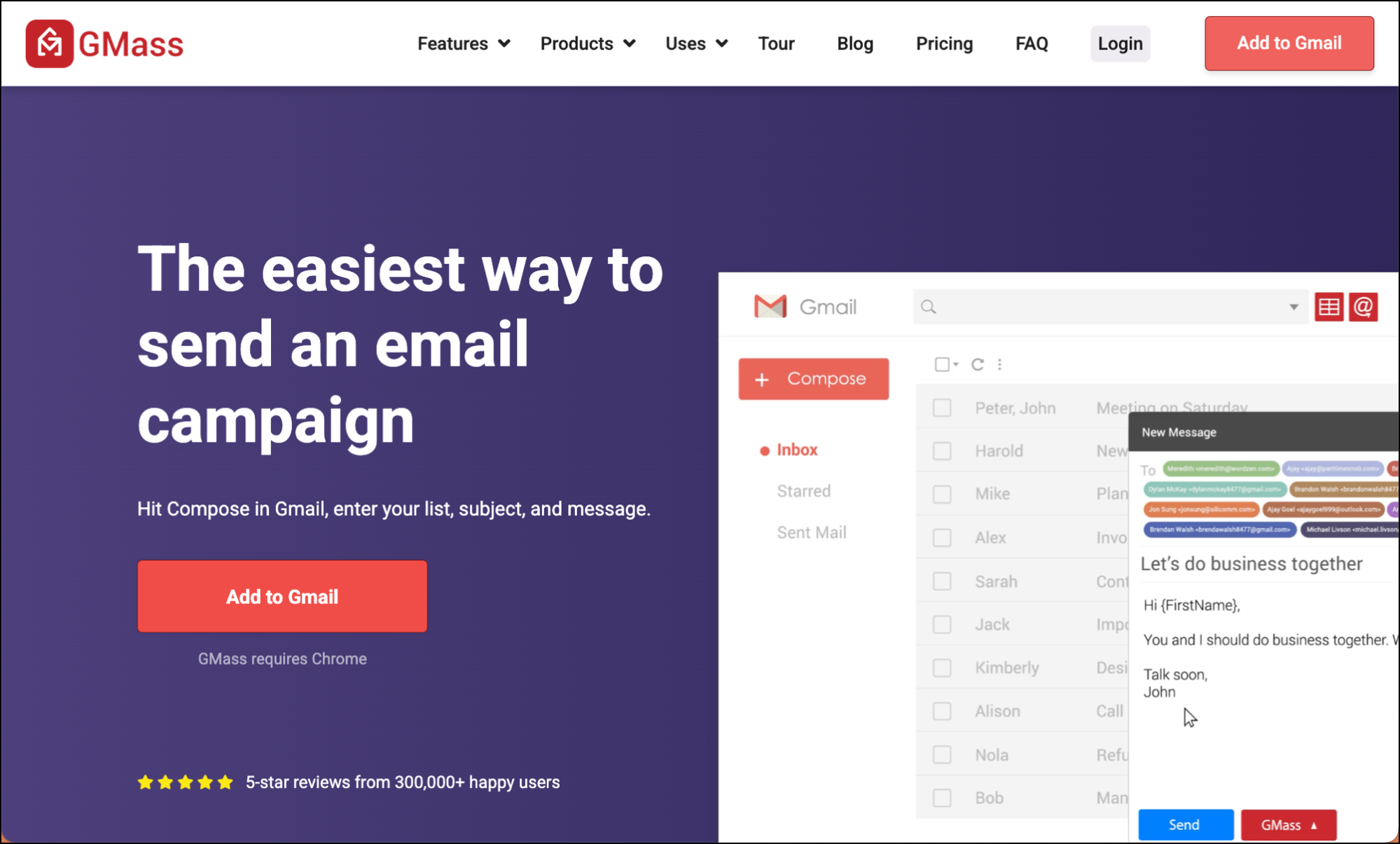
You’re just unlocking Gmail’s potential with features like unlimited sending, advanced automation, and detailed analytics. Plus, GMass has unique deliverability tools like Spam Solver that help your emails actually reach inboxes.
Most important, GMass does all this while staying compliant with Google’s terms of service — something that really matters since you’re probably planning on using Gmail for the long term.
You can try GMass for free — no credit card required — by installing the Chrome extension. You’ll be up and running in minutes.
(Want some guidance on using SMTP with GMass to send large campaigns? This article on the SMTP options in GMass will get you going in the right direction.)
Essential Deliverability Tips for Gmail Bulk Sending
Breaking Gmail’s limits is only useful if your emails actually reach inboxes.
Here are some of the essential deliverability practices for bulk Gmail sending.
List quality and authentication
Clean your email lists regularly. Remove bounced addresses, unsubscribes, and inactive contacts. GMass includes free email verification to help with this.
Set up SPF, DKIM, and DMARC. These email authentication protocols tell receiving servers that your emails are legitimate. Most SMTP services handle this automatically, but verify it’s configured correctly.
Here are some beginner-friendly guides to set up SPF, set up DKIM, and set up DMARC.
Smart sending practices
Personalize beyond just first names. Use a Google Sheets mail merge to customize content based on recipient interests, company, or other relevant data. Personalized emails get better engagement, which improves deliverability.
Monitor your metrics obsessively. Watch bounce rates, unsubscribe rates, and engagement. High bounce rates or spam complaints will hurt your sender reputation fast.
If you’re using MultiSend, keep an eye on different mailboxes to see if one is getting much lower rates than the others — and if so, drop it from your rotation.
Respect unsubscribes. Nothing damages sender reputation faster than continuing to email people who’ve opted out.
Fortunately, GMass has built-in unsubscribe management so any emails you try to send to unsubscribed addresses will automatically be suppressed. Plus you can share unsubscribes across your team.
Use deliverability tools
Spam Solver tests your campaigns before sending. This AI-powered tool analyzes your email content and setup, then provides specific recommendations to improve inbox placement.
Automatic bounce handling keeps your lists clean. GMass automatically removes bounced addresses from future campaigns, protecting your sender reputation.
Real-time performance tracking shows you what’s working. Monitor opens, clicks, replies, and deliverability metrics to optimize your campaigns continuously.
How to Deal with Gmail Bulk Mail Limits: Next steps
Modern email marketing often requires volume that Gmail can’t provide.
Average newsletter lists have 1,000+ subscribers. Sales teams need to contact thousands (or more) of prospects monthly. Event promotions reach thousands of people. None of this fits within Gmail bulk mail limits.
Fortunately, you can still use Gmail to send your campaigns if you know how to break those limits.
Ready to forget Gmail limits even exist?
Nearly 400,000 users love GMass and rely on it daily to send bulk campaigns to hundreds, thousands, tens of thousands, and sometimes even hundreds of thousands of recipients.
Come see why GMass averages 4.8 out of 5 stars across 15,000+ reviews.
It’s the easiest way to transform Gmail into a professional email marketing platform, and one without limits.
Try GMass completely free — no credit card required. Just install the Chrome extension and you’ll be up and going fast.
There are certainly quite a lot of details like that to take into consideration. That could be a great level to deliver up. I supply the thoughts above as common inspiration but clearly there are questions like the one you deliver up the place crucial thing will probably be working in sincere good faith. I don?t know if finest practices have emerged around things like that, however I am positive that your job is clearly identified as a good game. Both boys and girls really feel the impression of only a moment?s pleasure, for the rest of their lives.
I’m using gmass api to send my gmass emails. Can I still implement these settings you suggest when sending through the api?
I’m using gmass api to send my gmass emails. Can I still implement these settings you suggest when sending through the api?
I am thoroughly confused. I sent 480 Emails one day the 20 the next. I’ll never get though my list like this Where can I go for help. I’m not technical so the forms read like there’re in a foreign language.
I am thoroughly confused. I sent 480 Emails one day the 20 the next. I’ll never get though my list like this Where can I go for help. I’m not technical so the forms read like there’re in a foreign language.
I am thoroughly confused. I sent 480 Emails one day the 20 the next. I’ll never get though my list like this Where can I go for help. I’m not technical so the forms read like there’re in a foreign language.